5
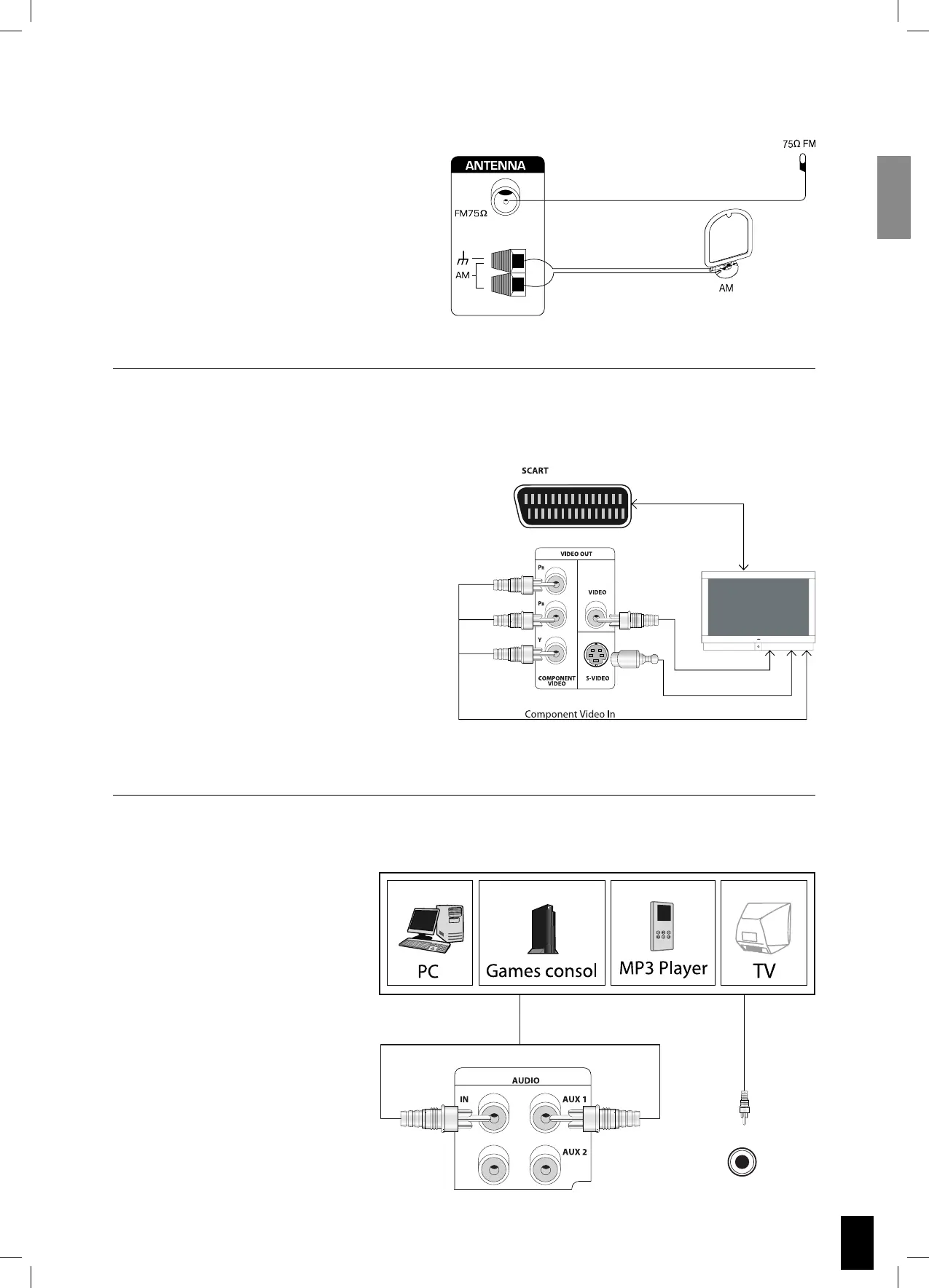
Connecting antennas
You will need to tune into an FM/AM radio
station and adjust the position of the FM/AM
antenna to achieve the best possible recep-
tion.
Connecting TV-System
SCART video configuration
Both audio and video are passed through
the SCART cable. Most TVs will automatically
send the audio to the S VSR 25.
S-Video configuration
Video is connected through the S-Video
cable (not supplied) to the TV. Remember to
connect the audio from the TV to the S VSR
25. Set Video Output to YPbPr (see page 9)
Component video configuration
The Component video output can be con-
nected to plasma and LCD displays. Remem-
ber to connect the audio from the TV to the
S VSR 25.
Connecting audio
If a PC, Games consol, MP3 player,
TV or similar has analogue audio
output, you can connect it directly
to the S VSR 25.
MP3


 To Next Page