EasyManua.ls Logo

Jantar POPULUS P Series - User Manual

Jantar POPULUS P Series
2 pages
Print Icon
To Next Page IconTo Next Page
Loading...
POPULUS P Access controller
5/2014
Black line
www.codeks.eu
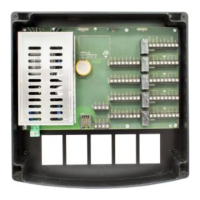
POPULUS P ACCESS CONTROLLER
The Populus P is an access controller that controls up to 8 readers
and 4 outputs for electric strikes. It is designed for residential and
business buildings, offices, shops, etc.
The entire set-up procedure is carried out with the software. The
controller allows access for up to 16000 users. It is intended for
controlling entries, exits and passes of users in the system and
controlling sliding doors, ramp, el. strike, turning alarm on/off… It
needs to be set with BLOCKER, V7 or CODEKS software.
It may also be used as a standalone controller. In this case, the
entire set-up procedure is carried out with master card or code.
User cards and codes can either be registered or deleted. The
controller allows access for up to 500 users (1 master card + 500
user cards or codes).
The SDK is also available for this controller. If a user or software
producer wants to develop its own application, please contact us.
TECHNICAL DATA
POPULUS P-1-3P and POPULUS P-1-3P-NET
Readers
1x direct or Wiegand, 1x protocol
Inputs
1x door status, 1x button
Outputs
1x max. 0.5 A active=GND
Relays
1x 5A 60V DC
POPULUS P-2-3P and POPULUS P-2-3P-NET
Readers
2x direct or Wiegand, 2x protocol
Inputs
2x door status, 2x button
Outputs
2x max. 0.5 A active=GND
Relays
2x 5A 60V DC
POPULUS P-4-3P and POPULUS P-4-3P-NET
Readers
4x direct or Wiegand, 4x protocol
Inputs
4x door status, 4x button
Outputs
4x max. 0.5 A active=GND
Relays
4x 5A 60V DC
*if Populus P is in Spider mode, the same data applies
Common features
Input voltage
110 230 V AC 5060 Hz
Output voltage
13.8 V DC
Primary fuse
(F100) T1AL, 250 V (5x20mm)
Current consumption
Up to 2W
Humidity
10-80 %, non-condensing
Dimensions (mm)
222x222x80 (WxHxD)
Operating temperature
From -20°C to 40°C
Communication
RS485 or Ethernet
Clock
Real time clock, battery backup
(max. ten hours)
Operation at an altitude of
<2000m
Appliance class
Class II - This is a class A
product. In a domestic
environment this product may
cause radio interference in which
case the user may be required to
take adequate measures.
CONNECTOR DESCRIPTION
Connectors are marked on the circuit board with AC, LAN, SYS,
COM, RDR and DOOR.
CONNECTOR AC Power supply
Contact
Specification
1
Power supply
110 230 V AC
5060 Hz
CONNECTOR LAN Ethernet connection
Contact
Specification
1
LAN
Ethernet
CONNECTOR SYS backup battery connection
Contact
Description
Specification
1
BAT
12 V DC from battery
2
GND
Ground
3
12V
Max. 0.5 A
4
GND
Ground
CONNECTOR COM RS485 communication connection
Contact
Description
Specification
1
CA
RS485 A line
2
CB
RS485 B line
3
CA
RS485 A line
4
CB
RS485 B line
CONNECTOR RDR1, RDR2, RDR3, RDR4 reader connection
Contact
Description
Specification
1
12V
12 V DC output
2
GND
Ground
3
D0
Data 0
4
D1
Data 1
5
BUZ
Buzzer output
6
LED
LED output
7
XA RS485 XA line
For protocol reader
8
XB RS485 XB line
For protocol reader
CONNECTOR DOOR1, DOOR2, DOOR3, DOOR4 sensor,
button, el. strike and relay connections
Contact
Description
Specification
1
SWITCH
Door status switch input
active=GND
2
GND
Ground
3
BUTTON
Push button input
active=GND
4
12V
12 V DC output
5
LOCK
El. strike output
active=GND
6
NO
Relay open contact
7
MIDDLE
Relay middle
8
NC
Relay closed contact
Power Supply
The controller can operate within a 110-230V AC, 5060Hz input
range. The output power of the in-built power supply is 30W, 13.8V
fulltime. The power supply has protection against both short
circuits and current overload. In the event of protection activation,
the power will be switched off for 5s. If this is repeated 20 times,
the controller will switch off until electrical resetting takes place
(unplugging from mains voltage). This protection is activated if
external consumption exceeds 2A.
An appropriate disconnect device should be provided external to
the equipment. A multi-strand/stranded flexible wires connected to
the unit mains input require ferrules.
Question and Answer IconNeed help?

Do you have a question about the Jantar POPULUS P Series and is the answer not in the manual?

Summary

Connector Description

CONNECTOR AC - Power supply

Details of the AC power supply connection and specifications.

CONNECTOR LAN - Ethernet connection

Specifications for the Ethernet network connection.

CONNECTOR SYS - backup battery connection

Details for connecting a backup battery to the controller.

CONNECTOR COM - RS485 communication connection

Specifications for the RS485 communication interface.

CONNECTOR RDR1, RDR2, RDR3, RDR4 - reader connection

Details for connecting up to four readers to the controller.

CONNECTOR DOOR1, DOOR2, DOOR3, DOOR4 - sensor, button, el. strike and relay connections

Connections for door switches, buttons, electric strikes, and relays.

Technical Data

POPULUS P-1-3 P and POPULUS P-1-3 P-NET

Technical specifications for specific Populus P models.

POPULUS P-2-3 P and POPULUS P-2-3 P-NET

Technical specifications for specific Populus P models.

POPULUS P-4-3 P and POPULUS P-4-3 P-NET

Technical specifications for specific Populus P models.

Common Features

General technical specifications applicable to all models.

Power Supply Operation

Power Supply

Details on input voltage range, output power, and protection features.

Device Configuration and Operation

Voltage drops

Considerations for cable diameter and voltage drop for device connectivity.

Door

Description of door connector functionality and reader configurations.

Inputs, outputs and environment

Information on input/output operation and environmental installation guidelines.

Communication

Details on Ethernet and RS485 communication setup.

S - Spider mode

Configuration and use of the controller in Spider mode.

RS485

RS485 communication bus usage and limitations.

Reset to the factory settings (brainwash)

Procedure for resetting the controller to factory default settings.

ORDERING CODES

Catalog numbers and specifications for Populus controller models.

Jantar POPULUS P Series Specifications

General IconGeneral
Communication InterfaceEthernet, RS-485
Number of Readers Supported2
Number of Inputs4
Number of Outputs2
Operating Voltage12-24 VDC