19
PROGRAMMING
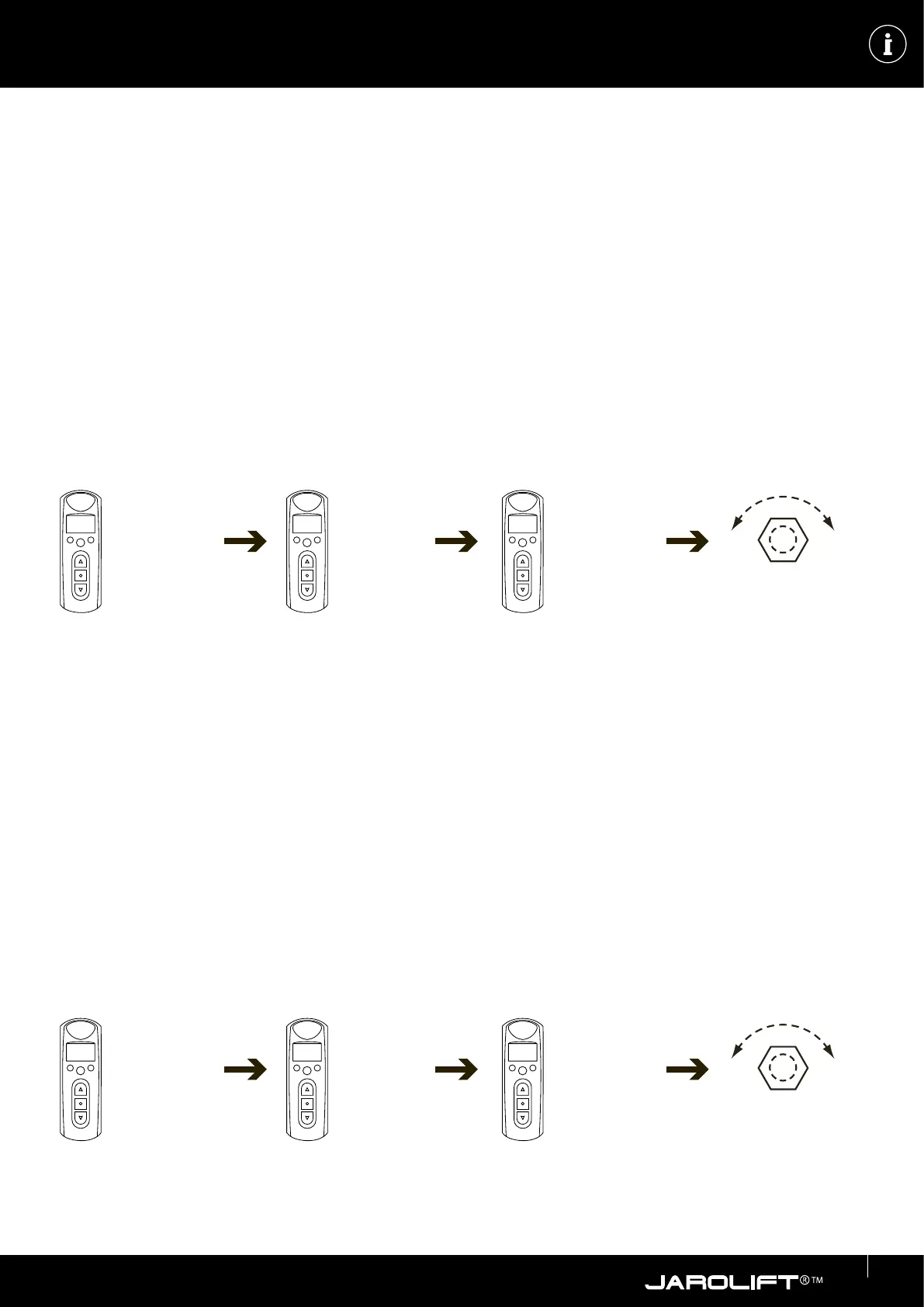
Setting the jog mode
You can conveniently control blinds in the “Jog mode”. When you press the UP button, the blind does not immediately move
to the upper end position. The drive is controlled by briefly pressing it and thus opens the blind only step by step to open the
slats. The function is also used for convenient control of roller shutters to open the ventilation slits. Only when you press and
hold the UP button for longer than approx. 3 seconds, the drive is controlled in “self-retaining” and the blind is fully opened.
The example shown is exemplary and depends on the respective receiver type. Please refer to the instructions of the
receiver!
Activating / deactivating the jog mode
1. Simultaneously press the UP and DOWN Button on transmitter.
2. Then press 6x the STOP Key.
3. Press within 10 seconds the AB-Key.
The motor will confirm the activation (deactivation) of the jog mode by vibrating briefly.
Taught-in transmitter:
Up/down
button simul-
taneously
press.
(engine vibrates)
6 x stop but-
ton Press.
1 x DOWN key
Press
max. 10 sec.
To deactivate the jog mode, repeat the procedure.
Delete handheld transmitter
ATTENTION!
All taught-in (programmed) transmitters are deleted! Individual deletion of a transmitter is not possible!
The example shown is exemplary and depends on the respective receiver type. Please refer to the instructions of the
receiver!
1. Simultaneously press the UP and DOWN Button on a taught-in transmitter.
2. Then press 6x the STOP Key.
3. Press Within 10 seconds, press the OPEN button.-button. The motor will confirm the deletion of the transmitters by
a short vibration.
Taught-in transmitter:
Up/down
button simul-
taneously
press.
(engine vibrates)
6 x stop
button
Press.
Press the UP
button 1 x.
Press
max. 10 sec.
max. 10 sec.
max. 10 sec.


 To Next Page