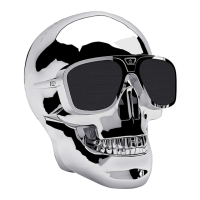
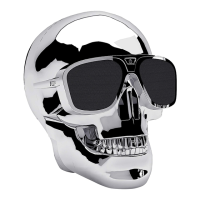
15V DC Connector
Connecteur 15V DC
Woofer
Haut-parleur
basses fréquences
Battery Level
Indicator
Indicateur
du niveau
de batterie
Line-in 3.5mm
Connecteur
Line-in 3.5mm
Micro USB for rmware upgrade
Micro USB pour mise à jour logiciel
1
2
100-240VAC
Blue LED Flashes - Pairing
Blue LED Steady - Connected
LED bleue clignotante -
Enceinte en attente
d'appairage
LED bleue xe -
Enceinte connectée
3
On / O
Marche / Arrêt
Press and hold
the On/O
button
for 3 seconds
Maintenir
le bouton
Marche/Arrêt
appuyé
pendant
3 secondes
Product images
are for reference purpose only
and may dier from the actual product.
Jarre Technologies reserves the right
to modify this product without prior notice.
Bluetooth Indicator
Indicateur Bluetooth
Status
Indicator
Indicateur
d'état
On / O
Marche / Arrêt
Volume -
Volume -
Volume +
Volume +
AeroBull XS 1
3
Connect one Speaker to phone
using the phone Bluetooth connection
Connecter une enceinte
au téléphone en utilisant l'appairage
Bluetooth du téléphone
Dual wireless stereo pairing
when using 2 units (True Wireless)
1
Switch on
both Speakers
Allumer les deux enceintes
Images d'illustration
qui peuvent diérer du produit nal.
Jarre Technologies se réserve
le droit de modier le produit
sans notication préalable.
Tweeter
Haut-parleur
hautes
fréquences
Tweeter
Haut-parleur
hautes
fréquences
For Left Speaker
Pour enceinte
gauche
2
Hold down
for 3 secs
Maintenir
appuyé
pendant
3 secondes
Hold down
for 3 secs
Maintenir
appuyé
pendant
3 secondes
For Right Speaker
Pour enceinte
droite
“XS1” represents the version of this product
"XS1" représente la version de ce produit
www.jarre.com/support
Supporte l’appairage stéréo
sans-l avec 2 enceintes

 Need help?
 General

 To Next Page