DETAILS PAGE:
The Details page is a snapshot of your daily activities,
sleep pattern and heart rate data. The data can be
displayed in weeks, months and year by clicking on
the appropriate time frame on the top of the App page.
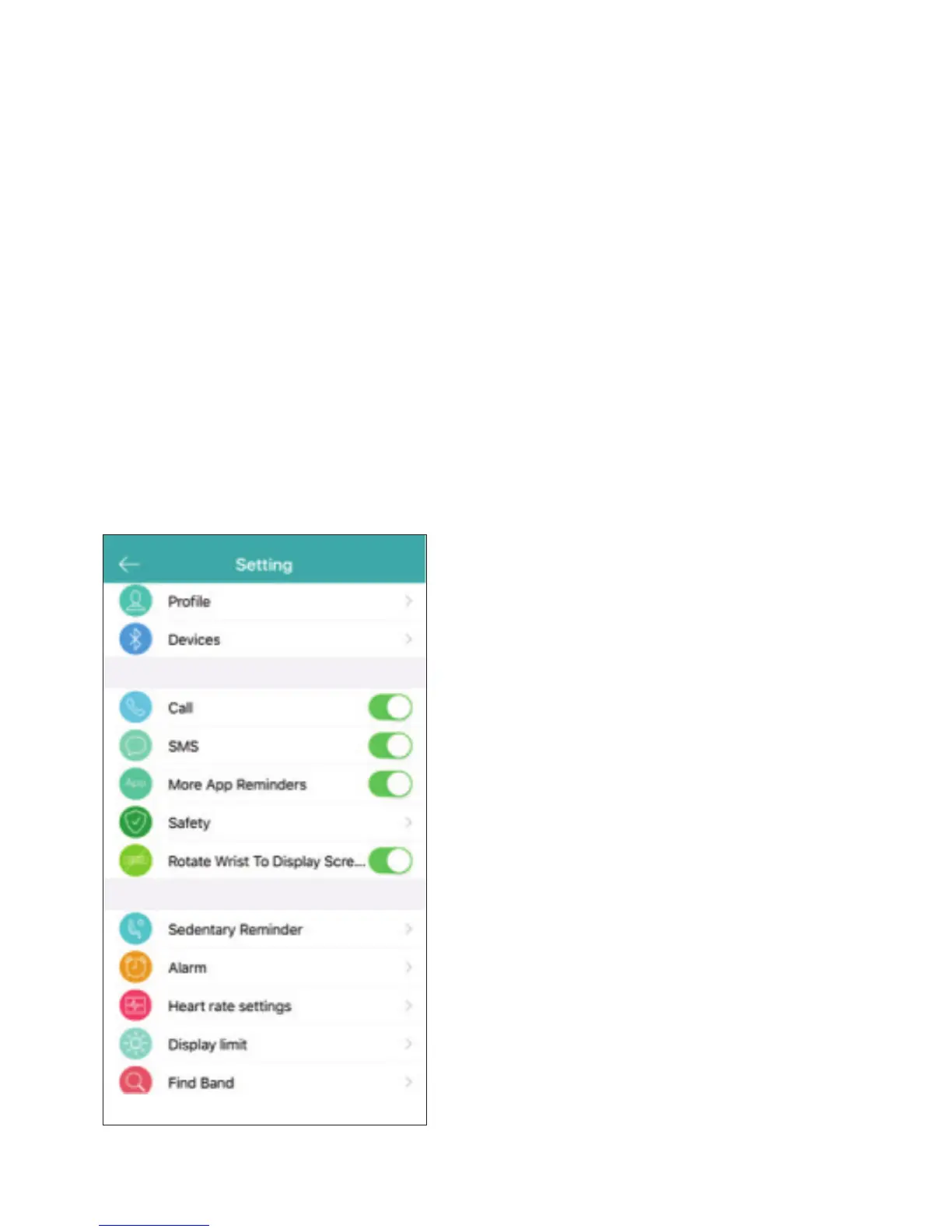
SETTINGS PAGE:
On the setting page, you will able to set-up your
notifications such as call, sedentary, alarm, and
text/social media messaging alerts. You will also be
able to customize your heart rate setting, and turn on
the remote picture feature.
There is also a Safety alert
which notifies you using a
gentle vibration if your phone
is out of the Bluetooth range.
Find Band feature allows you
to locate your activity tracker
via a gentle vibration, this
function is used directly from
the App.
The Settings page also provides
firmware information, ways to
clear your data , link to Apple
Health for your Jarv Action +HR
Activity band, and allows you to
update the device firmware if
necessary.
12


 To Next Page