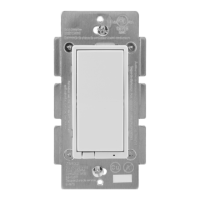
14314 PRODUCT SPECIFICATIONS
Related Products - Z-Wave Smart Controls
Additional Paddle Colors
Device Conguration
Adding your device to a Z-Wave network
Once the hub is ready to add your smart fan control, press and
release the top or bottom button on the smart fan control to
add it in the network.
To remove and reset the device
Once the controller is ready to remove your device, press and
release the top or bottom button on the smart fan control to
remove it from the network.
To return to factory defaults
Quickly press the ON button 3 times, then press the OFF button
3times.TheLEDwillashON/OFF5timeswhencompleted
successfully
www.byjasco.com
13940
Black Paddle
46560
Add-On
Switch
24770
In-Wall Smart
Motion Switch
46564
In-Wall
Smart Dimmer
26932
In-Wall Smart
Motion Dimmer
55257
In-Wall
Smart Outlet
CAV
13943
Brown Paddle
13945
Ivory Paddle
Compliances,specicationsandavailabilityare
subject to change without notice
Distributed by Jasco Products Company LLC
10 E. Memorial Rd., Oklahoma City, OK
Questions? Contact our U.S.-based Consumer Care at
1-800-654-8483 between 7AM-8PM, M-F, Central Time.
©Jasco 2020
3
Certications & Compliances


 To Previous Page
 Loading...