17
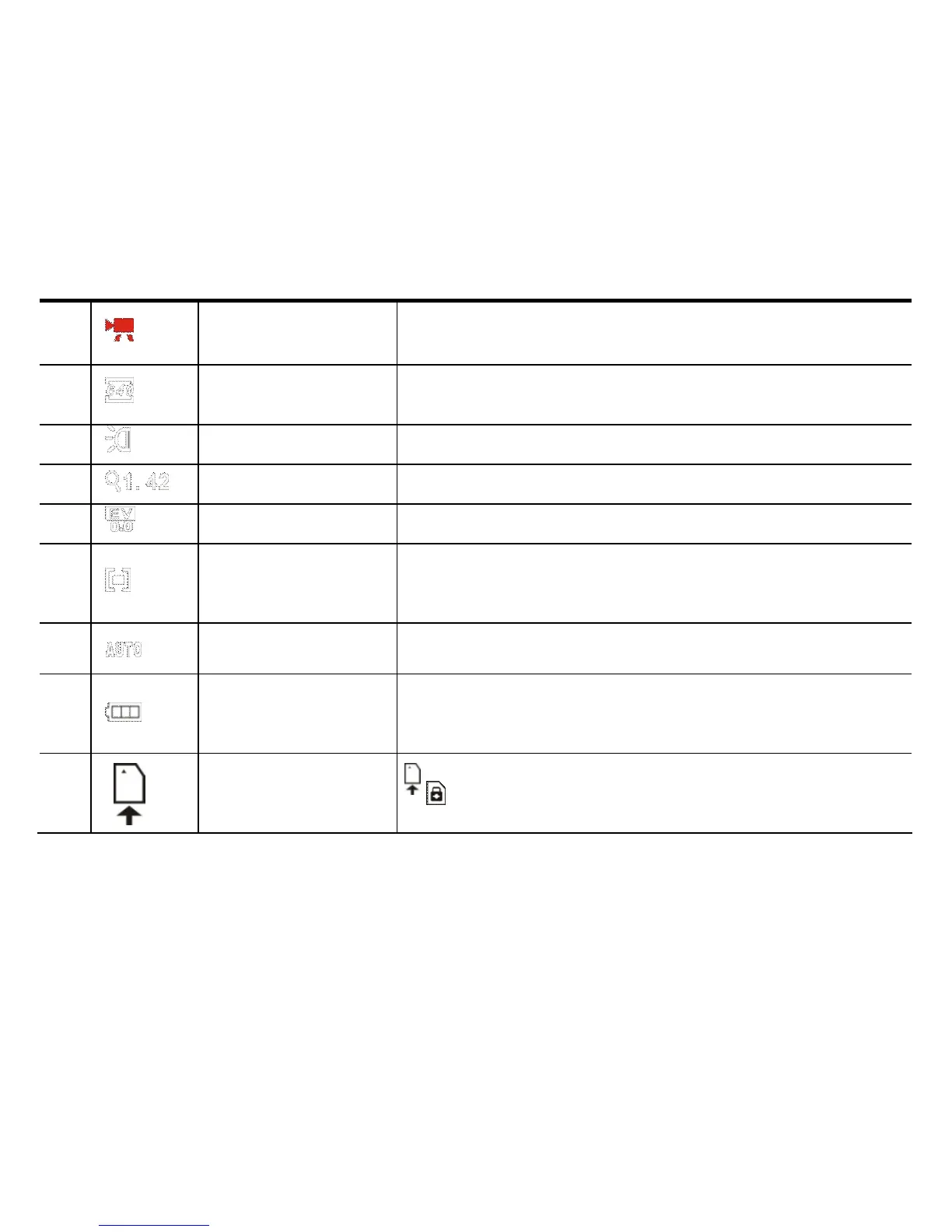
3 Recording mode Ready for Video Recording
4 Video format
Indicates resolution of current Video Recording
selected.
5 Fill light Indicates LED support light is turned ON
6 Zoom indication Indicates current digital zoom magnification
7 Exposure Indicates current selected exposure value
8
Exposure
Metering area
Indicates current Exposure Metering scene area
9 White balance Indicates the current white balance setting
1
0
Power status Indicates current battery status.
1
1
SD card
Indicates the SD memory card inserted.
indicates the SD card is LOCK-ed


 To Next Page