23
Reset All Yes/No Return to Factory Setting (Default settings)
Formatting the SD/SDHC memory card:
You may need to Format inserted SD card if it is new or it was used with other devices or if
“Card Error” message is displayed. Select Internal Setting, scroll down to the Format option,
press RIGHT Button to select sub-menu and press OK to confirm. Note that Formatting will
erase all data from the SD Card – download valuable records to computer before formatting.
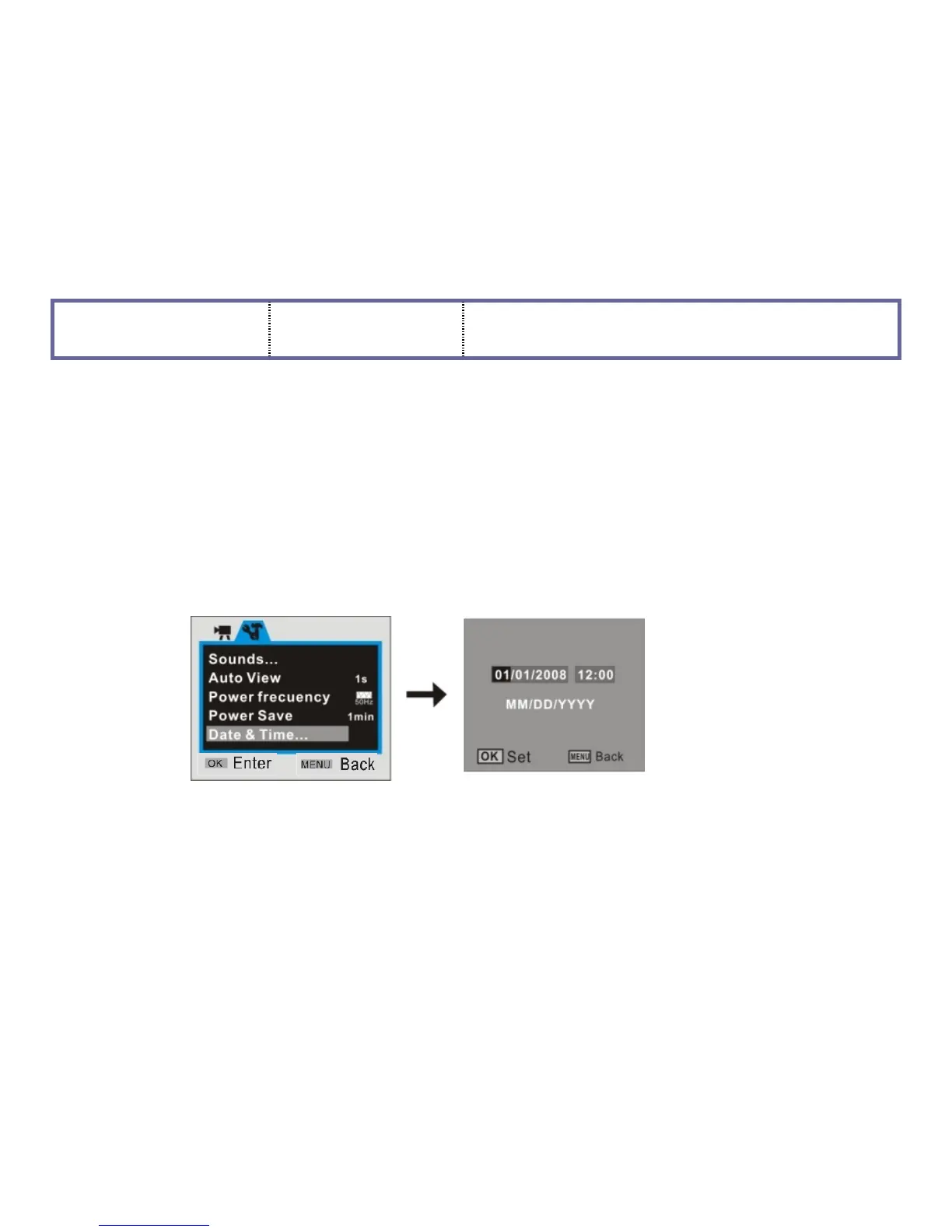
Date and Time Settings:
You may enter Setup menu mode to set the system date and time, see sub-screen below:
- At setting window, adjust the Date or Time by pressing direction key
- Press UP or DOWN button for adjusting, press the RIGHT button to move the setting data,
- Press OK button to confirm, press the LEFT button to EXIT setting.


 To Next Page