24
Please note that the Date & Time will be indicated on Video and Photo file properties, but
not visible on the Video and Photo displayed images. The file properties may be read and
reviewed on records when reviewing on the computer.
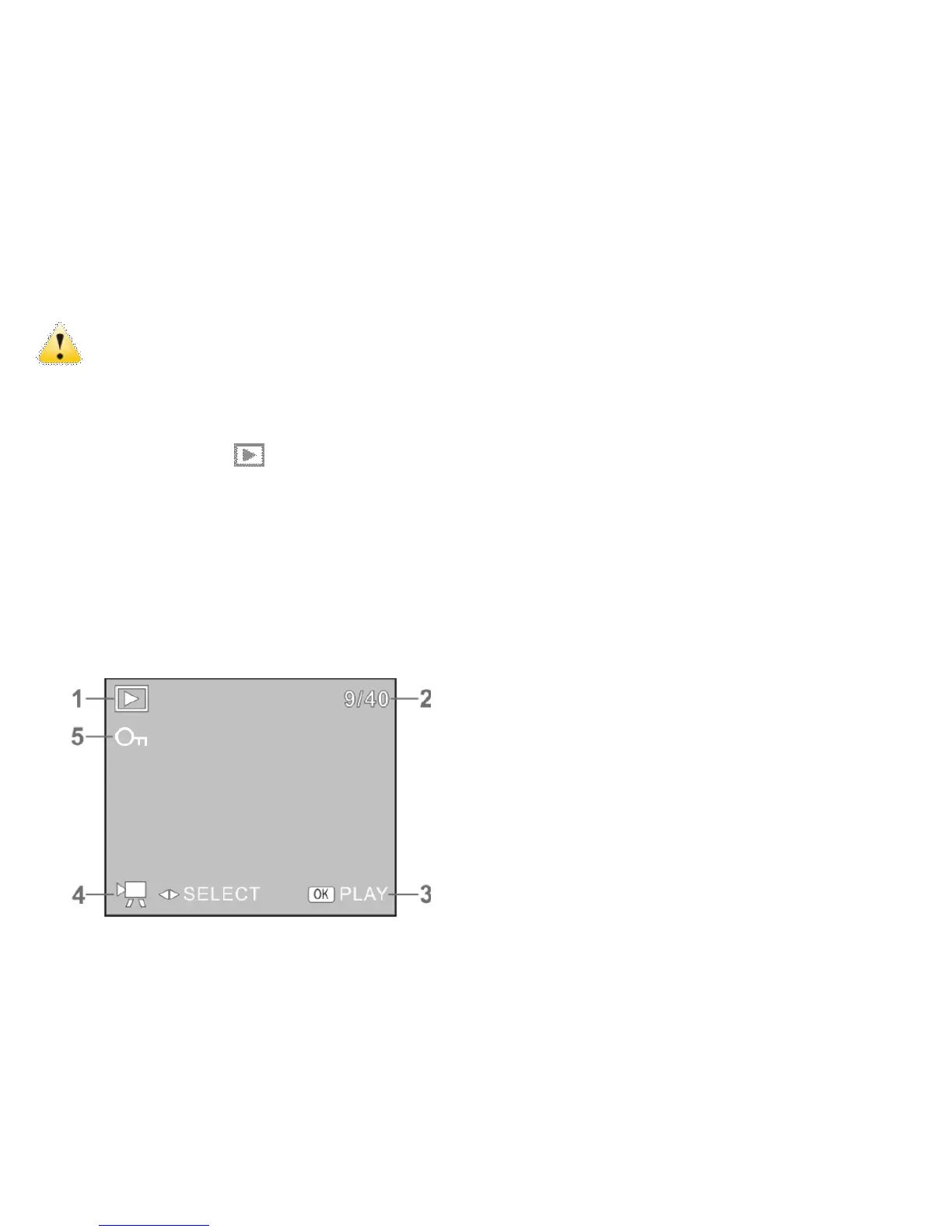
PLAYBACK Mode
Press the PLAYBACK button to enter the PLAYBACK Mode.
- Press the LEFT / RIGHT Buttons to browse or select through saved records.
- When the Video file is selected press OK Button to START playing Video; the time
will appear in upper right corner of the Screen.
- You can “pause” the playback by pressing the UP Button or STOP playing video by
pressing OK Button.
- ◆The following icons / indicators are visible on the screen during playback of Video
-
-
-


 To Next Page