EasyManua.ls Logo

JBL Celebrity 100 - User Manual

JBL Celebrity 100
14 pages
Print Icon
To Next Page IconTo Next Page
Loading...
JBL Celebrity 100
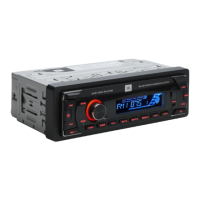
Automove Head Unit
User Guide
Before you start
Congratulaons on your purchase of the JBL Celebrity 100 in-car head unit! For
correct installaon and connecon, as well as the correct use of funcons during
operaon, we recommend that you read this manual first. Save it, it will be useful
to you in the future.
The JBL Celebrity 100 head unit has a standard installaon size of 1DIN and
contains:
FM tuner,
Player for audio files from USB flash drives,
Player for audio files from SD memory cards,
Bluetooth module that allows the head unit to work in hands free mode and
play music from the connected device through the car audio system (BT Audio
mode)
AUX input for connecng any audio sources with headphone output (players,
smartphones, tablets, etc.)
Question and Answer IconNeed help?

Do you have a question about the JBL Celebrity 100 and is the answer not in the manual?

Summary

Installation and Connection

Choosing Installation Location

Guidance on selecting the optimal place within the car for head unit installation, considering factors like temperature and accessibility.

Installation Methods

Instructions on how to properly install the head unit using included parts and consulting dealers for modifications.

Head Unit Connectivity

General Settings

Radio Tuner Operations

Tuning and Station Management

Covers band selection, auto/manual tuning, scanning, storing, and recalling radio stations.

Reception Settings

Details on setting Stereo/Mono mode, adjusting tuner sensitivity (LOCAL/DX), and selecting frequency grids.

Audio Playback

Bluetooth Connectivity

Smartphone Pairing

Steps for pairing a smartphone with the head unit via Bluetooth, including password entry.

Technical Specifications

General Specifications

Provides key technical details like power supply, voltage range, output power, and dimensions.
Summary

Installation and Connection

Choosing Installation Location

Guidance on selecting the optimal place within the car for head unit installation, considering factors like temperature and accessibility.

Installation Methods

Instructions on how to properly install the head unit using included parts and consulting dealers for modifications.

Head Unit Connectivity

General Settings

Radio Tuner Operations

Tuning and Station Management

Covers band selection, auto/manual tuning, scanning, storing, and recalling radio stations.

Reception Settings

Details on setting Stereo/Mono mode, adjusting tuner sensitivity (LOCAL/DX), and selecting frequency grids.

Audio Playback

Bluetooth Connectivity

Smartphone Pairing

Steps for pairing a smartphone with the head unit via Bluetooth, including password entry.

Technical Specifications

General Specifications

Provides key technical details like power supply, voltage range, output power, and dimensions.

JBL Celebrity 100 Specifications

General IconGeneral
BrandJBL
ModelCelebrity 100
CategorySpeakers
LanguageEnglish

Related product manuals