Need help?
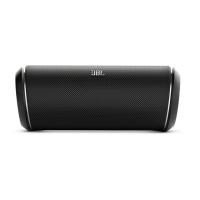
Do you have a question about the JBL FLIP and is the answer not in the manual?
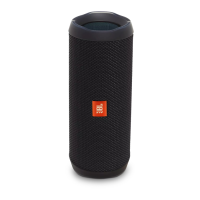
Press and hold the power button for 3 seconds to enter Bluetooth pairing mode.
Select "JBL Flip" from your device's Bluetooth menu to connect.
 Audio Specifications
| transducers size | 2 x 1-1/2" (38mm) |
|---|---|
| amplifier power | 2 x 5W |
| frequency response | 150Hz – 20kHz |
| signal-to-noise ratio | 80dB |
 Battery
| battery type | Li-ion rechargeable |
|---|---|
| listening time on battery power | >5 hours |
| battery charge time | 3 hours |
Bluetooth Specifications| bluetooth transmitter frequency range | 2.402 – 2.480GHz |
|---|---|
| bluetooth transmitter power | 20 dBm |
| bluetooth transmitter modulation | GFSK |
 Weight and Dimensions
| width | 2-7/16" (63mm) |
|---|---|
| height | 6-5/16" (160mm) |

 To Next Page