Things to try & Example of what to say
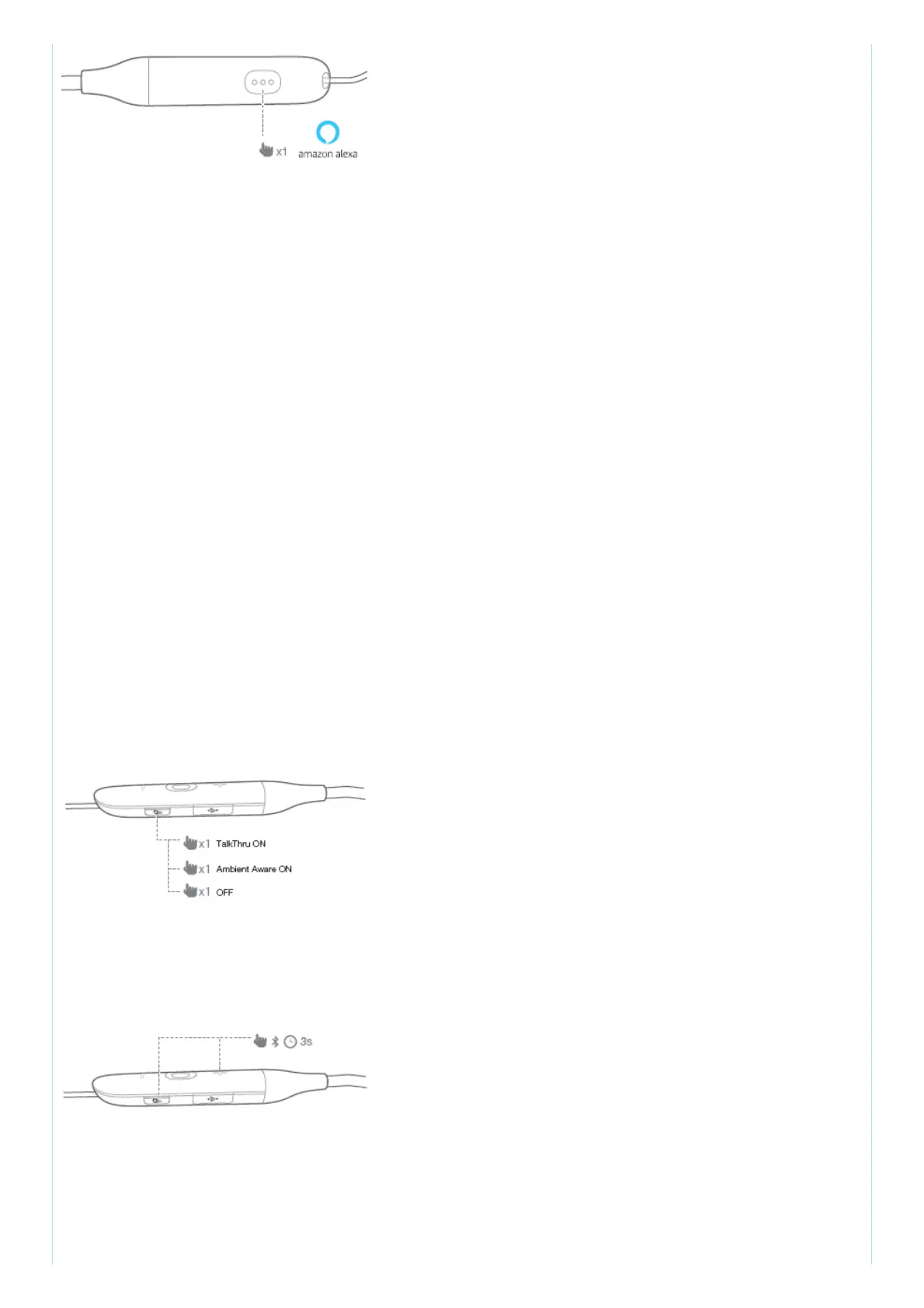
Talk to Alexa : “What’s the weather?”
Play audio : “Play Niall Horan.”
Note: Amazon Music is set as the default music service, To change the default music service, use
the Alexa app Play audio from a specific music service “Play NPR on IheratRadio.”
Set a timer “Set a timer for 5 minutes.” Discover more skills “What new skills do you have?” Stop
Alexa While Alexa is talking, press and release the Action button then say “Stop”
Note:
1. For more information and things to try with Alexa, visit: www.amazon.com/alexadevices and
select ‘Use Alexa’.
2. If you want to turn on or off the Amazon Alexa, please download our JBL APP (see Section 8). You
can select under Settings > Voice assistant > Amazon Alexa.
3. Alexa is not available in all languages and countries.
11. Ambient Aware & TalkThru
1. Short press once to activate TalkThru, which allows you to clearly hear others for quick
conversations, without removing your headphones. You will hear your music volume level lower
when TalkThru Technology is engaged.
2. Press once more to activate Ambient Aware, which allows you to hear your surroundings.
3. Press again to turn off TalkThru Technology.
Note: You can also turn on or off the Ambient Aware & TalkThru with our JBL APP (see Section 8).
12. Seamlessly switch between devices
1. Pair and connect the headphone with the 1st Bluetooth device (see Section
4 Bluetooth® Pairing)
2. Enter pairing mode for connection with the 2nd Bluetooth device
3. Connect to Bluetooth device



 To Next Page