EasyManua.ls Logo

JBL MBB-2.3 - User Manual

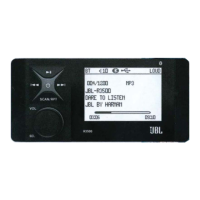
JBL MBB-2.3
4 pages
To Next Page IconTo Next Page
Loading...
145x210mm
Revised 23 / February / 08
This product is sold and serviced exclusively by Prospec Electronics Inc. and must be returned
to Prospec for in and out of warranty repairs. It can not be serviced under warranty by other JBL
service centers. All products sold and serviced exclusively by Prospec Electronics Inc.
For service contact us : 3325 South Morgans Point Road Mt Pleasant SC 29466
Tel 843-849-9037 Fax 843-849-9054
Operation Manual
Model No.: MBB-2.3
MARINE
Question and Answer IconNeed help?

Do you have a question about the JBL MBB-2.3 and is the answer not in the manual?

JBL MBB-2.3 Specifications

General IconGeneral
BrandJBL
ModelMBB-2.3
CategoryRadio
LanguageEnglish

Summary

Quick Reference Guide for Sirius

To Access Satellite Radio

Accesses satellite radio by pressing MODE until SIRIUS is displayed on the LCD.

For Direct Channel Entry

Enters Direct Mode to tune to specific channels using the number keys.

To Access SIRIUS ID number

Retrieves the SIRIUS ID number by entering "000" in Direct Mode.

To Enter Category Mode

Enters Category Mode to browse channels by genre using BD/FN and TUNE buttons.

To Preset Channels

Saves up to 20 channels for direct mode and 10 for category mode.

To Display Song Title or Artist

Displays song title or artist information by using SEL and VOL down buttons.

For Parental Lock Out Programming

Programs parental lock out for channels, including temporary and permanent unlock.

To Change the Password (CODE)

Changes the 4-digit password for security and parental lock features.

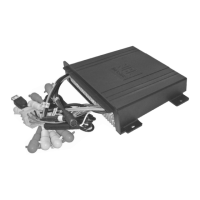
Mounting the Black Box

Precautions

Choose location carefully to avoid interference, high temperature, dust, dirt, or vibration.

Mounting Illustrations

Shows correct and incorrect mounting positions for the unit.

Installation Note

Use enclosed nylon wire tie-downs for added support.

What is SIRIUS Satellite Radio?

Wiring Identification

Important Notes

Grounding

Ensure the black wire connects to a good ground point, preferably the negative battery terminal.

Warning: Polarity

Model is suitable only for boats with a Negative ground system.

Connecting the Speakers and Power Cables

Disconnect boat battery's positive cable before wiring; reconnect and test after completion.
Related product manuals