EasyManua.ls Logo

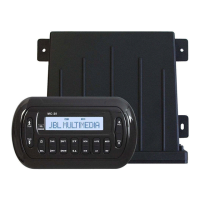
JBL MBB-3.3 - User Manual

JBL MBB-3.3
6 pages
To Next Page IconTo Next Page
Loading...
Revised on 31 / January / 08
Operation Manual
Model No.: MBB-3.3
MARINE
TO RESET THE UNIT PUSH MODE
AND BD/FN SIMULTANEOUSLY
FOR THREE SECONDS
This product is sold and serviced exclusively by Prospec Electronics Inc. and must be returned
to Prospec for in and out of warranty repairs. It can not be serviced under warranty by other JBL
service centers. All products sold and serviced exclusively by Prospec Electronics Inc.
For service contact us : 3325 South Morgans Point Road, Mt Pleasant, SC, 29466.
Tel 843-849-9037 Fax 843-849-9054
Question and Answer IconNeed help?

Do you have a question about the JBL MBB-3.3 and is the answer not in the manual?

JBL MBB-3.3 Specifications

General IconGeneral
BrandJBL
ModelMBB-3.3
CategoryRadio
LanguageEnglish

Summary

Mounting the Black Box

Precautions

General safety guidelines for unit installation, avoiding high temperatures and dust.

Mounting Illustrations

Visual examples of correct and incorrect mounting positions for the unit.

Wiring Identification

Connections

Details on various input/output connections and sockets for the unit.

Installation Notes

Notes applicable to both 2 and 4-speaker connections.

Identification of Controls

Remote Control Overview

Overview of buttons on the optional remote control for the unit.

Important Operational Notes

Grounding, Polarity, and Wiring

Proper grounding, polarity checks, and speaker/power cable connection procedures.

Reset Function

Instructions on how to manually reset the unit's microprocessor.

USB & NAND Operation

Copying and Deleting Files

Process for copying files from USB to NAND and deleting files from NAND.

Searching Files and Folders

How to navigate and select files and folders within USB/NAND memory.

Audio and System Settings

Audio Controls

Adjusting volume, bass, treble, balance, and fader settings.

System Configuration

Configuring beep sounds, initial volume, area, and DSP modes.

Volume, Mode, and Tuning Controls

Volume and Mode Button

Using volume buttons and the MODE button to change audio sources.

Station Tuning and Storage

Manual/seek tuning, auto store function, and preset station management.

Music Playback Functions

Playback Controls

Using play/pause, intro scan, repeat, and random play functions.

Track Navigation

Selecting and navigating through tracks using specific buttons.
Related product manuals