EasyManua.ls Logo

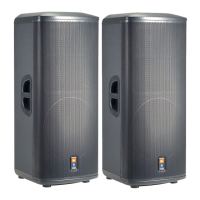
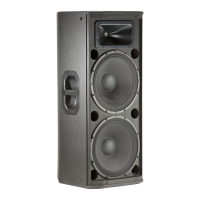
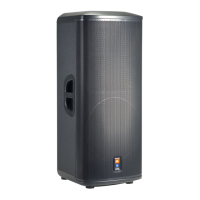
JBL PRX500 Series - User Manual

JBL PRX500 Series
32 pages
Print Icon
To Next Page IconTo Next Page
Loading...
PRX512M
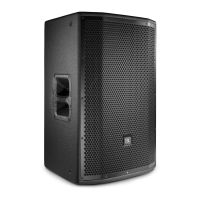
PRX515
PRX535
PRX525
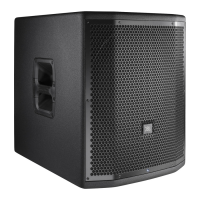
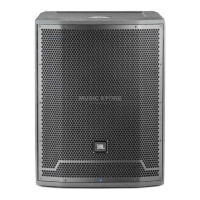
PRX518S
Users Guide

Questions and Answers

  • T
    Timothy DuncanAug 15, 2025
    Why is my JBL Speaker System humming or buzzing when I move the mixer level controls?
    • A
      anthony38Aug 15, 2025
      If you're experiencing hum or buzz sounds that change when you adjust the mixer levels on your JBL Speaker System, this could be due to a few reasons. It might be caused by improper A/C grounding or faulty equipment connected to the mixer input, or a faulty cable between the source equipment and mixer. To troubleshoot: * Disconnect or mute channels one at a time to identify the source of the problem. * Consult the owner’s manual of the potentially faulty equipment for troubleshooting tips. * Try substituting a known-good cable for the cable you suspect is faulty.
  • M
    Matthew LeeAug 17, 2025
    What to do if my JBL Speaker System has no sound but is connected to power?
    • J
      Jason FrankAug 17, 2025
      If your JBL Speaker System has no sound even though it's connected to a working AC power source and powered on, the issue might be a blown fuse. Replace the fuse with one of the specified value. Alternatively, take your speaker to a qualified technician for servicing.
  • A
    Alyssa DunnAug 21, 2025
    What to do if my JBL Speaker System has no sound, but the speaker comes on?
    • U
      uevansAug 21, 2025
      If your JBL Speaker System has no sound, but the speaker comes on, there might be faulty cables and connections. Check the VU meters on the source mixer and verify that the CD/MP3 player is playing. Use headphones to confirm that the instrument is sending an audio signal. Also, disconnect and re-seat the signal cables, and replace any cable you suspect is faulty with one that you know is working.
  • L
    Lauren ColonAug 25, 2025
    What causes hum or buzz in my JBL Speaker System?
    • E
      elizabeth92Aug 25, 2025
      If you are experiencing hum or buzz with your JBL PRX Speaker System, it may be due to improper A/C grounding or ground loops, or an excessively long unbalanced cable run. To address this: * Try 'telescoping' the audio ground using an XLR/F to XLR/M adapter on one end. * Re-route audio cables away from AC power and lighting cables. * Use the balanced outputs of your mixer, if available, to drive your speakers. * Use a DI (direct injection) box to convert your unbalanced equipment output to a balanced output. * Review the Owner’s Manual for your system setup and adjust controls as needed, especially input sensitivity (gain).
  • M
    melody51Aug 27, 2025
    What to do if my JBL Speaker System sounds distorted and the overload light is on?
    • S
      Sharon BallardAug 28, 2025
      If your JBL Speaker System is producing a distorted and very loud signal, and the OVERLOAD light is frequently on, it likely means the input signal is too high, exceeding what the speakers can handle. To resolve this: * Reduce the output level from the source. * Lower the level controls on the speaker itself.
  • A
    Amy ButlerAug 31, 2025
    Why does my JBL Speaker System feed back and howl when I turn up the microphone?
    • J
      Jessica PaulAug 31, 2025
      If your JBL Speaker System is feeding back and howling when you turn up the microphone volume, it could be due to several reasons: * The microphones might be pointed directly into the speakers. Move the speakers so they are not in the microphone's pickup pattern. * The equalizer settings may be incorrect. Find the feedback frequency and reduce it using the mixer EQ or an external equalizer. * There may be excessive gain. Reduce the gain at the mixer and move the microphone closer to the sound source.
  • K
    katherinejohnstonSep 3, 2025
    Why does my JBL Speaker System sound distorted at moderate volumes?
    • R
      Ricky MirandaSep 3, 2025
      If your JBL Speaker System has a distorted sound even at moderate volumes and the OVERLOAD light is not lit, it could indicate that the mixer or another source is being overdriven. Consult the Owner’s Manual for your system setup and adjust controls as needed, paying special attention to input sensitivity (gain).
  • E
    Ethan WarrenSep 6, 2025
    Why is my JBL Speaker System producing noise or hiss?
    • P
      Paul FrankSep 6, 2025
      If you are hearing noise or hiss at the output of your JBL Speaker System, the problem might be a noisy source device. Try disconnecting the devices connected to your speaker one at a time. If the noise disappears after disconnecting a device, the issue lies with that source or its connecting cable.
  • M
    Megan BarreraSep 12, 2025
    How to reduce too much low frequencies on my JBL Speaker System?
    • L
      Linda WallerSep 12, 2025
      If you're getting too much low frequencies when playing back pre-recorded music on your JBL Speaker System, it might be due to the recorded music having excessive low frequencies. Try switching the EQ switch to 'flat'.

JBL PRX500 Series Specifications

General IconGeneral
BrandJBL
ModelPRX500 Series
CategorySpeakers
LanguageEnglish

Related product manuals