JBL Stage 2 QSG | Rev 1.0 20240402
©2024 HARMAN International | Features, Specications, and Appearance subject to change without notice. Pg 4 of 10
EN
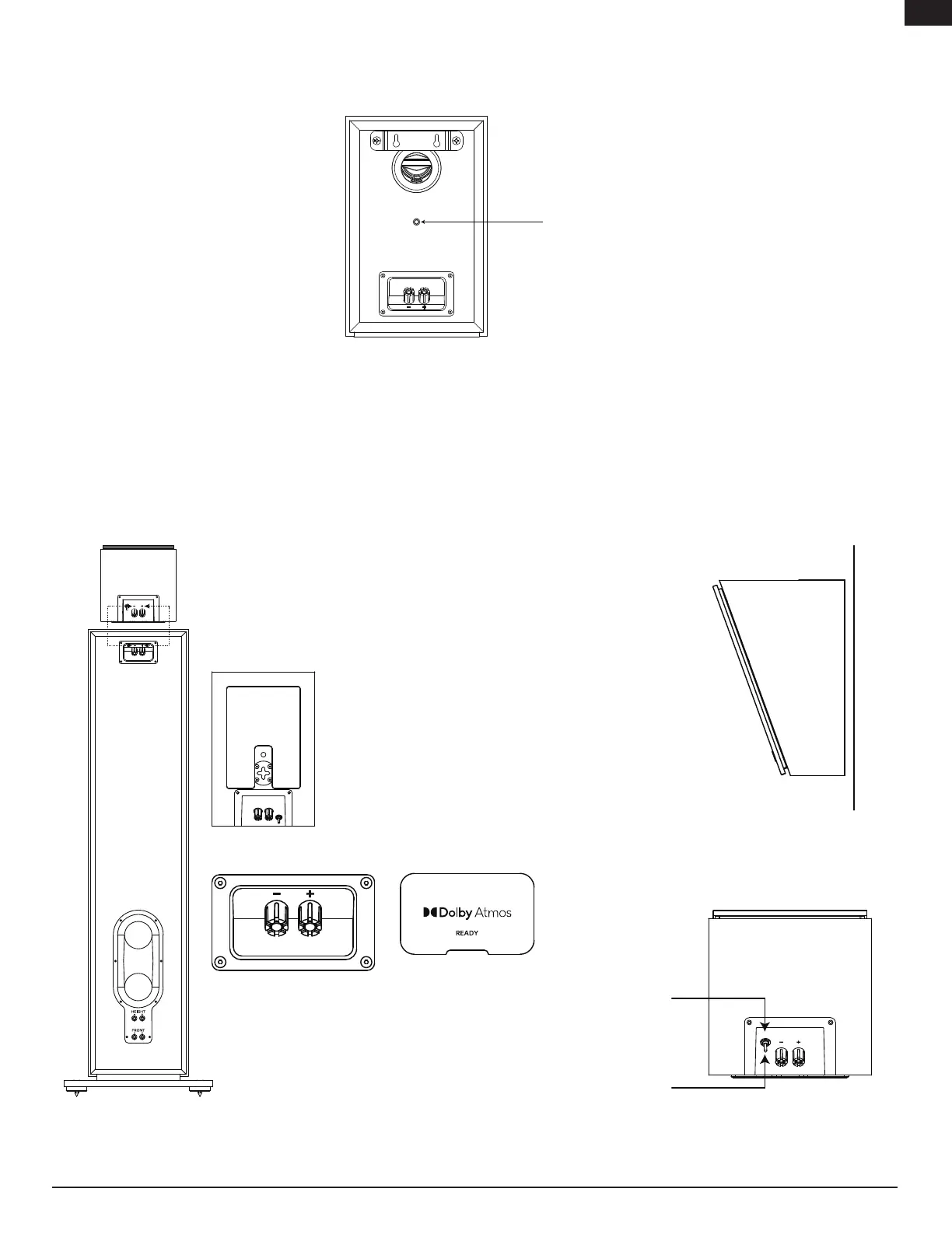
When using the aftermarket mounting bracket:
• The 240B can be attached to any surface using an aftermarket bracket with a ½-20 male threaded screw.
• Insert the Foam Plug.
Surround Channel Setup
When you use the 240B, 250B or 240H speakers as surround-channel speakers in a multi-channel system, use the examples below for
proper locations or visit https://www.dolby.com/about/support/guide/speaker-setup-guides/
240H Setup and Placement
The 240H is designed with multiple mounting and usage options. It can be
used as an Atmos
®
add on module by placing it on top of the 280F or 260F
and using the connection terminals. Set the switch on the terminals to
ATMOS. Remove the protective lm on the anti-slip pad and attach it the
bottom of the 240H with the pattern facing out to securely hold it in place.
Please refer to the Dolby Atmos
®
speaker setup guides for detailed
informa-tion. https://www.dolby.com/about/support/guide/speaker-setup-
guides/
The 240H can also be used as a surround or elevation
speaker by setting the switch by the terminals to SUR.
The 240H can be mounted to any surface using the
key-hole slots or the ½-20 threaded insert to use
aftermarket mounting brackets.
½-20 male threaded screw
ATMOS
SURR


 To Next Page