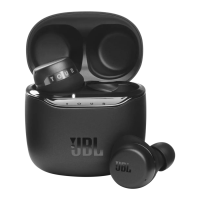
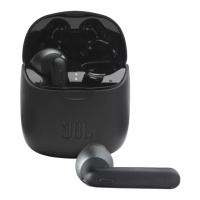
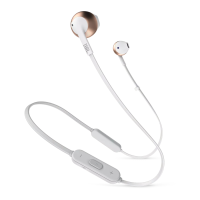
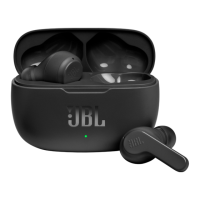
The JBL Tour One is a pair of over-ear headphones designed for a premium audio experience with advanced features for control, personalization, and convenience. These headphones are engineered for users who prioritize high-quality sound, active noise cancellation, and smart functionalities for both entertainment and productivity.
Function Description:
The JBL Tour One primarily functions as a wireless audio device, connecting to various sources via Bluetooth for music playback and hands-free communication. It also supports wired listening for situations where wireless connectivity is not preferred or available, or for achieving a high-resolution audio experience. A key feature is its advanced Active Noise Cancelling (ANC) technology, which allows users to immerse themselves in their audio by effectively blocking out ambient noise. Complementing ANC, the headphones also offer "Ambient Aware" and "TalkThru" modes, enabling users to stay aware of their surroundings or engage in conversations without removing the headphones. Integrated voice assistant capabilities (Google Assistant and Amazon Alexa) provide hands-free control for a wide range of tasks, from managing music to checking schedules. The headphones also incorporate an auto-play/pause function, which intelligently pauses audio when the headphones are removed and resumes when put back on.
Usage Features:
- Wireless Connectivity (Bluetooth): The JBL Tour One connects wirelessly to smartphones, tablets, and other Bluetooth-enabled devices. The pairing process is straightforward, with a dedicated pairing mode accessible by sliding and holding a button. For Android 6.0+ devices, a "Fast Pair" feature simplifies the initial connection. The headphones support multi-point connection, allowing them to be simultaneously connected to two devices, such as a smartphone and a laptop, for seamless switching between audio sources.
- Wired Listening: For scenarios requiring a wired connection, the headphones can be connected via an audio cable. In wired mode, the ANC functionality can still be utilized, providing flexibility for different listening environments and preferences. The headphones are designed to support high-resolution audio in wired mode, indicated by the "Hi-Res Audio" badge.
- Active Noise Cancelling (ANC): The ANC feature is a core component, designed to reduce external distractions. Users can toggle ANC on or off, or switch to "Ambient Aware" or "TalkThru" modes using a dedicated button command. "Ambient Aware" allows some ambient sound to pass through, keeping the user aware of their surroundings, while "TalkThru" significantly lowers music volume and amplifies external voices for quick conversations.
- Voice Assistant Integration: The JBL Tour One offers seamless integration with popular voice assistants like Google Assistant and Amazon Alexa. Users can activate their preferred voice assistant with a simple button command, enabling hands-free control for tasks such as playing music, adjusting volume, sending messages, checking weather, or setting alarms. The setup for voice assistants is managed through the companion app.
- Button Commands: The headphones feature intuitive button controls for various functions:
- Volume Control: Dedicated buttons for increasing and decreasing volume.
- Playback Control: Buttons for play/pause, skipping tracks forward/backward.
- Call Management: Buttons for answering, ending, or rejecting calls.
- ANC/Ambient Sound Control: A button to cycle through ANC, Ambient Aware, and Off modes.
- Voice Assistant Activation: A button to activate the chosen voice assistant (Bixby/Siri/Others are also supported).
- Power On/Off: A power button, which also initiates Bluetooth pairing when held.
- Auto-Play/Pause: This intelligent feature automatically pauses audio playback when the headphones are removed from the user's ears and resumes playback when they are put back on. This functionality can be customized or disabled via the companion app.
- Silent Now: A unique feature that allows users to activate ANC and disconnect Bluetooth simultaneously, creating a quiet environment without any audio playback. This is useful for focusing or resting in noisy environments. To activate, users press the ANC button once, then hold the power button for 2 seconds. To deactivate, simply hold the power button again.
- Customization via App (MY JBL HEADPHONES): The dedicated "MY JBL HEADPHONES" app (available on Google Play and Apple App Store) significantly enhances the user experience by offering extensive control and personalization options:
- Noise Cancelling Modes: Fine-tune ANC settings, including "True Adaptive NC."
- Ambient Sound Control: Adjust the levels for Ambient Aware and TalkThru.
- Smart Audio & Video: Optimize audio latency for either audio quality or video synchronization.
- Equalizer (EQ): Customize sound profiles with presets (e.g., Jazz, Vocal, Bass) or create custom EQ settings.
- Voice Assistant Selection: Choose and set up the preferred voice assistant (Google Assistant or Amazon Alexa).
- Sleep Assistant: Manage settings related to sleep-friendly audio.
- Auto-off: Configure the time after which the headphones automatically turn off when inactive.
- Play & Pause Automation: Enable or disable the auto-play/pause feature.
- Multi-language Voice Prompts: Select the language for voice prompts.
- Firmware Updates: The app also facilitates firmware updates for the headphones, ensuring optimal performance and access to new features.
Maintenance Features:
- Charging: The JBL Tour One is charged via a USB-C cable. A full charge takes approximately 2 hours, providing extended playtime. A quick 10-minute charge can provide up to 3 hours of music playback, which is convenient for users on the go. LED indicators provide visual feedback on the charging status (low battery, charging, fully charged).
- Factory Reset: In case of software issues or for resetting all settings to their default, a factory reset can be performed by holding the volume up and volume down buttons simultaneously for 5 seconds. This can help troubleshoot connectivity or performance problems.
- LED Behaviors: The headphones feature LED indicators that communicate various statuses:
- Battery Status: Red blinking for low battery, solid red for charging, and off (or a different color depending on specific model implementation) when fully charged.
- Bluetooth Status: Different LED patterns or colors indicate if Bluetooth is connecting, connected, or not connected. This helps users quickly ascertain the connection status without needing to check their source device.
- Durability and Portability: While not explicitly detailed in the provided images, the inclusion of a carrying case suggests a design that prioritizes protection and ease of transport, contributing to the longevity of the device.
The JBL Tour One is designed to be a versatile and user-friendly audio companion, offering a blend of high-fidelity sound, intelligent features, and robust control options for a personalized listening experience in various settings.

 Need help?
 General
 Weight and Dimensions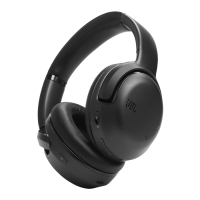

 To Next Page