· 7 ·
REF. 54040
Charging Test Result
1. Charging voltage: Normal. Generator output is
normal, no problem detected.
2. Charging voltage: Low. Check if the generator
drive belt slips or shifts. Check whether the con-
nection between the generator and the battery is
normal or not. If both the drive belt and connec-
tion are in good condition, follow the manufactu-
rer’s suggestions to eliminate the generator fault.
3. Charging voltage: High. Since most vehicle ge-
nerators use an internal regulator, the generator
assembly must be replaced (some older style
cars are using an external regulator, then replace
the regulator directly). The normal voltage of the
voltage regulator is a maximum of 14.7±0.5V. If
the charging voltage is too high, it will overchar-
ge the battery. Therefore, the battery life will be
shortened, and problems will be caused.
4. No volt output: No volt output from the generator
is detected. Check generator connection cable,
generator drive belt and engine if normal or not.
5. Diode test: Through the charging current ripple
test, the tester will nd out whether the diode
is normal or not. When the ripple voltage is too
high, it shows that at least one diode is damaged.
Check and replace the diode.
Review Data
After entering the fourth function, press the OK key to
view the nal test result.
Print Data
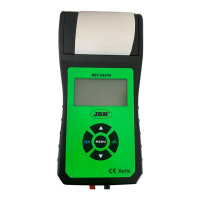
Print the last test result with the printer of this battery
tester.
Export Data
Connect this battery tester to computer with Data Line
and export the data to computer. (Connect our com-
pany to get the latest software).
PAPER REPLACEMENT
1. Open the clear cover.
2. Insert replaced paper roll into the paper feeding
for auto running the paper into the printer.
3. Pull the paper slowly and straightly from the pa-
per roll in the chamber.
ADDITIONAL FUNCTIONS
Press “Menu” to enter the additional function:
• Language:
• Mainland Version: Traditional Chinese, Ja-
panese, Korean, Russian and English
• Nordic Language Version: English, Dutch,
Sweden, Finnish, Norwegian and Danish
• Western European Language Version:
English, French, German, Spanish, Italian
and Polish
• Time adjustment: adjust any time.


 To Next Page