Need help?
Do you have a question about the JeaTone Smart tuya and is the answer not in the manual?
Verify that all parts including doorbell, user guide, screws, and screw bag are present and in good condition.
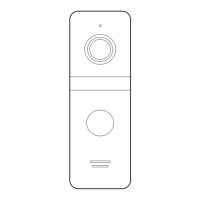
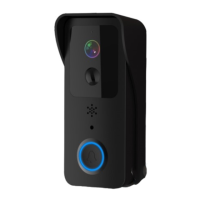
Overview of doorbell components: Indicator Light, Lens, PIR, Speaker, Button, IR Leds, Light Sensor, and MIC.
Instructions for installing the base, aligning the bracket, and powering the device on/off.
Details on Micro USB interface, TF card slot, and the reset button procedure for 5 seconds.
Steps to match the doorbell with a buzzer by pressing volume and call buttons.
How to reset the buzzer matching by holding the volume key for 10 seconds.
Guide to download 'Tuya Smart' or 'Smart Life' app from app stores or via QR code.
Ensure device is connected to a 2.4GHz Wi-Fi network before proceeding with setup.
Steps to add the smart doorbell via the app, including scanning QR codes and confirmation.
Recommendations to adjust sensitivity in crowded areas to extend battery life.
Instructions to enable push notifications for the Tuya Smart app on your phone.
Explanation of device wake-up triggers and its 30-second active state.
Overview of device specifications including resolution, view angle, Wi-Fi, and power.
This document provides a quick start guideline for the JeaTone Wireless Battery Video Doorbell, designed to help users set up and operate their device effectively. The doorbell integrates smart technology, offering convenience and enhanced security for your home.
The JeaTone Wireless Battery Video Doorbell is a smart home security device that allows you to monitor your doorstep, communicate with visitors, and receive alerts on your mobile phone. It features a camera for video image capture, an indicator light for status updates, a PIR sensor for human body movement detection, a speaker for audio output, and a microphone for audio capture. The doorbell button allows visitors to initiate a call, and IR LEDs provide enhanced visibility in low-light conditions. The device is designed to work with the Tuya Smart or Smart Life app, enabling remote control and monitoring.
To begin, unpack the doorbell and ensure all components, including the doorbell unit, user guide, security screws, and screw bag, are present. Install the base on the wall using the provided mounting screws, then align the doorbell unit with the base screws for installation. The device is powered by rechargeable lithium batteries, which provide an approximate battery life of six months when fully charged. The mobile app will notify you when the battery is low, prompting you to recharge the device.
The doorbell integrates with the Tuya Smart or Smart Life app, available on both iOS and Android platforms. After downloading and installing the app, you will need to add the smart doorbell to your account. This involves selecting the "Add Device" option, choosing "Smart Doorbell," and then following the on-screen instructions to connect the device to your 2.4GHz Wi-Fi network. During setup, the app will guide you through scanning a QR code with the doorbell's camera to establish the connection. Once successfully added, the device will be ready for use, allowing you to access its features remotely.
The doorbell's camera captures video images, providing a visual feed of your doorstep. The PIR sensor detects human body movement in front of the doorbell, triggering notifications to your mobile phone. This ensures you are alerted to any activity, even if a visitor doesn't press the doorbell button. The device supports two-way talk without noise, allowing you to communicate with visitors through the app. The indicator light provides visual cues about the device's status: blinking blue for configuration, long red for Wi-Fi connection failure, solid blue for successful connection, and red and blue together when connected to Wi-Fi.
The integrated IR LEDs automatically activate when the ambient light is insufficient, ensuring clear visibility even in dark conditions. The light sensor measures environmental brightness, enabling the IR LEDs when illumination drops below 2 Lux.
If you have a separate buzzer, you can pair it with the doorbell. To match, press and hold the buzzer's volume key for 4 seconds until its LED light turns on. Then, press the doorbell button for 5 seconds. The buzzer's LED will blink quickly, indicating successful matching. To reset the matching, press and hold the buzzer's volume key for 10 seconds.
The doorbell is designed for low power consumption. It supports remote wake-up via the app, PIR human detection, or by pressing the doorbell button. Once awakened, the device operates for 30 seconds before automatically returning to a resting state to conserve battery life.
The doorbell is powered by two 18650 specification batteries (total 6800mAh), which are expected to provide 8-12 months of regular operation. The mobile app will prompt you when the battery level is low, reminding you to recharge the device. It is crucial to use the correct type of 18650 batteries (flat head or short head, if not included, they need to be purchased separately).
To ensure optimal performance, keep the camera within range of your Wi-Fi router. Thick or insulated doors can significantly reduce Wi-Fi signal strength, even if the router is nearby. It is recommended to stream video before mounting the camera to verify signal quality.
In crowded environments, it is advisable to set the device to low sensitivity to reduce frequent arousal and extend battery life. Ensure push notifications are enabled on your phone for the Tuya Smart app. Navigate to your phone's settings, then notifications, and enable notifications for the Tuya Smart app to receive timely alerts from your doorbell.
The device supports SD card recording (20 seconds per event) and is compatible with 8GB, 16GB, 32GB, and 64GB Class 10 TF cards for video storage. This allows for local storage of recorded events.
 General
| Brand | JeaTone |
|---|---|
| Model | Smart tuya |
| Category | Intercom System |
| Motion Detection | Yes |
| Connectivity | Wi-Fi |
| App Support | Tuya Smart |
| Waterproof | IP65 |
| Night Vision | Yes |
| Recording | Yes |

 To Next Page