3、Introduction of each mode
W1:Wave Mode
Remoting the knob is necessary when operate this mode to adjust the
wave patterns among one or more pumps at the same time. As the volum of
water in tank is different from the capacity of the tank, wave period needed to
be adjusted by switching the knob. The wave is biggest when wave length turn
to be same as the length of tank; Increase the wave length by switching the
knob in clockwise, and reduce in anti clockwise.
Tips: You should switch the knob gradually and notice the wave pattern
in a certain period after each adjustment.Press “SPEED/FEED”to adjust the
flow rate.
W2: Sine Mode
One or more pumps can operate at the same time in this mode. The power
various between 30%-100% and the regulation looks like a sine curve.
Else: Random Mode
One or more pumps can operate at the same time. It is a random mode as
the power of pump is changing to a random data all the time without
regulation.
H:Flow Mode
One or more pumps can operate at the same time. In constant flow. Flow rate
can be adjusted by “SPEED/FEED”
C: Shift to flow mode
Two pumps are needed to be operated at the same time, when they shift wave
and flow in cycles. P1 work, P2 stop;P2 work, P1 stop;P1 work, P2 stop. and
cycles like this. Cycle period (1s-1min)can by adjusted by switching the
knob and adjust the flow rate by pressing SPEED/FEED
Night Function: Enter into Night Mode by long press-down
MODE/NIGHT” button until yellow “NIGHT” indicator lights. It works
normally during day time and enter into NIGHT mode automatically
when it’s dark, when the water flows at the least speed. Quit the mode
by long press down”NIGHT” button until the yellow indicator dims
FEED Function: Long press down “SPEED/FEED” button until the blue
indicator light, and the pump stops working and allow fish to eat for 10
min. and back to normal mode after that. If need to return back to work
during feeding, just long press down the SPEED/FEED button until
the “10min”indicator dims.
Knob Locking Function: Long press the Wi-Le/LOCK button until the red
LOCK indicator light, which shows the setting is locked. Wave
patterns and shift time is fixed without change. It prevents the wave
pattern and time to be changed if adjust the knob or button on no
purpose
IV. Warnings
1、No water operation to ensure the performance
2、Select a dry place to locate the controller to prevent water splashed on it.
3、Be careful when assemble the magnet, better to shift parallel the pad close to the
outside wall of fish tank to prevent breaking the fish tank.
4、Never disassemble the controller and adaptor without professional guidance.
v. Maintance
1、Clean the controller regular to ensure good performance
2、Rub the controller surface with dry cloth if there’re any water to prevent water drip
into controller
3、Sweep the waste in the pump by rotating the basket in anti clockwise to open and
lock in clockwise direction.
4、Use soft cloth to rub the blade and clean the dirties in the pump
5、This product is indoor use only, never submerged in the water to cause unnecessary
loss.
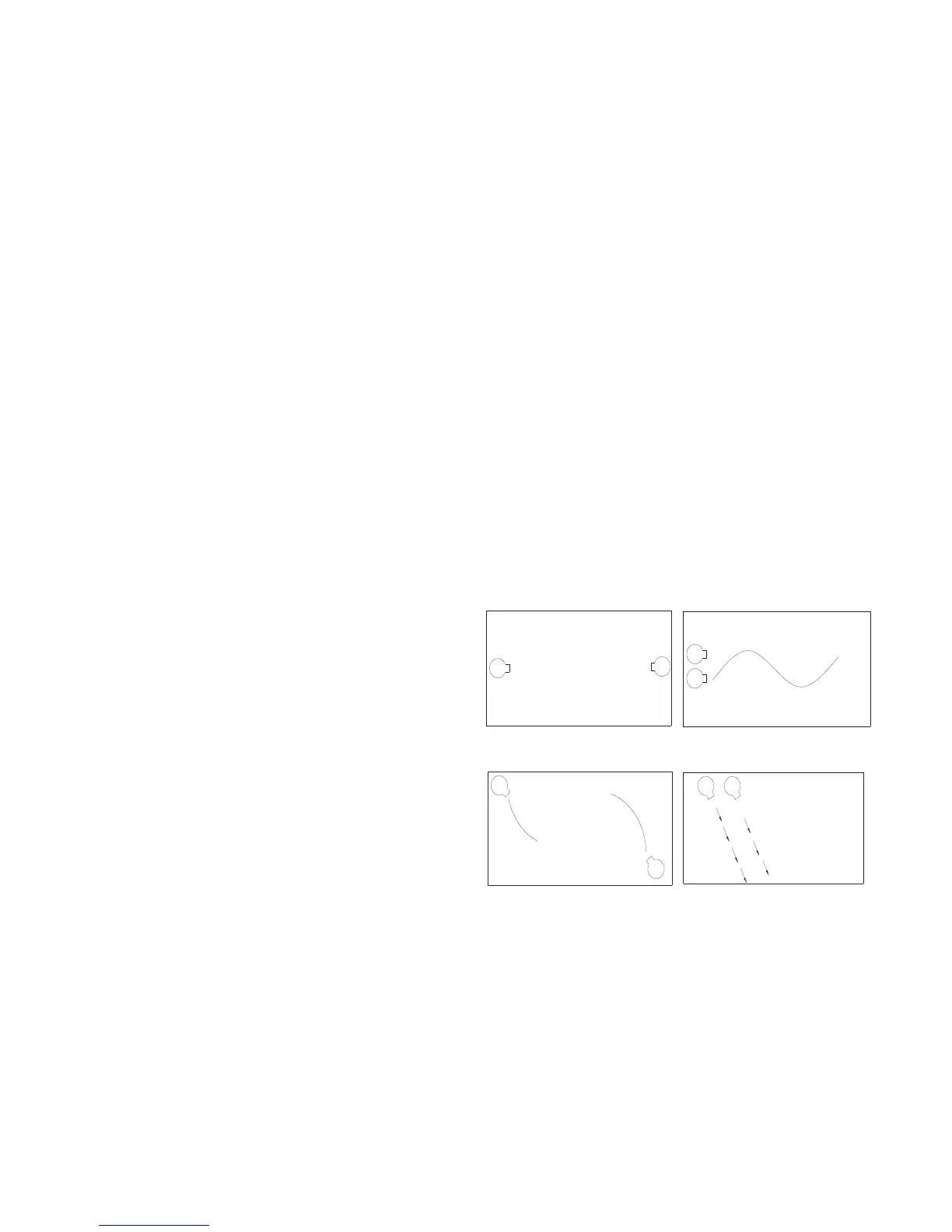
Appendix: PUMP LOCATING


 To Previous Page
 Loading...