Trip Computer
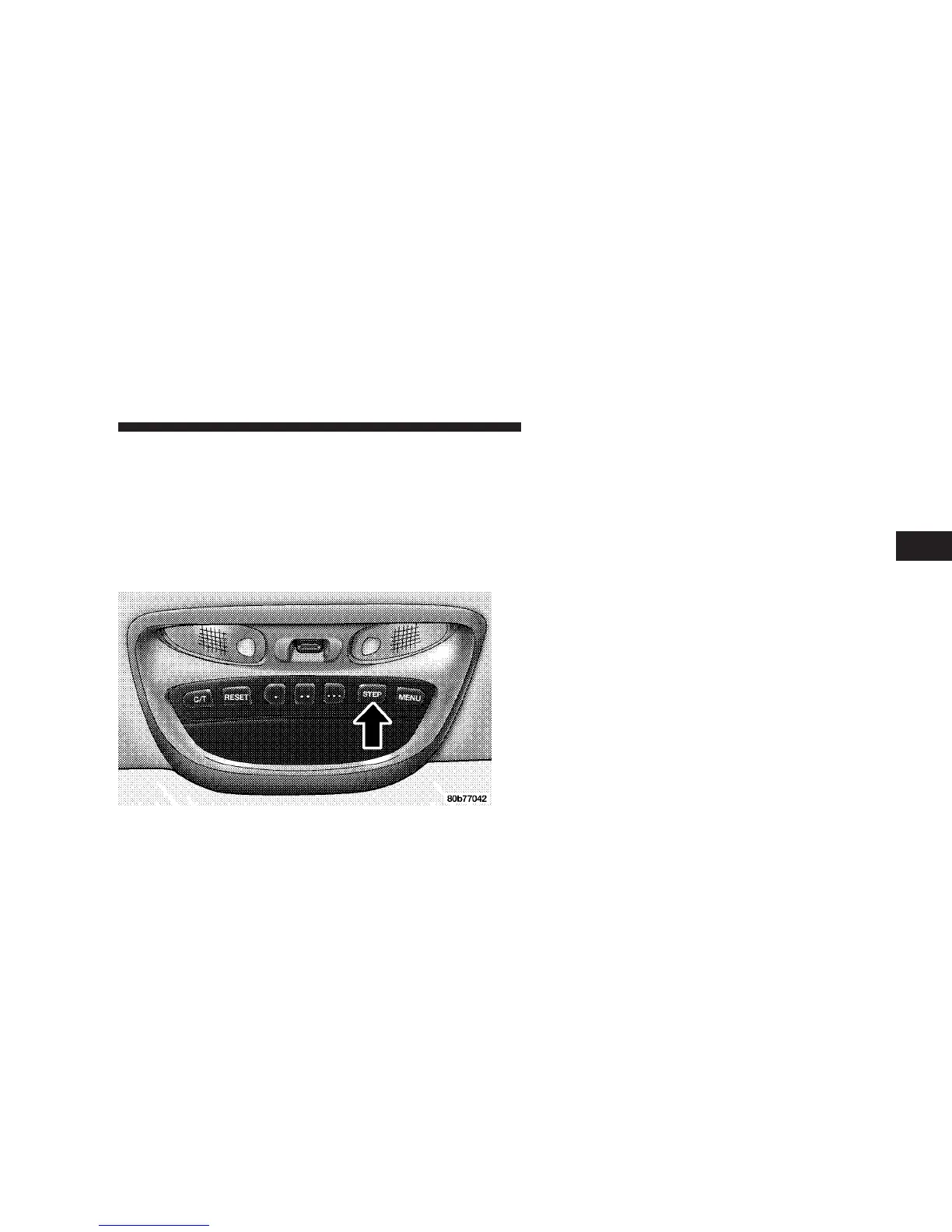
This feature, located in the overhead console, displays the
following information when the display is in the “Compass/
Temperature” mode and the STEP button is pressed:
Step Button
Press the STEP button to cycle through all of the
Compass/Mini-Trip Computer displays.
Average Fuel Economy
Shows the average fuel economy since the last reset.
Distance To Empty
Shows the estimated distance that can be travelled with
the fuel remaining in the tank. This is calibrated using the
miles per gallon for the last few minutes.
Trip Odometer
Shows the distance travelled since the last reset.
Elapsed Time
Shows the accumulated ignition ON time since the last
reset.
Miles to Service
Shows the distance remaining to require service.
NOTE: This display can be reset to the set service
interval by pressing and holding the RESET button for 3
seconds.
UNDERSTANDING THE FEATURES OF YOUR VEHICLE 103
3


 To Next Page
 Loading...