To Increase Speed
When the Speed Control is set, you can in-
crease speed by pushing the SET (+) button.
To Decrease Speed
When the Speed Control is set, you can de-
crease speed by pushing the SET (-) button.
To Accelerate For Passing
Press the accelerator as you would normally.
When the pedal is released, the vehicle will
return to the set speed.
For further information and applicable warn-
ings and cautions, please refer to your Owner’s
Manual at www.jeep.com/en/owners/manuals.
ParkSense Rear Park Assist — If
Equipped
• The four ParkSense sensors, located in the
rear fascia/bumper, monitor the area behind
the vehicle that is within the sensor’s field of
view.
• The sensors can detect obstacles from ap-
proximately 12 inches (30 cm) up to
79 inches (200 cm) from the rear bumper
while the vehicle is in REVERSE. When an
obstacle is detected, a warning will display
in the instrument cluster, and a chime will
sound (when Sound and Display is selected
from the Uconnect Settings/Customer Pro-
grammable Features section of the
Uconnect System screen). As the vehicle
moves closer to the object, the chime rate
will change from single 1/2 second tone, to
slow, to fast, to continuous.
• If the system detects a potential impact
with an object, the vehicle brakes may be
applied.
For further information and applicable warn-
ings and cautions, please refer to your Owner’s
Manual at www.jeep.com/en/owners/manuals.
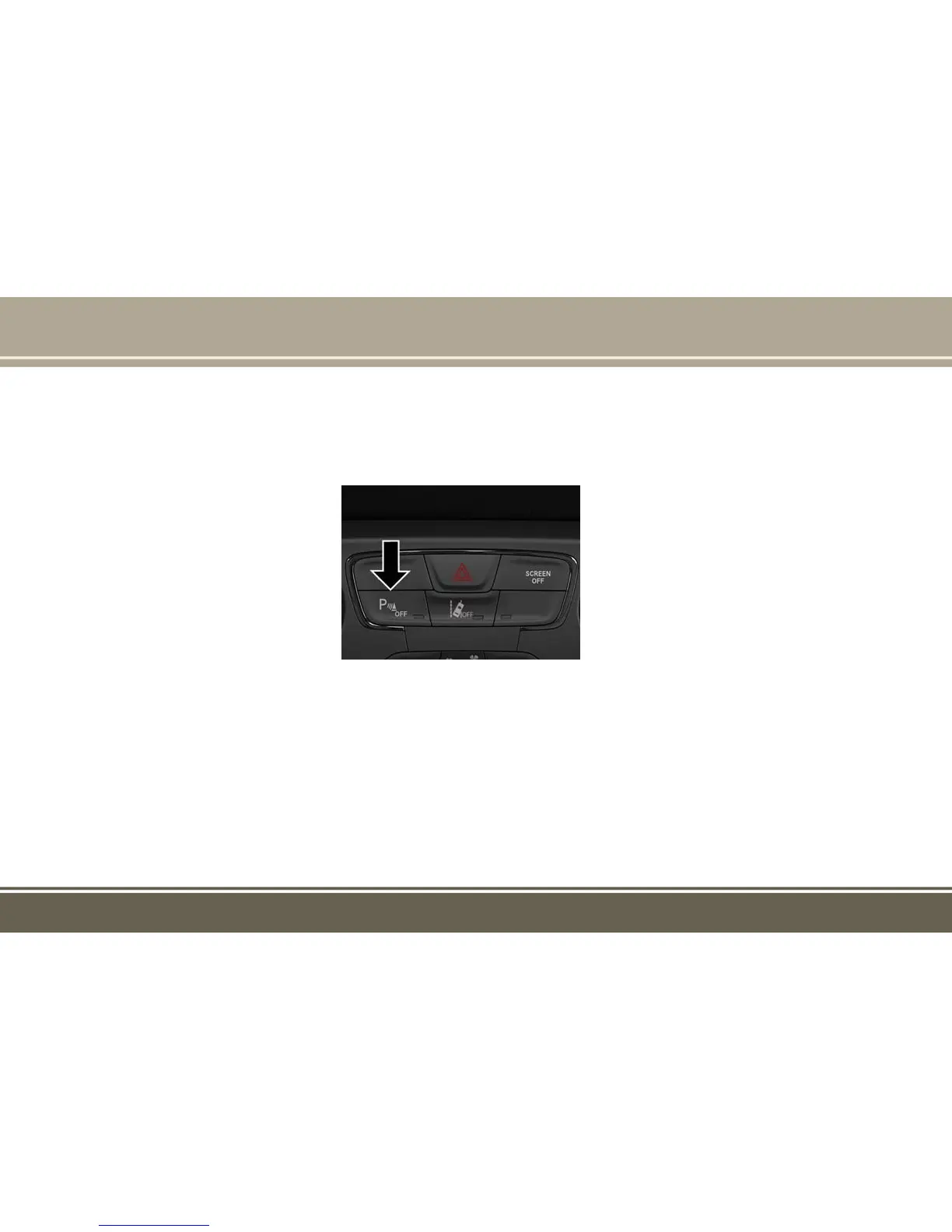
ParkSense Switch
PARKSENSE












 To Next Page