WARNING!
Forward Collision Warning (FCW) is not intended to
avoid a collision on its own, nor can FCW detect
every type of potential collision. The driver has the
responsibility to avoid a collision by controlling the
vehicle via braking and steering. Failure to follow
this warning could lead to serious injury or death.
Turning FCW ON Or OFF
NOTE: The default status of FCW is “On”, this allows
the system to warn you of a possible collision with the
vehicle in front of you.
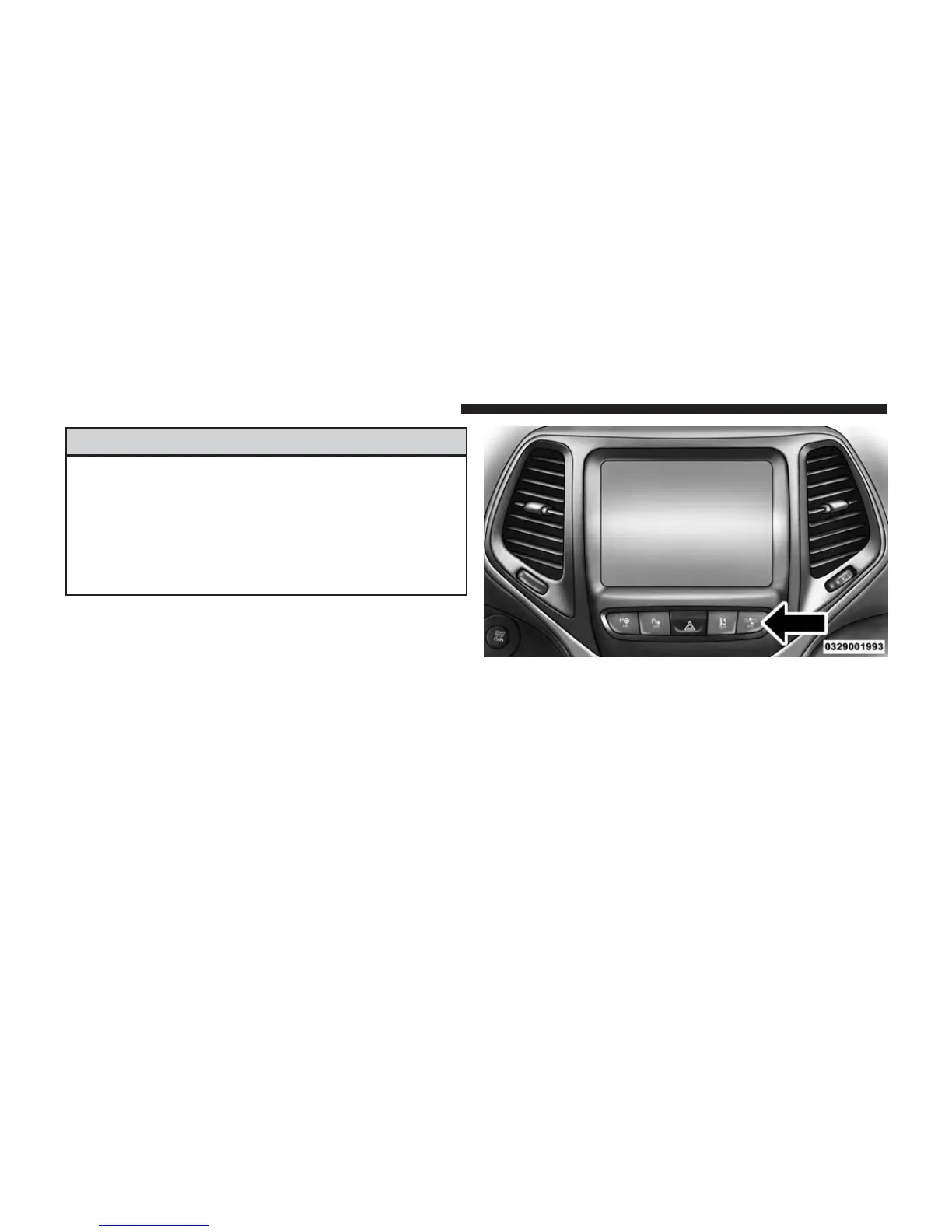
The forward collision button is located on the switch
panel below the Uconnect® display.
To turn the FCW system OFF, press the forward collision
button once to turn the system OFF (led turns on).
To turn the FCW system back ON, press the forward
collision button again to turn the system ON (led turns
off).
Forward Collision Button
216 UNDERSTANDING THE FEATURES OF YOUR VEHICLE















 To Next Page