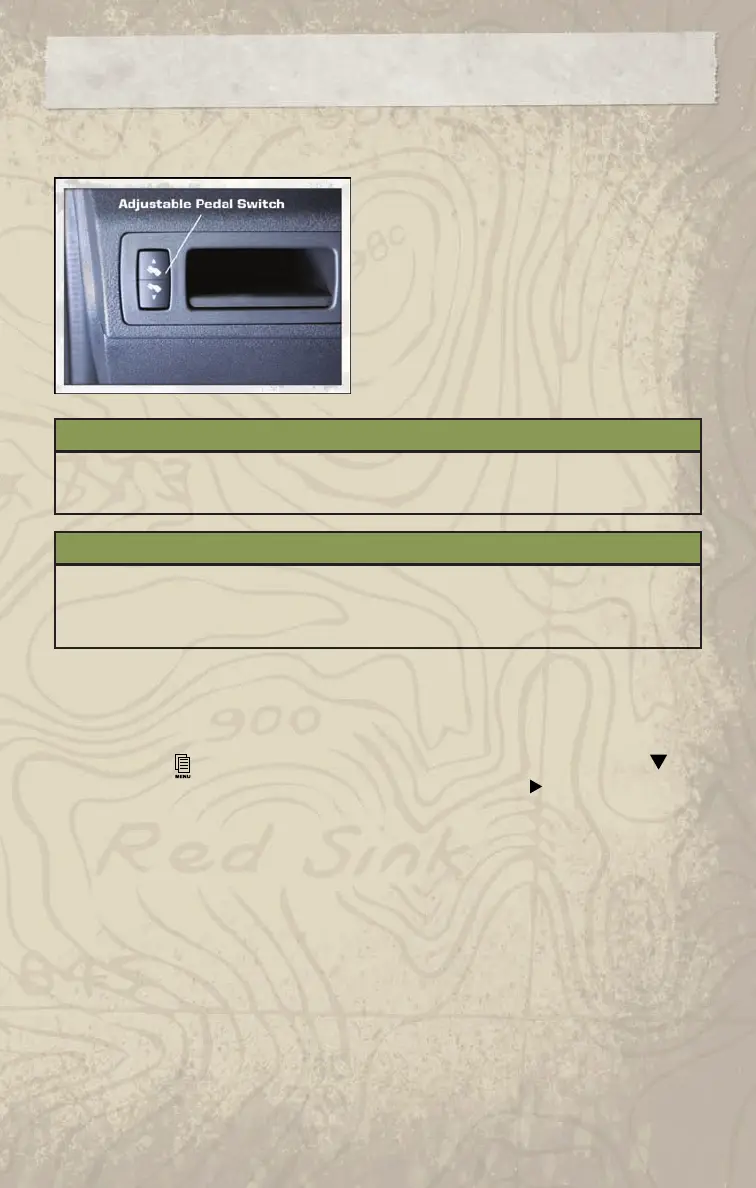
ADJUSTABLE PEDALS
• The adjustable pedal switch is located on the
left side of the instrument panel.
• Press the bottom of the switch to move the
brake and accelerator pedals away from the
driver. Press the top of the switch to move the
pedals closer to the driver.
NOTE: The pedals cannot be adjusted when
the vehicle is in REVERSE or when the
Electronic Speed Control is set.
WARNING!
Do not adjust the pedals while the vehicle is moving. You could lose control and have
an accident. Always adjust the pedals while the vehicle is parked.
CAUTION!
Do not place any article under the adjustable pedals or impede its ability to move, as
it may cause damage to the pedal controls. Pedal travel may become limited if
movement is stopped by an obstruction in the adjustable pedal’s path.
PROGRAMMABLE FEATURES
Electronic Vehicle Information Center (EVIC) – If Equipped
• The EVIC can be used to program the following Personal Settings. Press and release the
MENU button
until Personal Settings displays, then press the SCROLL button to
scroll through the settings. Press the FUNCTION SELECT button
to change the setting.
• Language • Easy Entry/Exit Seat
• Auto Door Locks • Key-Off Power Delay
• Auto UNLK On Exit • Illuminated Approach
• RKE Unlock • Display Units of Measure In
• Sound Horn With RKE Lock • Automatic High Beams
• Flash Lamp Lock • Hill Start Assist
• Headlamp Off Delay • Display ECO
• Turn Headlamps On with Wipers • Rain Sensing Intermittent Wipers
GETTING STARTED
16















 To Next Page