If you push the switch up or down twice, it plays
the second track; three times, it will play the
third, etc.
AUX/USB/MP3 CONTROL
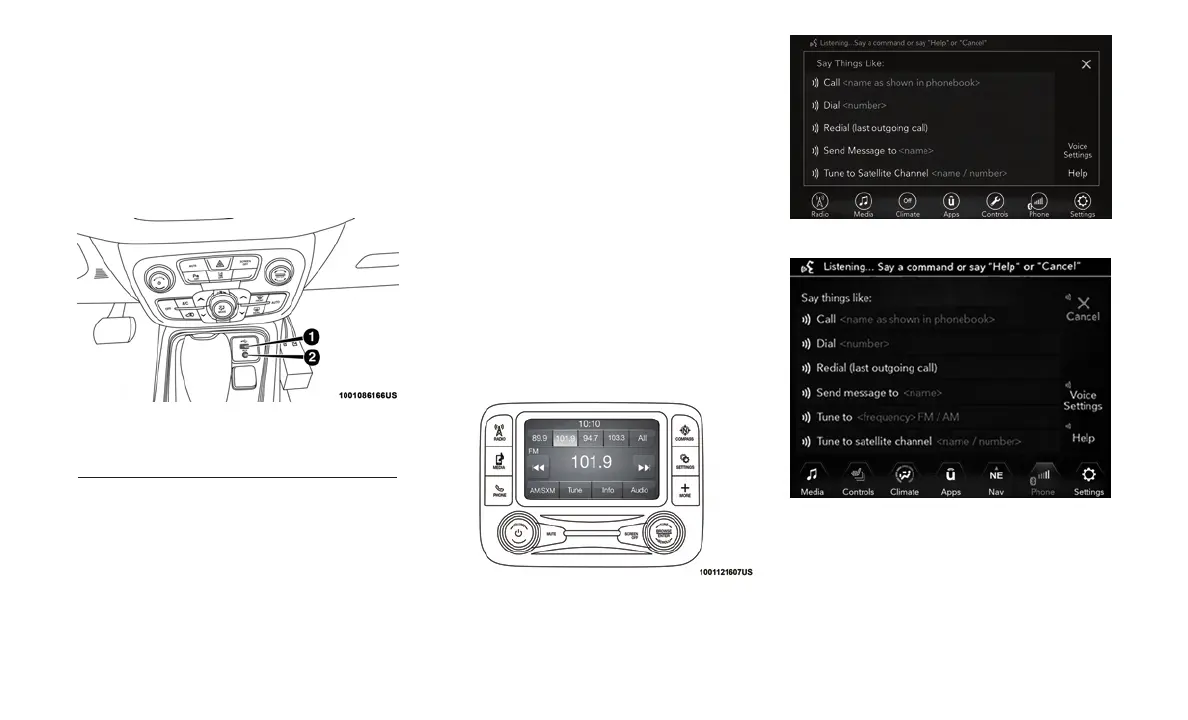
There is a USB and AUX Jack in the center
console. This feature allows an external device
to be plugged into the USB or AUX ports.
For further information, refer to the Uconnect
Owner’s Manual Supplement.
RADIO OPERATION AND
MOBILE PHONES
Under certain conditions, the mobile phone be-
ing on in your vehicle can cause erratic or noisy
performance from your radio. This condition
may be lessened or eliminated by relocating the
mobile phone antenna. This condition is not
harmful to the radio. If your radio performance
does not satisfactorily “clear” by the reposition-
ing of the antenna, it is recommended that the
radio volume be turned down or off during
mobile phone operation when not using
Uconnect (if equipped).
UCONNECT VOICE
RECOGNITION QUICK TIPS
Introducing Uconnect
Start using Uconnect Voice Recognition with
these helpful quick tips. It provides the key Voice
Commands and tips you need to know to control
your Uconnect 3, Uconnect 4, or Uconnect 4/4C
NAV system.
If you see the NAV icon on the bottom bar, or in
the Apps menus, of your 8.4-inch touchscreen,
you have the Uconnect 4C NAV system. If not,
you have a Uconnect 4 with 8.4-inch display
system.
Center Console USB Port
1 — USB Port
2 —AUX Jack
Uconnect 3
Uconnect 4
Uconnect 4/4C NAV
317















 To Next Page