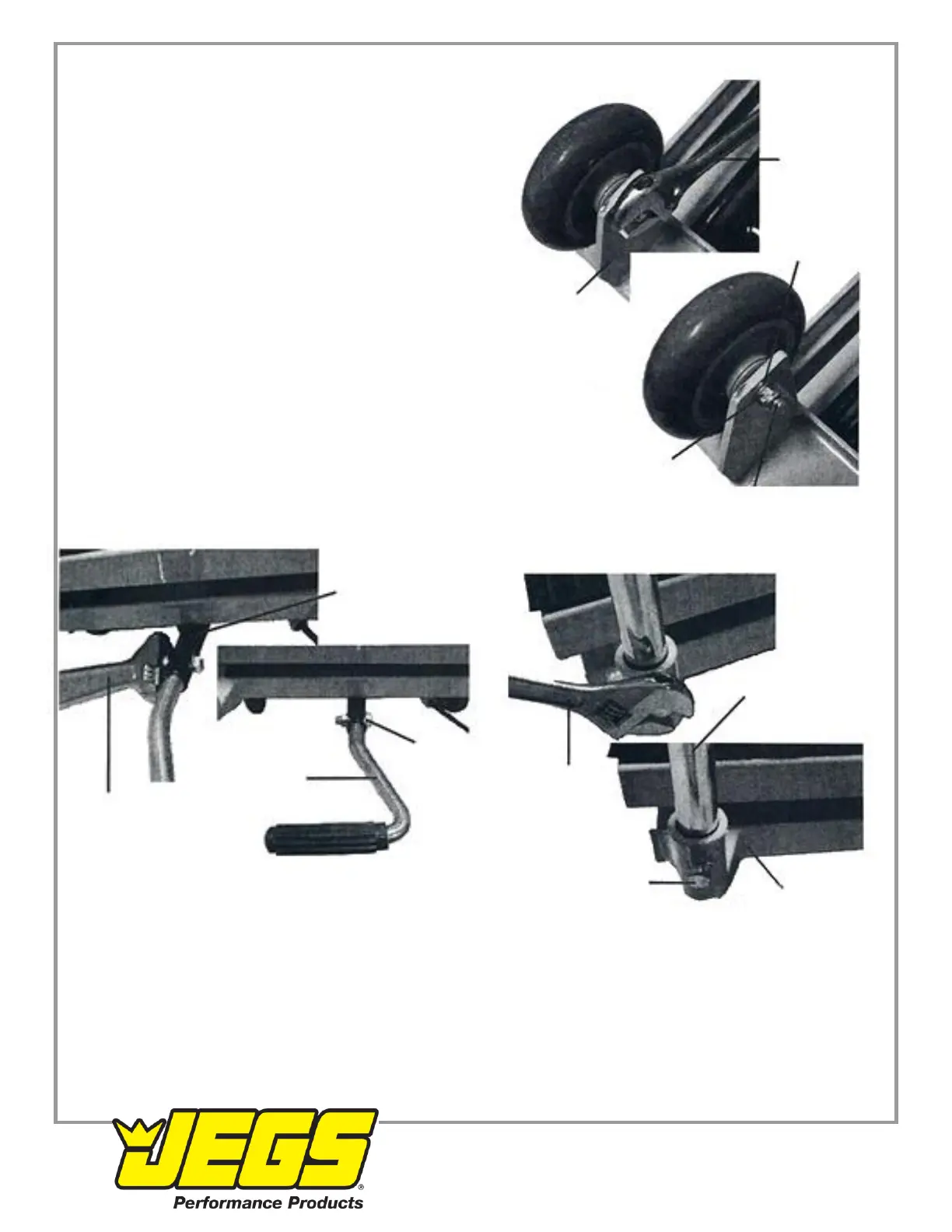
4. Slide Bushing through center hole in front Wheel (12).
5. Set Wheel in the Wheel frame of the Base (9).
6. Slide the Bolt (14) through the Washer (29), Wheel Frame,
and Bushing (13).
Wrench
7. Use a wrench (sold separately) to fasten Lock Nut onto Bolt,
until the Front Wheel is secured in place.
8. Repeat steps 3-7 for other front Wheel.
9. Slide Pump Lever (23) into Connecting Rod (22), aligning the Washer
installation holes.
10. Slide the Bolt (35) through the Washer (15) and through the
installation holes. Wheel Frame
11. Use the wrench to fasten the Lock Nut over the Bolt, securing
Pump Lever (23) in place. See Figure C.
12. Slide the ends of the Handle (31) into the handle slots on the Base.
13. Use the wrench to tighten the Bolts (20) until the Handle is Front Wheel
fastened in place. See Figure D.
14. Test the Lift Table to make sure it functions properly
before using it to lift a load. Lock Nut
Figure B
Connecting Rod (22)
Handle (31)
Bolt (35)
Wrench
Pump Lever
Wrench (23)
Figure C
Bolt (20)
Base (9)
Figure D



 To Next Page
 Loading...