EasyManua.ls Logo

Jenn-Air jgr8875qds - User Manual

Jenn-Air jgr8875qds
92 pages
Print Icon
To Next Page IconTo Next Page
Loading...
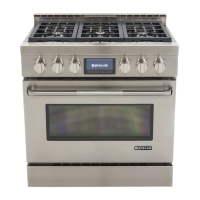
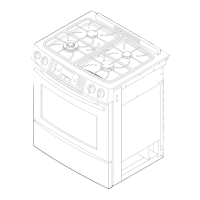
JENN-AIR GAS RANGE
ELECTRONIC TOUCH CONTROL 800
Form No. A/07/03 Part No. 8113P416-60 ©2003 Maytag Appliances Sales Co. Litho U.S.A .
Important Safety Instructions .....................................1-4
Surface Cooking.............................................................. 5-6
Oven Cooking................................................................ 7-18
Care & Cleaning ......................................................... 19-22
Maintenance................................................................ 23-24
Troubleshooting ......................................................... 25-26
Warranty & Service...........................................................27
Guide de l’utilisation et entretien................................28
Guía de Uso y Cuidado...................................................60
USE & CARE
GUIDE
TABLE OF CONTENTS

Questions and Answers

  • M
    Meredith AndersonAug 8, 2025
    What to do if food is not broiling properly in my Jenn-Air jgr8875qds Ranges?
    • P
      Paul ClarkAug 8, 2025
      If food is not broiling properly or smokes excessively, check the oven rack positions to ensure the food isn't too close to the flame. Make sure aluminum foil was correctly used. Trim excess fat from the meat before broiling. Preheat the oven for 2-3 minutes before placing food inside, and broil with the oven door closed. A soiled broiler pan can also cause smoking.
  • T
    Todd WaltersAug 12, 2025
    Why won't my Jenn-Air Ranges oven self-clean?
    • J
      Joshua AllenAug 12, 2025
      If your oven won't self-clean, check that the cycle isn't set for a delayed start and that the door is fully closed. Also, ensure the control isn't in Sabbath Mode and that the oven temperature is below 400°F.
  • W
    wbutlerAug 16, 2025
    How to fix a Jenn-Air Ranges surface burner that fails to light?
    • P
      Paul SchroederAug 17, 2025
      If a surface burner fails to light, first ensure the unit is properly connected to the power supply and check for a blown circuit fuse or a tripped main circuit breaker. Verify that the ignitor is dry and clicking. If the ignitor is damaged, soiled, or wet, the burner will not light. If the ignitor doesn’t click, turn the control knob OFF.
  • J
    Jeremy PaulAug 21, 2025
    What to do if the surface burner flame lifts off ports on my Jenn-Air jgr8875qds Ranges?
    • L
      lawrenceconleyAug 21, 2025
      If the surface burner flame lifts off the ports, make sure a pan is sitting on the grate above the burner.
  • A
    Amanda ChangAug 26, 2025
    Why are my baking results different than expected with my Jenn-Air Ranges?
    • C
      Crystal DavisAug 26, 2025
      Baking results may differ from a previous oven due to several factors. The oven temperature selected might be incorrect. Ensure the oven is preheated if the recipe requires it and that the oven vent isn't blocked. Check that the range is level. Remember that temperatures often vary between a new oven and an old one. Using the correct pan is important; dark pans produce darker browning. Also, check rack positions, pan placement, and the use of foil in the oven.
  • W
    whitehectorAug 29, 2025
    What to check first if my Jenn-Air jgr8875qds Ranges isn't working?
    • S
      Sarah OdonnellAug 29, 2025
      For most concerns, start by checking if the oven controls have been properly set. Ensure the plug is securely inserted into the receptacle. Check or reset the circuit breaker, and check or replace the fuse. Finally, verify the power supply.
  • C
    Carolyn BergerSep 3, 2025
    Why is the flame uneven on my Jenn-Air Ranges?
    • T
      Tim HollandSep 3, 2025
      The flame might be uneven on your Jenn-Air range because the burner ports may be clogged.

Jenn-Air jgr8875qds Specifications

General IconGeneral
BrandJenn-Air
Modeljgr8875qds
CategoryRanges
LanguageEnglish

Related product manuals