EasyManua.ls Logo

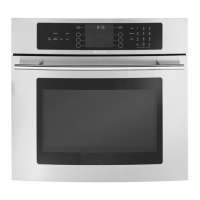
Jenn-Air JJW7530DDS - User Manual

Jenn-Air JJW7530DDS
60 pages
Print Icon
To Next Page IconTo Next Page
Loading...
Safety...................................................................................1-3
Oven Cooking................................................................ 4-12
Care & Cleaning ......................................................... 13-15
Maintenance.......................................................................16
Troubleshooting ......................................................... 17-18
Warranty & Service...........................................................19
Guide d’utilisation et d’entretien .................................20
Guía del Uso y Cuidado..................................................40
USE & CARE
G U I D E
T ABLE OF CONTENTS
J ENN-AIR E L E C T R I C
C O N V E N I E N C E O V E N
8112P331-60 5/22/06, 3:41 PM1
Form No. A/01/08 Part No. w10169645 ©2006 Maytag Appliances Sales Co. All rights reserved. Litho U.S.A.
Reviewed by Stewart, Steven | Released

Other manuals for Jenn-Air JJW7530DDS

Questions and Answers

  • W
    William Gardner PhDSep 4, 2025
    Why are my Jenn-Air JJW7530DDS Oven baking results not as expected?
    • C
      Casey ThompsonSep 4, 2025
      If your Jenn-Air oven baking results are less than expected, the pans being used may not be of the recommended size or material for best results. Ensure there is sufficient room around the sides of the pans for proper air circulation in the oven. Also, check the instructions for preheating, rack position, and oven temperature.
  • V
    vsmithSep 18, 2025
    Why are there no beeps and no display on my Jenn-Air JJW7530DDS?
    • J
      Johnny CookSep 18, 2025
      If there are no beeps and no display on your Jenn-Air oven, the oven may be in Sabbath Mode.
  • L
    lrushSep 16, 2025
    What noises are normal for Jenn-Air JJW7530DDS Oven?
    • D
      Danny WilsonSep 16, 2025
      The Jenn-Air oven makes several low-level noises. You may hear the oven cooling fan going on and off, as well as the oven relays. As the oven heats and cools, you may hear sounds of metal parts expanding and contracting. These are all normal and will not damage your appliance.
  • J
    Joyce WilkersonSep 14, 2025
    Why does the Jenn-Air JJW7530DDS cooling fan keep running after I turn it off?
    • P
      Peter HansonSep 14, 2025
      It is normal for the cooling fan to continue to operate after the Jenn-Air oven has been turned off. The fan will automatically shut off when the oven is cooled.
  • B
    byuSep 12, 2025
    Why can I hear a fan in my Jenn-Air Oven?
    • J
      Jeffrey LoweSep 13, 2025
      Hearing a fan during broiling, cleaning, and some baking operations is normal. This is the cooling fan. The fan will continue to run after use until the oven cools.
  • M
    Matthew MorganSep 12, 2025
    Why are my Jenn-Air Oven baking results different from my previous oven?
    • M
      Max MasonSep 12, 2025
      Baking results may differ from a previous oven because the oven thermostat calibration may differ between the old and new ovens. Follow the recipe and use the directions in this guide before calling for service, as the calibration on the previous oven may have drifted to a setting that was too high or too low.
  • I
    Ian ThompsonSep 9, 2025
    Why is my Jenn-Air Oven light not working?
    • V
      vargaschristianSep 9, 2025
      If the oven light and/or clock does not function, the light bulb may be loose or defective. The oven light does not work during the self-cleaning process. Also, the oven may be in Sabbath Mode.
  • S
    Stephen WilliamsSep 7, 2025
    Why are my foods not broiling properly in my Jenn-Air Oven?
    • S
      Susan HaasSep 7, 2025
      If foods do not broil properly in your Jenn-Air oven, it may be due to low voltage. Broil with the oven door closed.
  • M
    Matthew NewtonSep 5, 2025
    Why is my baked food burned on top in my Jenn-Air JJW7530DDS Oven?
    • E
      Evan StarkSep 5, 2025
      If baked food is burned or too brown on top in your Jenn-Air oven, the food may be positioned incorrectly in the oven, or the oven may not have been preheated properly.
  • A
    andrea93Aug 20, 2025
    What to do if BAKE or LOCK flash on Jenn-Air JJW7530DDS?
    • P
      Patricia RoblesAug 21, 2025
      If BAKE or LOCK flash rapidly on the display, it indicates an error. First, press the CANCEL pad. If the flashing continues, disconnect power to the appliance, wait a few minutes, and then reconnect the power. If the flashing still continues or if the oven is heavily soiled, disconnect power and contact an authorized servicer. If soiled, press the CANCEL pad, allow the oven to cool, wipe out excess soil, and reset the clean cycle.

Summary

Safety Instructions

Important Safety Instructions

Provides critical warnings and operational instructions for safe appliance use.

Appliance Misuse and Hazards

Discusses appliance misuse, potential hazards, and necessary precautions for user safety.

Safe Cooking Practices

Offers guidance on safe procedures and considerations during cooking operations.

Utensil Safety Guidelines

Details safe practices for using various kitchen utensils and accessories with the oven.

Cleaning Safety Precautions

Advises on safe procedures and precautions to follow during appliance cleaning.

Self-Clean Oven Safety

Highlights key safety considerations specific to the oven's self-cleaning function.

California Proposition 65 Warning

Notifies users about potential exposure to substances as required by California law.

Oven Cooking Operations

Control Panel Overview

Describes the layout, functions, and display of the oven's control panel.

Touchpad Operation Guide

Explains how to use the various touchpads for programming oven functions and entering data.

Setting the Oven Clock

Step-by-step instructions for setting and managing the oven's clock.

Using the Oven Timer

Guide on how to set, use, and cancel the oven's built-in timer function.

Fault Codes

Information on interpreting and responding to error codes displayed by the oven.

Baking Function Operation

Detailed instructions for using the primary baking mode of the oven.

Cook & Hold Feature

Explains the feature for cooking food and then keeping it warm automatically.

Setting the Cook & Hold Function

Step-by-step guide to program and utilize the Cook & Hold feature.

Delay Cook & Hold Function

Instructions for programming delayed cooking start times for the oven.

Broiling Function Guide

How to operate the oven's broiling function, including settings and tips.

Broiling Time Chart

A chart providing recommended broiling times for various food items.

Toasting Function

Instructions for using the oven's toasting feature for bread and other items.

Keep Warm Function

Guidance on using the function to keep food warm after cooking.

Setting the Keep Warm Function

Step-by-step guide for activating the Keep Warm feature.

Automatic Shut-Off and Sabbath Mode

Information on the automatic shut-off safety feature and Sabbath mode operation.

Adjusting Oven Temperature Calibration

How to adjust and calibrate the oven's temperature for baking accuracy.

Favorite Function for Custom Settings

Guide on saving and recalling custom cooking programs using the Favorite function.

Setting a Favorite Cooking Cycle

Steps to program and save a custom cooking cycle using the Favorite function.

Oven Light Operation

How to operate the oven's internal light, including turning it on and off.

Oven Vent Location and Purpose

Explains the oven vent's location and the importance of keeping it clear.

Oven Rack Removal and Replacement

Instructions on safely removing and reinstalling oven racks.

Care and Cleaning

Self-Clean Oven Precautions

Safety guidelines and warnings for using the self-cleaning mode.

Preparing for Self-Cleaning

Steps to take before initiating the self-cleaning cycle, like removing racks.

Initiating the Self-Clean Cycle

Detailed instructions for programming and starting the self-cleaning process.

Delaying the Self-Clean Cycle

How to schedule the self-cleaning cycle to start at a later time.

Post Self-Cleaning Procedures

Steps and observations after the self-cleaning cycle is complete, including ash removal.

Cleaning Procedures by Part

A guide to cleaning specific components of the appliance.

Maintenance

Replacing the Oven Light Bulb

Instructions for safely replacing the oven's interior light bulb.

Protecting the Oven Window

Advice on maintaining the oven door window and preventing damage.

Troubleshooting Common Issues

Oven Not Heating Troubleshooting

Solutions for common problems where the oven fails to heat.

Oven Light or Clock Malfunction

Troubleshooting steps for a non-functional oven light or clock.

Smoke and Odor During Operation

Explanations for odors or smoke and how to address them.

Self-Cleaning Cycle Troubleshooting

Solutions for issues related to the self-cleaning cycle not working correctly.

Uneven Baking Troubleshooting

Guidance on diagnosing and resolving uneven baking results.

Broiling and Baking Issues

Addresses common problems encountered during broiling and baking.

Oven Door Lock Troubleshooting

Solutions for problems concerning the oven door locking mechanism.

Baking Results Troubleshooting

Troubleshooting tips for various baking performance issues.

Fan Operation Troubleshooting

Explanations for normal fan operation and troubleshooting.

Troubleshooting Fault Codes

How to interpret and resolve error codes displayed on the control panel.

No Display or Beeps Troubleshooting

Solutions for a completely unresponsive oven control panel.

Jenn-Air Cooking Appliance Warranty

Jenn-Air Limited Warranty Details

Overview of the manufacturer's limited warranty coverage and terms.

Warranty Exclusions and Limitations

Lists items and conditions not covered by the product warranty.

Jenn-Air JJW7530DDS Specifications

General IconGeneral
BrandJenn-Air
ModelJJW7530DDS
TypeWall Oven
Fuel TypeElectric
Number of Ovens1
Oven Capacity5.0 cu. ft.
ConvectionYes
Self-CleaningYes
ColorStainless Steel
Width30 Inches
Installation TypeBuilt-In
Control TypeTouch Control
Wi-Fi ConnectivityYes
Warranty1 Year Limited

Related product manuals