EasyManua.ls Logo

Jenn-Air JXT8042ADS - User Manual

Jenn-Air JXT8042ADS
24 pages
Print Icon
To Next Page IconTo Next Page
Loading...
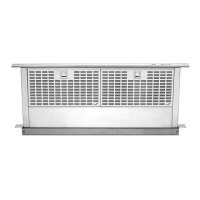
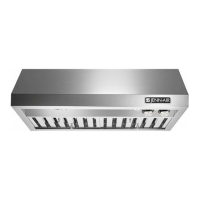
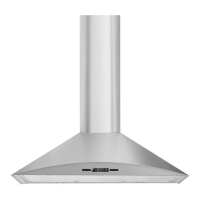
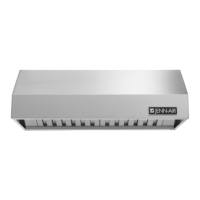
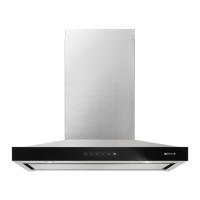
RANGE HOOD
USER
GUIDE
Model Number: JXT8030ADS JXT8036ADS JXT8042ADS
Manufacturer Number: S99E30S S99E36S S99E42S
Size: 30” 36” 42”
TABLE OF CONTENTS
Safety Instructions.................................................... 1
Controls & Features...............................................2-4
Maintenance.........................................................5-6
Warranty.................................................................. 7
Form No. A/04/03 Part No. US9900-0303A ©2004 Maytag Appliances Sales Co. Litho U.S.A.

Other manuals for Jenn-Air JXT8042ADS

Questions and Answers

  • C
    Charles GallagherAug 11, 2025
    Why won't the blower motor and lights turn on in my Jenn-Air Ventilation Hood?
    • D
      dfoxAug 11, 2025
      If the blower motor and lights aren't working on your Jenn-Air Ventilation Hood, here are a few things to check: * Make sure the unit is getting 120 VAC of input power. * Check that the circuit breaker hasn't tripped. * Ensure all black/white or white wires are tightly connected to the control board; also, check if any wires are disconnected from the control board. If these steps don't resolve the issue, the control board or touch pad/control panel might be defective. In that case, perform a control board test or touch pad/control panel test.
  • D
    David AlvarezAug 17, 2025
    What to do if the Jenn-Air JXT8042ADS Ventilation Hood lights are on but the blower motor won't work?
    • I
      ihillAug 17, 2025
      If the lights on your Jenn-Air Ventilation Hood are on, but the blower motor isn't working, consider the following: * Check the blue wire connection on the control board to ensure it's secure. * Make sure the blower motor isn't stuck or blocked by anything, and that it can rotate freely. * The blower motor may be too hot and shut down by the thermal protection system, so allow the blower motor to cool. If these steps don't fix the problem, the blower motor or capacitor might be defective, requiring a test. Also, the touch pad or control panel could be defective and require testing.
  • K
    Katie AdamsAug 23, 2025
    Why does my Jenn-Air JXT8042ADS light illuminate at full brightness only?
    • B
      Brandon TrevinoAug 23, 2025
      If the lights on your Jenn-Air Ventilation Hood only illuminate at full brightness, there might be loose wires at the light socket or control board. Make sure all wires are securely connected. The light socket, control board, or control panel could also be defective. Perform a halogen light test, control board test, or touch pad/control panel test. In some cases, the control panel may need to be replaced.
  • J
    Jacqueline YoungAug 30, 2025
    What to do if the Jenn-Air JXT8042ADS blower motor operates, but I cannot change the fan speed?
    • J
      Jared RamirezAug 30, 2025
      If the blower motor in your Jenn-Air Ventilation Hood is running but you can't adjust the fan speed, it could be due to several reasons: * A shorted or defective capacitor. * A defective blower motor. * A defective touch pad or control panel. * Obstructions in the blower motor. You should perform a capacitor test, blower motor test, or touch pad/control panel test. Also, make sure there are no obstructions in the blower motor that prevent it from operating correctly.
  • D
    danielwilliamsSep 4, 2025
    Why does my Jenn-Air JXT8042ADS Ventilation Hood blower motor start slowly and not reach full speed?
    • A
      allison88Sep 4, 2025
      If your Jenn-Air Ventilation Hood's blower motor starts slowly and doesn't reach full speed, the issue could be: * A shorted or defective capacitor. * A defective blower motor. * A defective control board. * Obstructions in the blower motor. Consider performing a capacitor test, blower motor test, or control board test. Also, check for any obstructions that might be preventing the blower motor from operating freely.

Jenn-Air JXT8042ADS Specifications

General IconGeneral
Airflow600 CFM
LightingLED
FinishStainless Steel
Duct TypeDucted
Appliance CategoryVentilation
Number of Blower Speeds3
ADA CompliantNo
ENERGY STAR® QualifiedNo
UL ListedYes
MaterialStainless Steel
Width42 in
Venting OptionsVertical, Horizontal
TypeWall Mount

Related product manuals