
EasyManua.ls Logo

Jensen Marine MS2ARTL - User Manual

Jensen Marine MS2ARTL
18 pages
Print Icon
To Next Page IconTo Next Page
Loading...
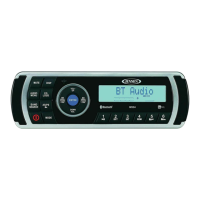
MS2A
MARINE AUDIO SYSTEM
Installation and Operation Manual

Questions and Answers

Summary

Warnings and Compliance

Important Safety Instructions

Essential safety precautions for operating and handling the audio system, including warnings about water and proper power supply.

FCC Compliance and Warnings

Information on FCC regulations, interference, and user responsibility for compliance with digital device standards.

Introduction

System Features

Lists the primary features and functionalities of the Jensen MS2A marine audio system.

Content List

Outlines the components included in the package and the manual's structure.

Safety Information

Boating Safety Precautions

Safety advice for operating the audio system while boating, including volume and environmental protection.

Power Supply and Cautionary Notes

Guidelines on using the correct power supply and general caution against self-repair.

Installation

Before Installation

Steps to take before beginning the installation process, including disconnecting the battery.

Important Installation Notes

Crucial advice for proper installation, use of parts, and consulting dealers for modifications.

Front Mount Installation

Instructions for mounting the unit from the front of the dashboard opening.

Removing the Unit and Battery

Procedures for removing the unit from its installation and reconnecting the battery.

Wiring

Power Socket Diagram

Visual representation of the power socket and its pin assignments for connectivity.

Wiring Connections and Color Codes

Detailed pinout and wire color guide for connecting the audio system components correctly.

Basic Operation

Control Functions

How to operate basic functions like power, volume, mute, and mode selection.

Menu Navigation and Adjustments

Guide to accessing and adjusting Audio and System menus for settings.

Resetting the Unit

Instructions for resetting the unit and restoring factory default settings.

Advanced Operation and Features

Bluetooth Connectivity and Options

Details on Bluetooth pairing, device management, and connection options.

Audio Settings and Input

Configuration of Equalizer, Loudness, and accessing Auxiliary audio input.

System Status and Display

Monitoring low battery status and understanding LCD panel information.

Quick Exit Functionality

How to use the quick exit hot key for faster navigation between modes.

Tuner Operation

Band Selection and Tuning

How to select radio bands (AM/FM) and manually tune stations.

Automatic Tuning Features

Using auto seek, preset scan, and auto store for finding and saving stations.

Preset Station Management

Storing and recalling favorite radio stations using preset buttons.

MP3;USB Operation

MP3;WMA Specifications

Technical specifications and limitations for MP3 and WMA file playback via USB.

USB Device Handling

Instructions for inserting, removing, and accessing files from a USB device.

Playback Control Functions

How to control playback, including pause, track selection, repeat, intro scan, and random play.

Folder Navigation and Display

Navigating through folders, changing display information, and searching for files.

iPod Operation

Supported iPod Models

Lists the iPod and iPhone models supported by the unit for control.

iPod Power and Control

How to turn the iPod on/off, manage its power, and general control overview.

iPod Playback Control

Controlling iPod playback, including track selection, pausing, repeating, and random play.

Alternate iPod Display Information

How to change the information displayed on the screen for iPod playback.

iPod Search Mode

Using search mode to find specific content (playlist, artist, album, song) on the iPod.

Bluetooth Operation

Bluetooth Technology Overview

Explanation of Bluetooth technology and its capabilities for wireless audio.

Bluetooth Menu Options

Details on managing Bluetooth connections, pairing, and device settings.

Pairing a Bluetooth Device

Step-by-step guide to successfully pair a mobile device with the MS2A.

Bluetooth Call Handling and Playback

Managing calls during Bluetooth audio playback and resuming audio.

App Operation

jControl App Features

Overview of the JENSEN® Specialty Controller app and its controlled stereo functions.

Connecting and Using the jControl App

Instructions for downloading, installing, and pairing the jControl app with the MS2A.

Care and Maintenance

General Care Guidelines

Instructions for keeping the product dry, clean, and handling it gently.

Ignition and Interference Issues

Information on common noise sources from ignition systems and environmental interference.

Troubleshooting

No Power Troubleshooting

Steps to resolve issues when the unit has no power, checking switch and fuse.

No Sound Troubleshooting

Solutions for no audio output, including volume and wiring checks.

Operation Key Issues

How to address problems with operation keys, checking wired commander and microcontroller.

Specifications

FM and AM;MW Radio Specifications

Detailed frequency coverage, sensitivity, and rejection for FM and AM radio bands.

General and Bluetooth Specifications

General technical details including Bluetooth frequency, power, voltage, and impedance.

Audio and Power Specifications

Specifications for tone controls, power output, current drain, and dimensions.

Jensen Marine MS2ARTL Specifications

General IconGeneral
Water ResistanceIPX5
Number of Channels4
Frequency Response20Hz - 20kHz
Speaker Impedance4 Ohms
TypeMarine Stereo
Power Output4 x 45W