EasyManua.ls Logo

Jensen CD-590 - User Manual

Jensen CD-590
17 pages
Print Icon
To Next Page IconTo Next Page
Loading...
E-0
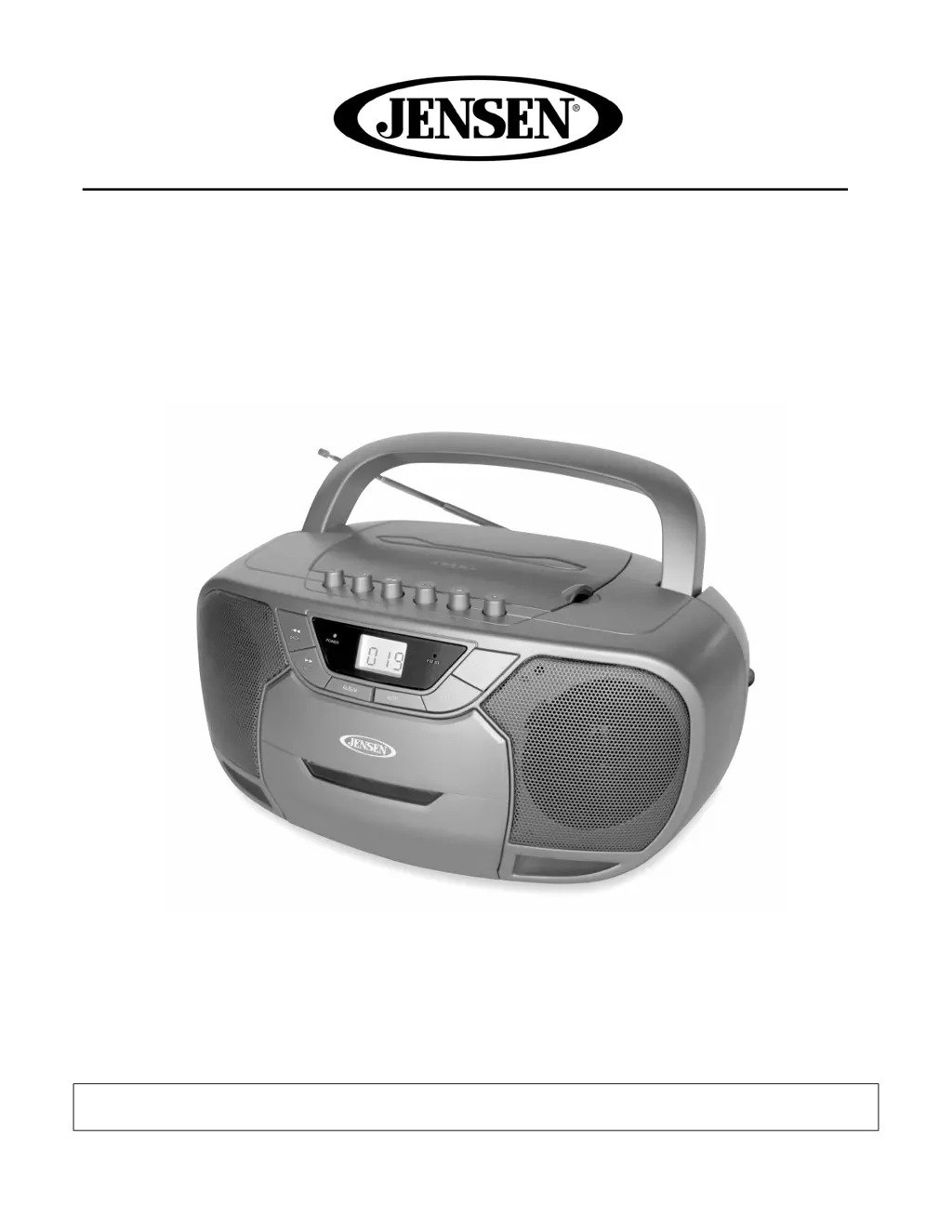
Portable Bluetooth Stereo Compact Disc Cassette Player
with AM/FM Radio
MODEL: CD-590
USER MANUAL
PLEASE READ THIS USER MANUAL COMPLETELY BEFORE OPERATING THIS UNIT AND
RETAIN THIS BOOKLET FOR FUTURE REFERENCE

Questions and Answers

  • J
    Jenna MolinaAug 17, 2025
    How to fix noise or sound distorted on Jensen CD-590 AM or FM broadcast?
    • X
      xdanielsAug 17, 2025
      If the Jensen Portable Stereo System's AM or FM broadcast sounds distorted, try these solutions: * Retune the AM or FM broadcast station. * If you are listening to FM, extend the FM telescopic antenna. * If you are listening to AM, reposition the unit to get the best reception.
  • A
    Alexander WalkerAug 19, 2025
    Why is there no sound on AM or FM on my Jensen CD-590 Portable Stereo System?
    • M
      Meghan TaylorAug 19, 2025
      If you're not getting any sound from the Jensen Portable Stereo System on AM or FM, make sure the function switch is set to the 'AM' or 'FM ST' position. Also, check that the volume isn't set to the minimum and increase it if necessary.
  • R
    Rachel ScottAug 22, 2025
    What to do if CD player will not play on Jensen CD-590 Portable Stereo System?
    • Z
      ztaylorAug 22, 2025
      If the CD player on your Jensen Portable Stereo System won't play, first ensure that the unit is in CD function mode. Also, make sure that the CD is loaded correctly with the label side facing up. If you are using a self-compiled CD, it might not be compatible with the player, so try using a better quality blank media and retest.
  • J
    John WilsonAug 25, 2025
    Why does the Jensen CD-590 Portable Stereo System sound distorted at high volume?
    • J
      James ContrerasAug 26, 2025
      If the sound from your Jensen Portable Stereo System appears distorted at a high volume, it might be because the volume control is set to maximum. Try adjusting the volume control to a lower, more comfortable level.
  • P
    Pamela ClarkeAug 28, 2025
    What to do if CD skips while playing on Jensen Portable Stereo System?
    • J
      Jessica GuzmanAug 28, 2025
      If the CD skips while playing on your Jensen Portable Stereo System, the disc may be dirty or scratched. Try wiping the CD with a clean cloth, or use another disc.
  • K
    Kenneth PayneAug 31, 2025
    Why is the sound intermittent from the CD player on my Jensen CD-590?
    • K
      Kenneth DiazAug 31, 2025
      If you are experiencing intermittent sound from the CD player on your Jensen Portable Stereo System, it could be due to a dirty or defective disc. Try cleaning or replacing the disc. Another cause could be a dirty pickup lens; in this case, use a CD lens cleaning disc to clean the lens. Finally, the player may be subject to excessive shock or vibration; relocate it away from such disturbances.
  • A
    Ashley TurnerSep 2, 2025
    Why is there no sound from the cassette player on my Jensen CD-590?
    • K
      kyle35Sep 2, 2025
      If there is no sound from the cassette player on your Jensen Portable Stereo System, ensure that the function selector is set to 'TAPE'. Also, check the volume level and increase it if it's at the minimum.
  • J
    John JamesSep 5, 2025
    What to do if my Jensen CD-590 Portable Stereo System cassette recorder will not record?
    • M
      Madison DavisSep 5, 2025
      If the cassette recorder on your Jensen Portable Stereo System will not record, check if the prevention tab has been removed from the cassette. If it has, cover the hole with tape.
  • M
    Michael KrauseSep 7, 2025
    Why is the sound distorted on playback on my Jensen CD-590?
    • Z
      zschmittSep 8, 2025
      If the sound from your Jensen Portable Stereo System is distorted during playback, the tape may be defective or the tape head may be dirty. Try replacing the tape or cleaning the tape head.
  • D
    David HillSep 12, 2025
    How to fix distorted sound from Jensen Portable Stereo System cassette player?
    • R
      Robert WatsonSep 12, 2025
      If the sound from the cassette player on your Jensen Portable Stereo System is distorted, the tape head may be dirty. Try cleaning the head.

Summary

Safety and Warnings

Important Safety Instructions

Comprehensive safety guidelines for operating the appliance.

Electrical Shock Precautions

Warnings and cautions regarding electrical shock hazards and user serviceability.

General Usage Precautions

Appliance Handling and Environment

Guidelines on appliance placement, ventilation, and environmental considerations.

Plug Safety and Double Insulation

Instructions for safe plug insertion and information on double insulation protection.

Product Safety and Compliance

Laser Product Safety

Safety advice for operating a Class 1 laser product device.

FCC Compliance

Information regarding compliance with FCC Rules for digital devices.

Product Information and Listening Advice

Furniture Protection Tips

Recommendations for protecting furniture from the unit's rubber feet.

Safe Listening Practices

Guidance on setting safe listening levels to prevent hearing damage.

Location of Controls - Top and Front

Front Panel Controls

Identification of controls on the front panel of the boombox.

Top Panel Controls

Identification of controls on the top panel of the boombox.

Location of Controls - Rear and Side

Rear and Side Panel Controls

Identification of controls and connectors on the rear and side panels.

Power Sources

AC Power Operation

Instructions for connecting and operating the unit using AC power.

Battery Power Operation

Instructions for installing and operating the unit using batteries.

Battery Care and Notes

Important notes and care instructions for batteries used in the unit.

Radio and CD Operation

Radio Operation and Reception

How to operate the radio and tips for achieving the best reception.

CD Playback Basics

Initial steps for playing commercial CDs and important notes for MP3 CD users.

CD Playback Modes

Repeat Modes for Commercial CDs

Instructions for using Repeat 1, Repeat All, and Random Play modes for CDs.

Playing MP3 CDs

Guide to playing MP3 CDs, including folder navigation.

CD Advanced Playback Features

MP3 Repeat and Folder Modes

Details on repeating folders, all tracks, and random playback for MP3s.

Skip, Search, and Program Play

How to skip tracks, search within tracks, and program playback sequences.

Cassette and Bluetooth Operation

Cassette Player and Recorder

Instructions for playing, recording, and automatic stop features of the cassette deck.

Bluetooth Device Pairing

Steps to pair a Bluetooth-enabled device for wireless audio streaming.

Auxiliary Input and Headphone Use

Aux-In Audio Connection

Guide for connecting external audio devices via the AUX IN jack.

Headphone Usage and Safety

Instructions for using headphones and cautions regarding volume levels.

Care and Maintenance

General Unit Care

Guidelines for cleaning and maintaining the main unit.

Cassette Tape Handling

Precautions and care tips for cassette tapes to prevent jamming and tangling.

Head Cleaning

Head Cleaning Procedure

Steps for cleaning tape heads, pinch roller, and capstan for optimal performance.

Troubleshooting and Specifications

Troubleshooting Guide

Common issues, possible causes, and solutions for operating the unit.

Technical Specifications

Key technical details including power sources and frequency range.

Warranty Information

90-Day Limited Warranty

Details of the limited warranty, terms, and service procedures within the USA.

Jensen CD-590 Specifications

General IconGeneral
BrandJensen
ModelCD-590
CategoryPortable Stereo System
CD PlayerYes
AM/FM RadioYes
Cassette PlayerYes
USB PortNo
Auxiliary InputYes
Headphone JackYes
SpeakersYes
Power SourceAC/DC
Battery OperatedYes
Battery Type6 x 'C' Batteries (UM-2) (Not included)

Related product manuals