EasyManua.ls Logo

Jensen CDX3119 - User Manual

Jensen CDX3119
26 pages
Print Icon
To Next Page IconTo Next Page
Loading...
INSTALLATION/OWNER'S MANUAL
AM/FM/CD Receiver
CDX3119
Question and Answer IconNeed help?

Do you have a question about the Jensen CDX3119 and is the answer not in the manual?

Summary

CDX3119 INSTALLATION

Preparation

Steps for safely installing the unit in a vehicle, including pre-checks and physical mounting.

Wiring Diagram

Illustrates connections for power, speakers, antenna, and accessories for proper unit function.

CDX3119 OPERATION

Control Locations

Identifies and explains the function of all buttons and ports on the main unit's front panel.

Remote Control

Details the buttons and their functions on the included wireless remote control for convenient operation.

General Operation

Covers basic functions like power, mode selection, volume, display, and clock setting.

Setup Menu

Explains how to access and configure various unit settings via the setup menu.

General Operation Audio

Details how to adjust audio settings such as bass, treble, balance, and fader.

AM;FM Tuner Operation

Instructions for tuning stations, storing presets, and automatically storing stations for radio playback.

CD Player Operation

Explains how to insert/eject CDs, control playback, use intro/repeat/random modes.

CD Player MP3 Files

Details compatibility, displaying information, and character support for MP3 files on CDs.

USB Operation

Guides for connecting USB devices, playing MP3 files, file search, and media compatibility.

Bluetooth Operation

Instructions for pairing devices, managing calls, and streaming audio wirelessly via Bluetooth.

Troubleshooting

Lists common problems, their causes, and recommended solutions for resolving issues with the unit.

Limited One Year Warranty

Outlines the terms, coverage, exclusions, and procedure for obtaining warranty service.

FCC Compliance

States compliance with FCC rules and provides guidelines for avoiding radio interference.

Specifications

Provides technical details and performance characteristics of the CD receiver.

Summary

CDX3119 INSTALLATION

Preparation

Steps for safely installing the unit in a vehicle, including pre-checks and physical mounting.

Wiring Diagram

Illustrates connections for power, speakers, antenna, and accessories for proper unit function.

CDX3119 OPERATION

Control Locations

Identifies and explains the function of all buttons and ports on the main unit's front panel.

Remote Control

Details the buttons and their functions on the included wireless remote control for convenient operation.

General Operation

Covers basic functions like power, mode selection, volume, display, and clock setting.

Setup Menu

Explains how to access and configure various unit settings via the setup menu.

General Operation Audio

Details how to adjust audio settings such as bass, treble, balance, and fader.

AM;FM Tuner Operation

Instructions for tuning stations, storing presets, and automatically storing stations for radio playback.

CD Player Operation

Explains how to insert/eject CDs, control playback, use intro/repeat/random modes.

CD Player MP3 Files

Details compatibility, displaying information, and character support for MP3 files on CDs.

USB Operation

Guides for connecting USB devices, playing MP3 files, file search, and media compatibility.

Bluetooth Operation

Instructions for pairing devices, managing calls, and streaming audio wirelessly via Bluetooth.

Troubleshooting

Lists common problems, their causes, and recommended solutions for resolving issues with the unit.

Limited One Year Warranty

Outlines the terms, coverage, exclusions, and procedure for obtaining warranty service.

FCC Compliance

States compliance with FCC rules and provides guidelines for avoiding radio interference.

Specifications

Provides technical details and performance characteristics of the CD receiver.

Overview

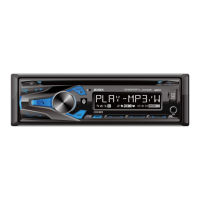
The JENSEN CDX3119 is an AM/FM/CD receiver designed for in-car entertainment, featuring MP3, USB, AUX, and Bluetooth® connectivity.

Function Description:

This device serves as a central audio unit for vehicles, allowing users to listen to AM/FM radio, play audio CDs (including MP3 encoded discs), connect USB mass storage devices for MP3 playback, utilize a 3.5mm auxiliary input for external audio sources, and stream audio or make hands-free calls via Bluetooth®.

Important Technical Specifications:

  • CD Player:
    • Frequency Response: 20Hz-20kHz
    • Channel Separation @ 1kHz: >60dB
    • D/A Converter: 1 Bit
  • FM Tuner:
    • Tuning Range: 87.5MHz-107.9MHz
    • Usable Sensitivity: 8.5dBf
    • 50dB Quieting Sensitivity: 10dBf
    • Stereo Separation @ 1kHz: >30dB
    • Frequency Response: 30Hz-13kHz
  • AM Tuner:
    • Tuning Range: 530kHz-1710kHz
    • Usable Sensitivity: <42dBu
    • Frequency Response: 30Hz-2.2kHz
  • General:
    • USB Charge: 1A
    • Speaker Output Impedance: 4~8 ohms
    • Line Output Voltage: 1.2 Volts RMS
    • Dimensions: 7" x 7" x 2" (178 x 178 x 50 mm)
  • CEA-2006 Power Standard Specifications:
    • Power Output: 16 Watts RMS x 4 channels at 4 ohms and < 1% THD+N
    • Signal to Noise Ratio: 80dBA (reference: 1 watt into 4 ohms)
  • MP3 Playback (CD & USB):
    • Sampling Frequency Rates: 8kHz ~ 48kHz
    • Transfer Bit Rates: 32kbps ~ 320kbps constant, Variable bit rates
    • ID3 Tag Display: Versions 1.0 to 2.4 supported (2.4 or greater not displayed)
    • Maximum Files: 999
    • Maximum Folders: 255 plus root directory
    • Maximum Folder Levels: 8
    • Compatible File Types: MP3 data (filename extension .mp3)
    • Compatible Disc Types: CD-ROM (ISO), CD-R, CD-RW, CD-DA
    • Incompatible Disc Types: Track At Once or packet writing, MP3 PRO format, MP3 playlists, WAV format
    • USB Device Compatibility: Mass storage class, FAT or FAT32 file system. Recommended to limit each folder to less than 30 songs.

Usage Features:

  • Power On/Off: Press any button (except EJECT) to turn on, press and hold to turn off.
  • Mode Selection: Press MODE to switch between AM/FM, CD player, Bluetooth, auxiliary, and USB. Modes only appear if the corresponding device/media is connected.
  • Volume Control: Adjustable via the volume knob (00-46).
  • Display: Press DISP to show the clock. During MP3 playback, ID3 tag information, elapsed time, track number, and file/folder names rotate automatically.
  • Clock Setting: Press and hold DISP until the clock flashes, then use TUNE ◄◄/►► to adjust hours/minutes. Supports 12-hour AM/PM (USA) or 24-hour (European) time.
  • Setup Menu: Press and hold AUDIO for >3 seconds to access. Use AUDIO to select functions and volume knob to adjust.
    • Auto Station Store: Automatically finds and saves 6 strong stations in the current band (Tuner mode only).
    • Local/Distance Tuning: Activates distance or local tuning for radio reception.
    • Tuner Frequency Spacing: Sets spacing for USA (200kHz FM, 10kHz AM) or European (50kHz FM, 9kHz AM) tuners.
    • Auxiliary Input: Enables/disables the front panel 3.5mm auxiliary input.
    • Beep Confirmation: Enables/disables confirmation beep.
    • Programmable Turn On Volume: Sets the unit to turn on at a specific volume (1-30) or OFF (default).
    • Power On Message: Enables/disables a power-on message (e.g., GOOD MORNING).
    • Scrolling Option: Sets display information to scroll every 15 seconds (default), scroll once, scroll continuously, or show the first 10 characters.
    • Demonstration Mode: Enables/disables demonstration mode.
    • Bluetooth Functionality: Enables/disables Bluetooth.
    • Auto Answer: Automatically answers incoming calls after 2-3 rings (or requires manual answer by default).
  • Audio Controls: Press AUDIO to cycle through Bass, Treble, Balance, Fader, EQ, Loud, Source Level. Adjust with volume knob.
    • Bass/Treble: -6 to +6.
    • Balance: BAL 12L to BAL 12R (BAL EVEN for equal).
    • Fader: FAD 12R to FAD 12F (FAD EVEN for equal).
  • AM/FM Tuner:
    • Seek Tuning: Press TUNE ◄◄/►► momentarily for the next strong station.
    • Manual Tuning: Press and hold TUNE ◄◄/►► until "MANUAL" appears, then press momentarily to change frequency one step at a time. Hold to advance quickly.
    • Band Selection: Press BAND to select FM1, FM2, FM3, AM1, AM2.
    • Storing/Recalling Presets: Up to 18 FM and 12 AM stations can be stored. Press and hold preset button (1-6) for >2 seconds to store. Press momentarily to recall.
    • Auto Store Stations: Press and hold AUDIO/MENU for >3 seconds, then rotate volume knob to store 6 strong stations.
  • CD Player Operation:
    • Insert CD: Insert disc label up into the slot; playback begins automatically.
    • Eject CD: Press EJECT. Disc reloads if not removed within 10 seconds.
    • Track Select: Press TRACK ◄◄/►► to skip tracks. Pressing ◄◄ again skips to the previous track.
    • Fast Forward/Reverse: Press and hold TRACK ◄◄/►► on the remote.
    • Pause/Resume: Press ►/II.
    • Intro: Press INT, then volume knob to select OFF (cancel) or ALL (plays first 10 seconds of each track).
    • Repeat: Press RPT, then volume knob to select ALL (all tracks), SONG (selected track), or OFF (cancel).
    • Random: Press RDM, then volume knob to select OFF (cancel), ALL (all tracks randomly), or FOLDER (all tracks in folder randomly).
  • USB Operation:
    • Connecting USB: Insert USB mass storage device into the USB port.
    • Playing Music: "USB READ" appears, then playback begins. "NO FILE" if no valid MP3s.
    • Track Select: Same as CD.
    • Fast Forward/Reverse: Same as CD.
    • Pause/Resume: Same as CD.
    • File Search: Press SELECT to enter. Turn volume knob to cycle folders, press SELECT to choose. Turn volume knob to cycle files, press SELECT to play. GO BACK returns to previous menu/exits search.
    • Folder Access: Press ◄◄/►► to select previous/next folder.
  • Bluetooth® Operation:
    • Pairing: Unit broadcasts pairing signal ("CDX3119", passcode "1234"). Pair from Bluetooth device.
    • Connecting: Most devices auto-connect. If not, press and hold to disconnect current, then press and hold again to reconnect. Turn volume knob to cycle devices.
    • Disconnecting: Press and hold for 3 seconds.
    • Recent Calls List: Press SELECT in Bluetooth mode. Turn volume knob to cycle numbers, press SELECT or to dial.
    • Redial Last Number: Press in Bluetooth mode, then press or SELECT again.
    • Receiving Calls: Incoming calls appear, ring tone sounds. Press to receive, press and hold to refuse.
    • Ending Calls: Press during active call.
    • Streaming Audio (A2DP/AVRCP): Wirelessly stream audio from Bluetooth device. Use ◄◄/►► to skip tracks, ►/II to play/pause.

Maintenance Features:

  • Installation: Remove trim ring, transit screws, use supplied keys to slide unit out of sleeve. Install sleeve, connect wiring/antenna, test, slide unit in, snap trim ring. Consult technician if unsure.
  • Fuse Replacement: Unit uses one 10 amp AGC fuse located beside the wiring connector. Replace with correct type and amperage to avoid damage.
  • Reset: Press RESET upon initial installation or if abnormal operation occurs.
  • Troubleshooting Guide: Provides solutions for common issues like no power, no sound, blowing fuses, excessive skipping, display errors, and disc acceptance problems.
    • For "NO SUPPORT" on display, ensure ID3 tags are Version 1.0 to 2.0.
    • For CD mechanism issues, press EJECT to reset.
    • If unit won't accept disc, check for and remove 2 transit screws on top.

Jensen CDX3119 Specifications

General IconGeneral
BrandJensen
ModelCDX3119
CategoryStereo Receiver
LanguageEnglish

Related product manuals