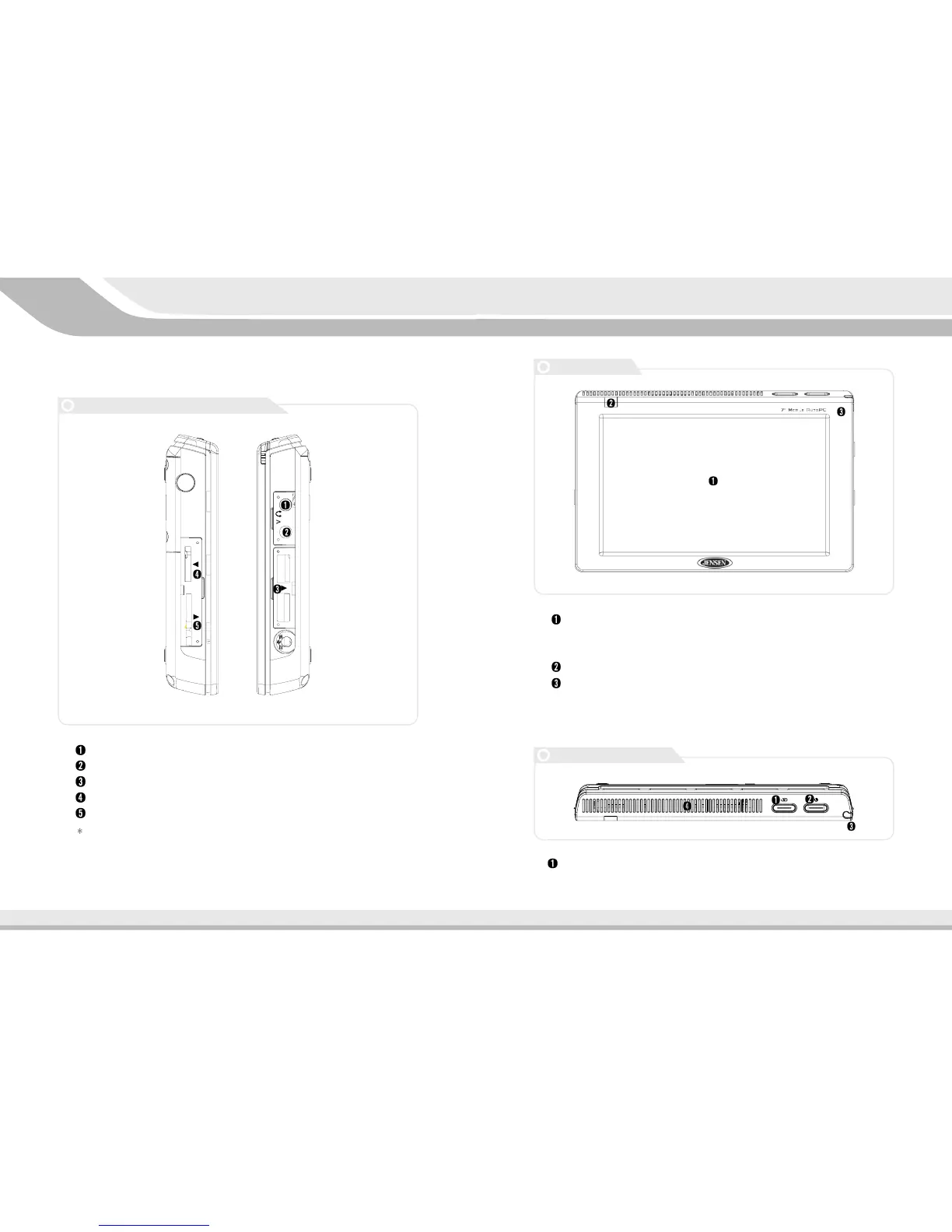
Button/HDD indicator : This button can call up the Auto PC menu at any
time. The orange flashing indicates that the HDD work is in progress.
LCD Color Display : Touch screen technology makes the Auto PC a joy
to use.
-Resolution default is 800*480 while maximum is 1024*768 pixels.
Remote Control Receiver
Internal Microphone : Voice recording is possible for remembering ideas,
singing songs, taking a memo etc.
11
System Introduction
3.3
Names and Functions of Each Part
Headphone port
TV port
USB 2.0 port
External I/O port
Mini SD card slot*
Some model do not have these ports.
10
Front Face
Top of the Auto PC
Names and Functions of Each Part



 To Next Page