EasyManua.ls Logo

Jensen JBS-350 - User Manual

Jensen JBS-350
24 pages
Print Icon
To Next Page IconTo Next Page
Loading...
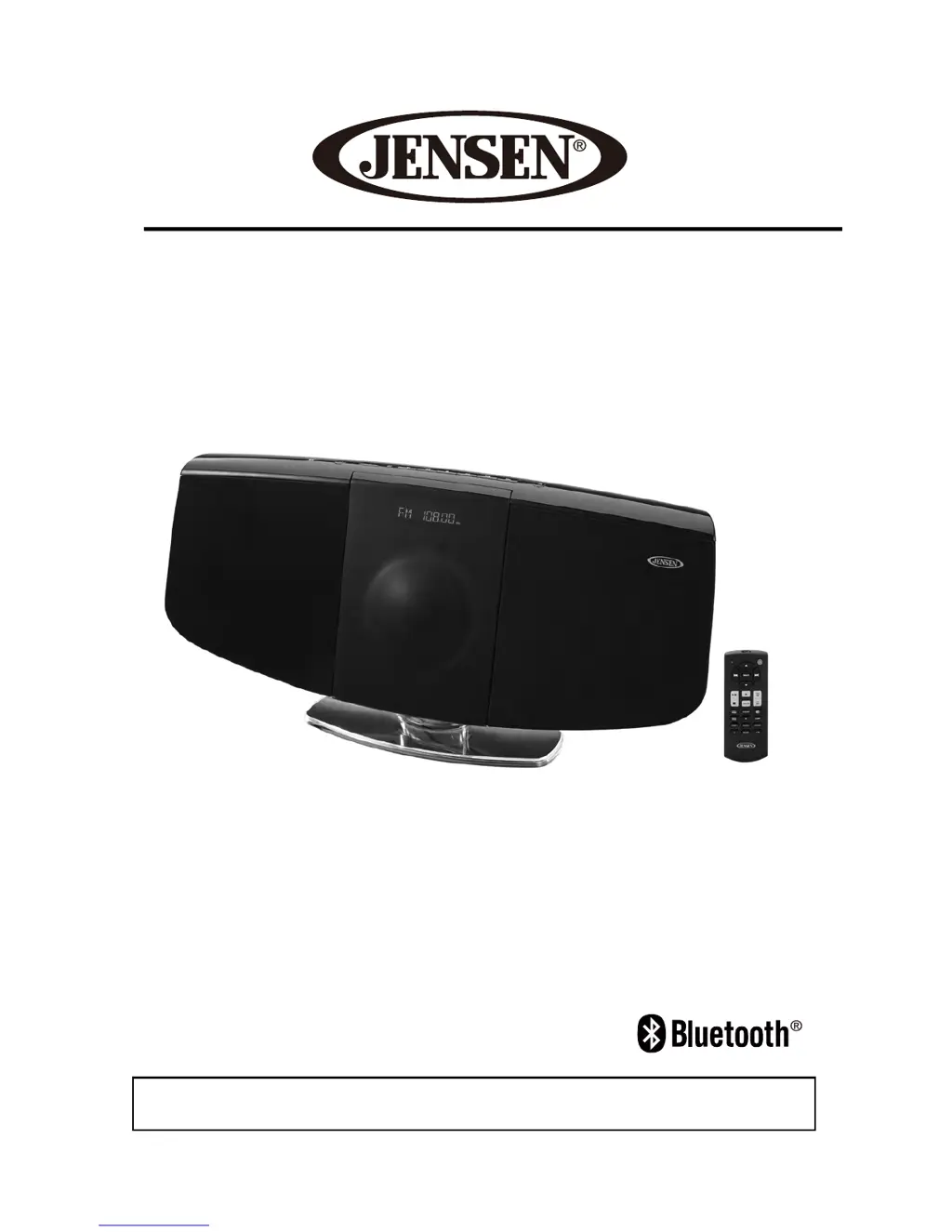
Wall Mountable Bluetooth Music System
with CD
USER MANUAL
JBS-350
PLEASE READ THIS USER MANUAL COMPLETELY BEFORE OPERATING THIS
UNIT AND RETAIN THIS BOOKLET FOR FUTURE REFERENCE.

Other manuals for Jensen JBS-350

Questions and Answers

  • G
    gabriellewhiteJul 25, 2025
    Why does the sound from my Jensen Micro Music System sound distorted?
    • A
      alfredparrishJul 25, 2025
      Sound distortion from your Jensen Micro Music System can occur if the volume level is set too high. Try decreasing the volume. Also, the sound source itself may be distorted. Try a different sound source, and if you're using an external device like an older iPod, reduce its output volume. You might also want to turn bass boost OFF or change the EQ setting.
  • S
    suzannesmithJul 30, 2025
    How to fix no sound on Jensen Micro Music System via Bluetooth?
    • D
      dtrujilloJul 30, 2025
      If there is no sound when using Bluetooth, the Jensen speaker may not be correctly linked to your cell phone. Please go through the “Bluetooth Operations” process to link the speakers. Also, make sure the speaker is within Bluetooth operating range.
  • M
    Miss Theresa SchmidtAug 3, 2025
    How to improve FM radio reception on my Jensen Micro Music System?
    • H
      Heidi SmithAug 3, 2025
      If you are experiencing noise or distorted sound on FM broadcasts with your Jensen Micro Music System, the station may not be tuned properly, or the FM wire antenna may not be fully extended. Fine-tune the FM broadcast station and fully extend the FM wire antenna.
  • M
    Michelle TurnerAug 7, 2025
    What to do if the CD player on my Jensen Micro Music System won't play?
    • D
      Donna TrevinoAug 7, 2025
      If the CD player on your Jensen Micro Music System isn't playing, first ensure that the unit is in CD function mode. Also, check that the CD is inserted correctly with the label facing up. If it is a self-compiled CD, the media used may not be compatible with the player. Try using better quality blank media and retest.
  • T
    Timothy VargasAug 11, 2025
    Why does the CD skip while playing on my Jensen Micro Music System?
    • X
      xharrisAug 12, 2025
      If the CD skips while playing on your Jensen Micro Music System, the disc may be dirty or scratched. Wipe the CD with a clean cloth or try using another disc.
  • B
    brittanywolfeAug 16, 2025
    What causes intermittent sound from the CD Player on my Jensen Micro Music System?
    • M
      marcus48Aug 16, 2025
      Intermittent sound from the CD player on your Jensen Micro Music System can be caused by a dirty or defective disc, a dirty pickup lens, or if the player is subject to excessive shock or vibration. Try cleaning or replacing the disc. Use a CD-lens cleaning disc to clean the lens. Relocate the player away from sources of shock or vibration.
  • U
    umurphyAug 20, 2025
    Why does my Jensen Micro Music System get warm after playing at high volume?
    • P
      paulprattAug 20, 2025
      It is normal for the Jensen Micro Music System to get warm after extended play at high volume. To reduce the temperature, turn the unit off for a period of time or lower the volume.

Summary

IMPORTANT SAFETY INSTRUCTIONS

FCC COMPLIANCE REGULATIONS

LASER PRODUCT CAUTIONS

Laser Safety Precautions

Guidelines for safe operation to prevent laser beam exposure.

General Safety Precautions

Precautions for handling AC power, condensation, and voltage.

INSTALLATION OPTIONS

LOCATION OF CONTROLS

TOP VIEW CONTROLS

REMOTE CONTROL OVERVIEW

Remote Control Buttons (1-7)

Explains the function of buttons 1 through 7 on the remote control.

REMOTE CONTROL BUTTONS (8-21)

GETTING STARTED

Power Source and Connection

Details power requirements and AC adaptor connection steps.

UNIT POWER ON;OFF

CLOCK SETTING

ALARM OPERATION (Page 14)

Setting the Alarm Clock

Guide to setting the alarm with wake-up sources and volume.

ALARM OPERATION (Page 15)

RADIO OPERATION (Page 15)

RADIO OPERATION (Page 16)

CD PLAYER OPERATION

Playing CDs and MP3 CDs

Step-by-step guide to playing audio CDs and MP3 CDs.

PROGRAMMING PLAY TRACK SEQUENCE

BLUETOOTH OPERATION (Page 18)

NFC Bluetooth Connection

Steps for connecting devices via NFC for Bluetooth.

BLUETOOTH PAIRING AND CONNECTION

BLUETOOTH CONNECTION AND PLAYBACK

AUXILIARY INPUT OPERATION

CHARGING SMART DEVICES

UNIT RESETTING PROCEDURE

CARE AND MAINTENANCE

TROUBLESHOOTING GUIDE

TROUBLESHOOTING COMMON ISSUES

SPECIFICATIONS

LIMITED WARRANTY AND SERVICE

Jensen JBS-350 Specifications

General IconGeneral
BrandJensen
ModelJBS-350
CategoryMicro Music System
BluetoothYes
CD PlayerYes
FM RadioYes
USB PortYes
AUX InputYes
Tuner BandsFM
ClockYes
Sleep TimerYes
AlarmYes
Remote ControlYes
Headphone JackYes
Power Output10W
Media TypeCD, USB, FM