EasyManua.ls Logo

Jensen JDJ-500 - User Manual

Jensen JDJ-500
16 pages
Print Icon
To Next Page IconTo Next Page
Loading...
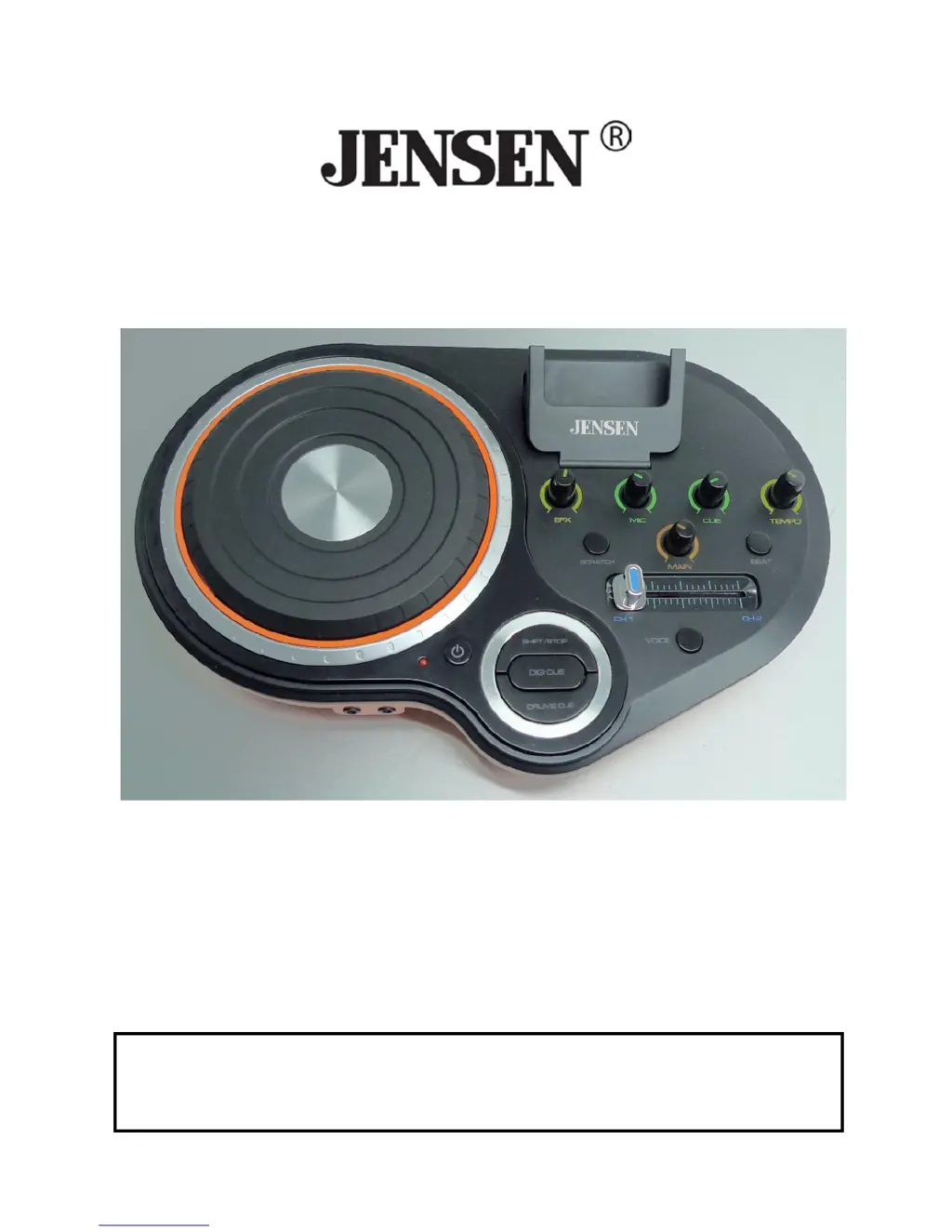
DJ SCRATCH MIXER
MODEL: JDJ-500
USER MANUAL
PLEASE READ THIS USER MANUAL COMPLETELY BEFORE
OPERATING THIS UNIT AND RETAIN THIS BOOKLET FOR
FUTURE REFERENCE.

Questions and Answers

  • M
    melissahernandezJul 27, 2025
    What to do if my Jensen JDJ-500 Mixer has little or no sound?
    • T
      Tammy TuckerJul 27, 2025
      If your Jensen Mixer produces little or no sound, consider these possible causes: * The cross fader selector switch might be in the wrong position. Ensure it is correctly set to the device that is currently playing. * The 3.5 mm audio cable may not be properly connected or might be disconnected. Ensure the cable is correctly connected. * The 3.5 mm audio cable plug could be dirty. Clean the plug and reconnect it. * The master level output may be set too low. Adjust the master output level control using the Main Control.
  • B
    Brandon MarshallAug 2, 2025
    Why won't my Jensen JDJ-500 Mixer turn on?
    • N
      nicholas47Aug 2, 2025
      If your Jensen Mixer doesn't turn on, it might be due to the following reasons: * The power adapter might not be connected. Connect the cord to a power outlet. * The AC wall socket might not be turned on. Turn on the AC wall socket switch.
  • K
    Kathryn PerezAug 11, 2025
    What to do if the sound is distorted on my Jensen JDJ-500 Mixer?
    • R
      Richard MaloneAug 11, 2025
      If the sound from your Jensen Mixer is distorted, the master output level might be too high. Try adjusting the master output level control using the Main Control.
  • A
    Ann DuncanAug 19, 2025
    How to fix effects that don’t work on Jensen Mixer?
    • J
      Jonathan RamirezAug 19, 2025
      If the effects on your Jensen Mixer aren't working, the cross fader selector switch might be in the wrong position. Correctly select the channel to which effects should be applied.

Summary

General Safety Instructions

Signal Word Definitions

Explains the meaning of DANGER, WARNING, and CAUTION signals used in the manual.

Safety Precautions and Warnings

Lists essential safety rules and warnings to prevent hazards like fire, shock, and injury.

Compliance with FCC Regulations

FCC Compliance Statement

States adherence to FCC Part 15 rules for Class B digital devices and potential interference.

Getting Started

Standard Accessories and Power Source

Lists included accessories and provides instructions for connecting the power adaptor.

Connection Diagram and Setup

Illustrates how to connect audio devices, speakers, and the power adapter to the mixer.

Main Features and Basic Operation

Unit Controls and Functions

Detailed explanations of the mixer's buttons, knobs, and their respective functions.

Operating Modes and Audio Setup

Guides on listening to music, operating the mixer, using effects, headphones, and microphones.

Care, Maintenance, and Troubleshooting

Care and Maintenance

Provides instructions for cleaning and maintaining the unit to ensure longevity and safety.

Troubleshooting Guide

Lists common problems and their solutions for issues like power, sound, and effects.

Warranty and Service Information

90-Day Limited Warranty

Outlines the terms, conditions, and limitations of the product's warranty.

Obtaining Service and Contact

Provides instructions on how to get service, contact support, and register the product.

Jensen JDJ-500 Specifications

General IconGeneral
BrandJensen
ModelJDJ-500
CategoryMixer
LanguageEnglish