EasyManua.ls Logo

Jensen JiPS-250i - User Manual

Jensen JiPS-250i
12 pages
Print Icon
To Next Page IconTo Next Page
Loading...
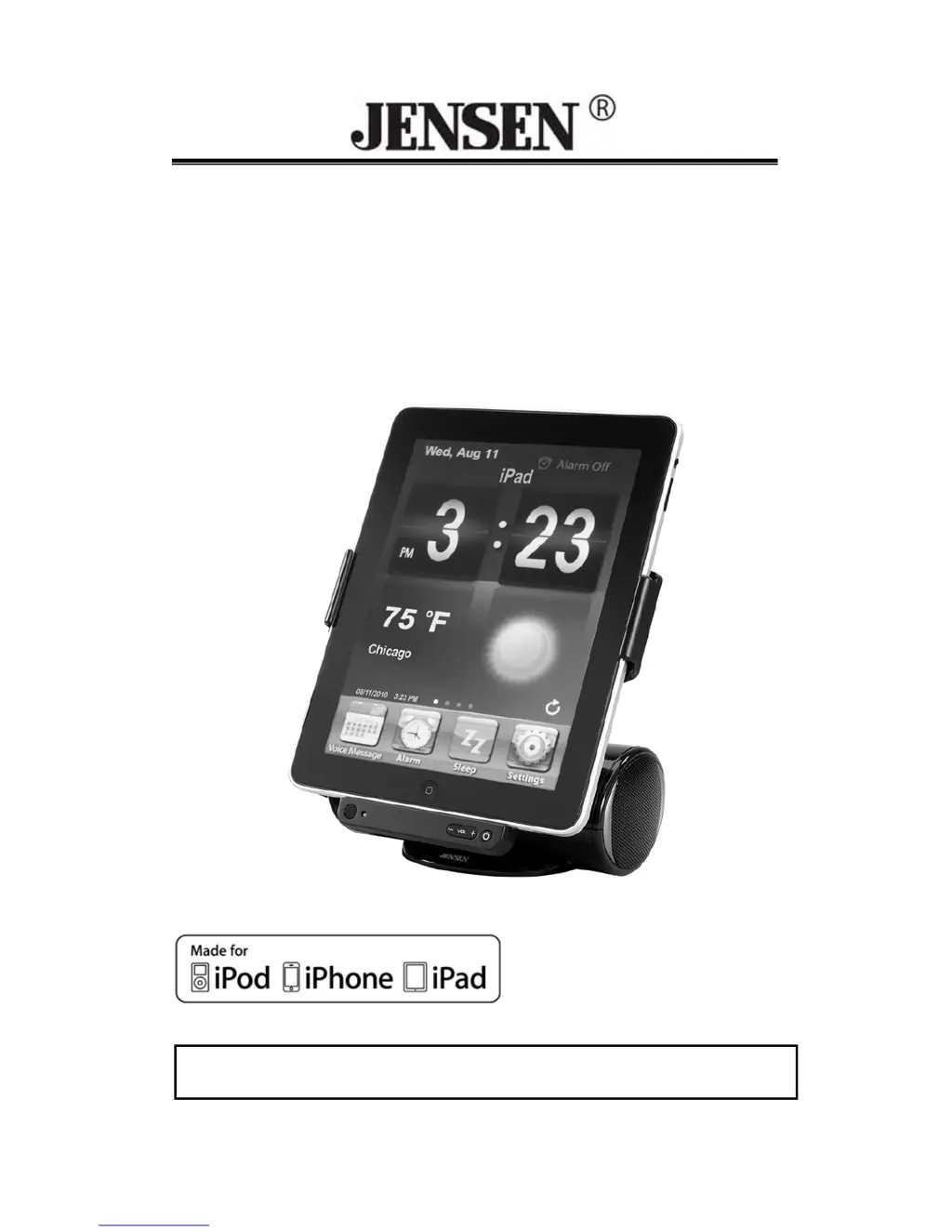
DOCKING SPEAKER STATION
for
iPad, iPod and iPhone
JiPS-250i
USER MANUAL
(iPod/iPhone/iPad not Included)
PLEASE READ THIS USER MANUAL COMPLETELY BEFORE OPERATING
THIS UNIT AND RETAIN THIS BOOKLET FOR FUTURE REFERENCE.

Questions and Answers

  • A
    Ashley SandersJul 26, 2025
    How to fix a Jensen Docking Speakers unit that won't turn on?
    • E
      Eric DaughertyJul 27, 2025
      If your Jensen Docking Speakers unit isn't responding, first ensure the AC adapter is properly plugged into both the wall outlet and the DC jack on the back of the unit. If it still doesn't work, try plugging another appliance into the same wall outlet to confirm that the outlet is functioning correctly.
  • J
    Joseph ParkAug 1, 2025
    Why is the sound distorted on my Jensen Docking Speakers?
    • J
      James WalkerAug 2, 2025
      Sound distortion on your Jensen Docking Speakers can occur for several reasons. First, try decreasing the volume level. If that doesn't solve the problem, the sound source itself may be distorted; if you are using an Apple device, try a different audio source like a music CD. If you're using an external sound source, such as an older iPod, reduce the output volume on the device and try changing the EQ setting on your Apple device.
  • K
    kimberly66Aug 7, 2025
    What to do if my Apple device doesn't respond to the Jensen JiPS-250i Docking Speakers?
    • J
      joesmithAug 7, 2025
      If your Apple device isn't responding to the Jensen Docking Speakers, remove your Apple device from the dock. Check both the connectors in the dock and on your Apple device for any obstructions. Then, reseat your Apple device on the dock. Also, ensure your Apple device is working correctly before docking it; refer to your Apple device manual for info on resetting the device.
  • D
    derrick35Aug 13, 2025
    Why isn't my Apple device recharging on the Jensen JiPS-250i?
    • S
      Sarah BurnettAug 13, 2025
      If your Apple device isn't recharging when docked into the Jensen Docking Speakers, take it off the dock and inspect the connectors on both the dock and your Apple device for any obstructions. After checking, firmly reseat the Apple device in the dock.
  • B
    Brianna PriceAug 19, 2025
    Why does my Jensen JiPS-250i unit get warm after playing at high volume?
    • K
      Kathy PerezAug 19, 2025
      It's normal for the Jensen Docking Speakers unit to get warm after extended play at high volume. To resolve this, turn the unit off for a period of time or lower the volume.

Summary

IMPORTANT SAFETY INSTRUCTIONS

General Safety Guidelines

Read and follow all safety and operating instructions before use.

Regulatory Compliance and Protection

FCC Regulations Compliance

Statement of compliance with FCC Rules for digital device operation.

Furniture Protection

Advice on using felt pads to protect furniture from rubber feet.

Unit Controls and Functions

Location of Main Unit Controls

Identifies and describes physical controls on the main unit's front and back.

Remote Control Operations

Details the functions and buttons of the remote control.

Getting Started and Operation

Power Supply and Connection

How to power the unit using the AC adaptor and connect it.

Docking and Device Setup

Guides for docking Apple devices for viewing and typing modes.

Music and Video Playback

Instructions for playing music and watching videos from Apple devices.

Advanced Features and Troubleshooting

Auxiliary Input and App Features

Connecting external devices and using the Jensen Rocker App.

Resetting and Maintenance

Procedures for resetting the unit and cleaning the device.

Troubleshooting Guide

Solutions for common issues like no power, device connectivity, and sound distortion.

Specifications and Warranty

Technical Specifications

Details on power requirements, output power, and device compatibility.

License and Green Notices

Information regarding "Made for" certifications and environmental responsibility.

Warranty and Service

Details on the 90-day limited warranty and how to obtain service.

Jensen JiPS-250i Specifications

General IconGeneral
Frequency range- Hz
RMS rated power3 W
Audio output channels2.0 channels
AUX inYes
BluetoothNo
Composite video in1
Headphone connectivity-
Apple docking compatibilityiPad, iPhone, iPod
AC input voltage120 V
Power source typeAC
CertificationiPad, iPhone 4/3GS/3G, iPod nano, iPod touch, iPod classic, iPhone, iPod (5th generation)
Product colorBlack
Volume controlDigital
Dimensions (WxDxH)185.42 x 127 x 180.34 mm