JRVCS1
5
INSTALLATION
It’s a good idea to read all of the instructions before beginning the installation. We recommend
having your Jensen JRVCS1 installed by a reputable RV dealership
Tools and Supplies
You will need these tools and supplies to install your JRVCS1:
Phillips screwdriver
Wire cutters and strippers
Electrical tape
Crimping tool
Volt meter/test light
Fork Crimp connectors
10 gauge wire for power and slide connections
14 and 18 gauge wire for all other connections
Four #8 PH (0.164” x 0.75”) screws for the DC
Six #8 PH (0.164” x 1.0”) screws for the BCM
Disconnecting the Battery
To prevent a short circuit, be sure to turn off 12V power and remove the negative (-) battery
cable prior to installation.
Selecting the Mounting Location
Select a mounting location, taking care to avoid the following:
Places exposed to heat-radiating appliances such as electric heaters
Adjacent to other equipment that radiates heat
Poorly-ventilated or dusty places
Moist or humid locations
Mounting the Display Commander (DC)
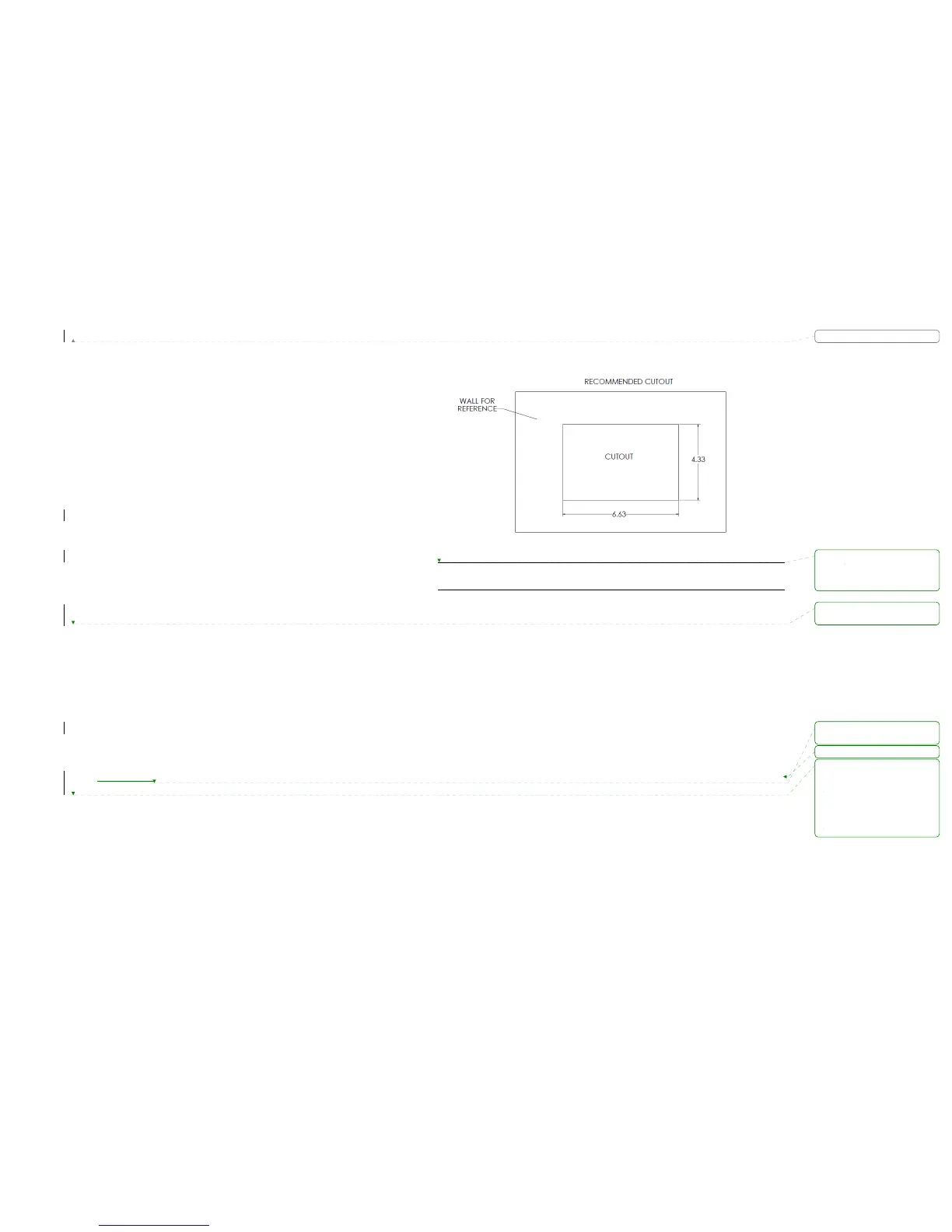
Use the mounting hole diagram to measure and cut a mounting hole
Route power wires through the hole and connect
Check and ensure correct operation
Mount the unit using four #8 PH (0.164” x 0.75”) screws
Attach Trim ring
CUTOUT FOR DISPLAY COMMANDER (DC)
NOTE: Before cutting the mounting hole, make sure the area behind the mounting
location is clear of wires, fuel and vacuum or water lines.
格式化: 字型: 粗體
格式化: 左 0 字元
刪除:
刪除:
刪除:.
刪除:


 To Next Page