Specifications:
Bluetooth version 4.1 aptX audio technology
Eective working range: 10 meters (Depending on obstacles)
Talk time: up to 20 hours
Music play time: up to 22 hours
Standby time: 500 hours
Full-charge time: approximately 3 hours
Operational guide:
1. Charging
Make sure the headset is powered o and connect
the USB inteace to the headset. Connect the other
end to your PC or other USB power outlet. The LED will
be red during the charging process and turn o when the
baery is fully charged.
When the baery level is low the LED will flash red twice every
5 seconds, and you will hear a beeping sound every 60 seconds.
2. Power on
Press the power buon for 3 seconds until the LED is flashing
blue and red. You will hear a voice saying «Power on».
3. Pairing
a) Press the Power buon for 2-3 seconds until the LED
flashes blue/red and you can hear the voice «Pairing».
b) On your Smaphone (or other bluetooth enabled
device) do a search for new bluetooth device and
connect to «Jensen Stadium BT». When you hear
«Paired» the headphones are successfully paired and
ready for use.
4. Power o
Press the power buon for about 3 seconds.
You will hear «Power o»
Security instructions:
1. To avoid hearing damage, do not use the headphones at high
volume for an extended period.
2. Do not use the headphones while driving.
3. Keep the headphone far away from a fire source, freezing source,
water or chemicals.
4. Do not place the headphone in direct sunlight for long periods.
5. Do not disassemble the headphone.
6. Make sure to power o the headphone before puing them
into a bag, pocket etc.
7. Please charge the headphones at least once a each month.
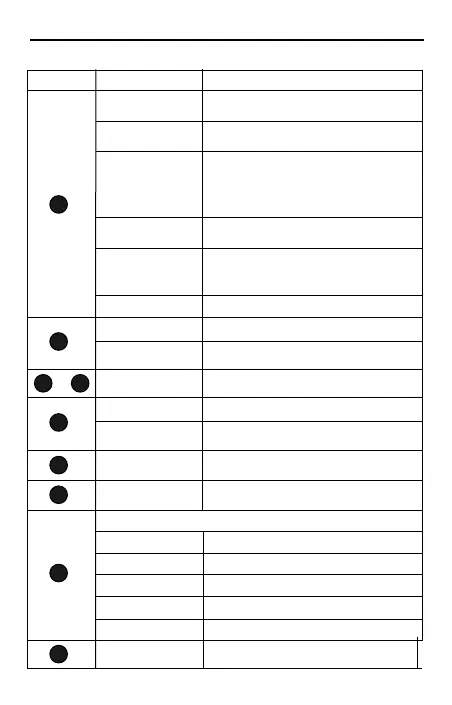
Buon instructions
Function
Power on
Power o
Operation
Press the power buon for 3 seconds until you
hear «Power on»
Press the power buon for about 5 seconds until
you hear «Power o»
Pairing
Press the Power buon for 2-3 seconds until LED
lits in blue/red and you can hear «Pairing».
Search for new bluetooth devices and connect to
«Jensen Stadium BT». When yo hear «Paired»
the headphone are successfully paired.
Answer/End calls
Press once sholy for answering the call or end a
phone call.
Reject calls / re-dialing
last outgoing call
Press and hold power buon for 3 seconds to
reject an incoming call. Press twice quickly to
re-dial last outgoing call.
Play / pause
Volume up
Next track
Sho press to increase volume
Press and hold buon for 1 sec. to skip to the
next track.
Volume down
Previous track
Sho press on to decrease volume
Press and hold buon for 1 sec. to skip to the
previous track.
Line in (AUX)
Audio input from your smaphone, PC,Laptop
or music player.
USB charging po
Connect to your USB inteace of your computer
or any other USB power outlets.
Pairing
Paired
Calling
Charging
Microphone
LED indicator status
Blue/Red light flashing
Blue light flashing quickly once every 5 seconds
Blue light flashing slowly once every 5 seconds
Red light
Microphone for talking
1
2
3
4
5
6
7
1
2
3
4
5
6
7
Sho press to Play / Pause
Power on/o buon
(Multi function)
Volume up / Next song
Volume down/ Previous song
3.5mm Line in (AUX)
LED indicator
Microphone
USB charging po
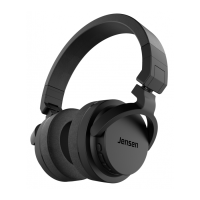
STADIUM BT
USER MANUAL
Contact information:
email
If you encounter any problems with this product or have a
question about the product, please send an email to
suppo@jensenscandinavia.com
Homepage
www.jensenofscandinavia.com
Voice assistant
Press both buons for 1 second to open the voice
assistant on your smaphone (Google Assistant / Siri)
Low baery
Red light flashing quickly twice every 5 second
®
2 3
+
1
2
3
5
6
7
4


 To Next Page
 Loading...