EasyManua.ls Logo

JetAir JET-3 - User Manual

JetAir JET-3
29 pages
Print Icon
To Next Page IconTo Next Page
Loading...
V1.5 ©2009 JetAir Technologies, LLC - 1 -
Owner’s
Manual
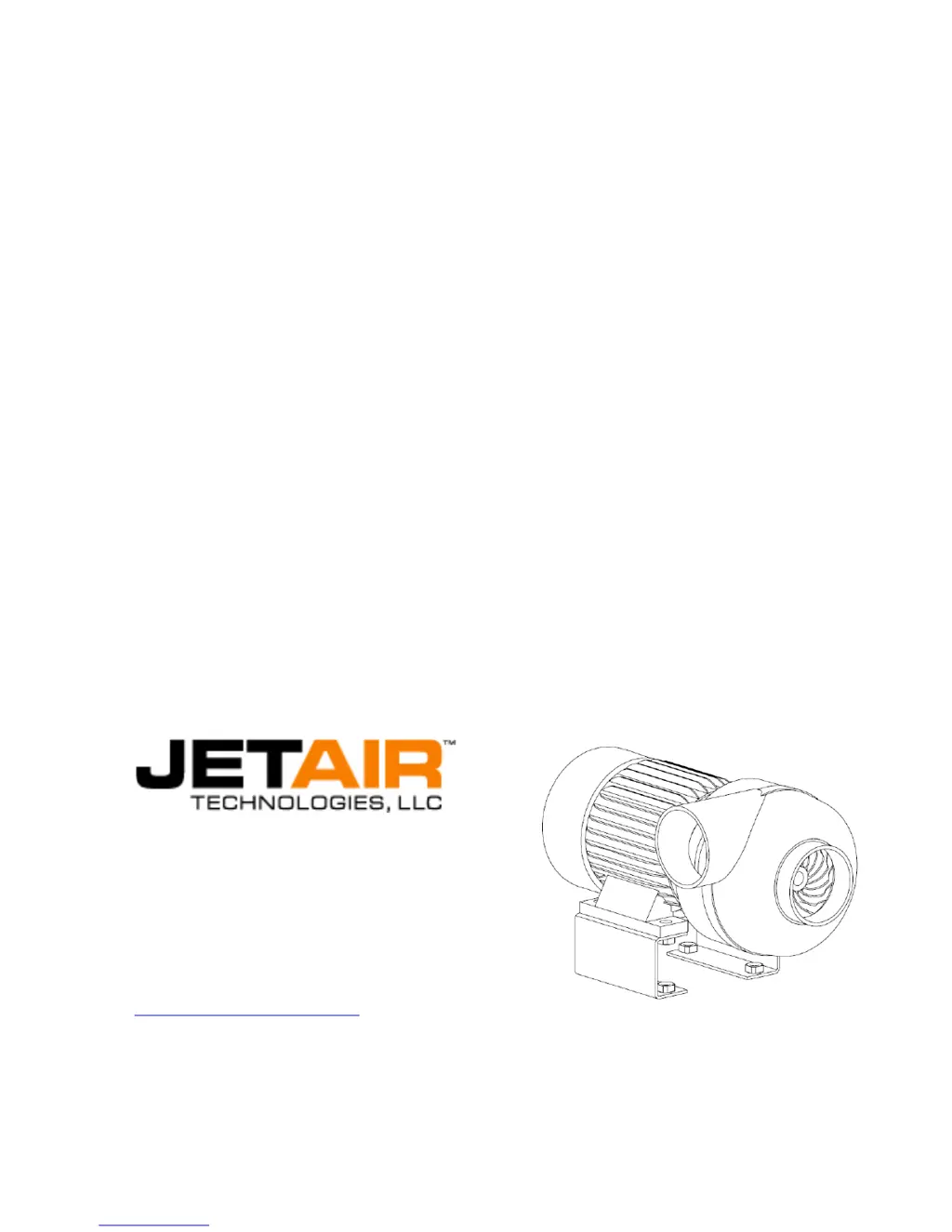
Installation and Operating Instructions for JET-3™ Centrifugal Blowers
805-654-7000
805-654-7064 - Fax
JetAir Technologies, LLC
1884 Eastman Avenue, #112
Ventura, California 93003 USA
support@jetairtech.com
V1.5

Questions and Answers

  • J
    julie33Jul 30, 2025
    What to do if JetAir JET-3 does not start and HIM Displays 'FAULT '?
    • B
      briansummersJul 30, 2025
      If the top line of the HIM displays 'FAULT ' when the JetAir Blower doesn't start, you should first try clearing the fault by pressing the STOP button. If that doesn't work, consult the Fault Condition Table in the AC DRIVE Users Manual to identify and resolve the root cause of the fault. Specific causes include undervoltage (which is normal during power down), overvoltage (potentially due to excessive regenerative power; check Para. 142 = 300), and HW Overcurrent (indicating the AC DRIVE is drawing too much current).
  • K
    Kimberly WhiteAug 3, 2025
    Why JetAir Blower Hz do not change, but Amps increase slightly?
    • A
      amybeckerAug 3, 2025
      If the JetAir Blower begins to start, but the Hz do not change while the Amps increase slightly, it may indicate a wiring issue. Check the motor to AC DRIVE wiring, as this behavior is indicative of 2-phase wiring on a 3-phase system.
  • A
    Alexander YatesAug 8, 2025
    What to do if JetAir JET-3 does not start and HIM displays 'Stopped'?
    • K
      kwilliamsAug 8, 2025
      If the top line of the HIM displays 'Stopped' when the JetAir Blower doesn't start, you can try the following: * Check if the selector is in the ON position. * Cycle the power. * Verify the parameters (Autostart or Remote Start Para. 90 = 11; Para. 362 = 7). * Check the remote switch. * Check if the selector is in the AUTO position. * Ensure the AC DRIVE Terminal Strip terminals (2 & 9) and (7 & 8) are connected. * Verify the parameters again, including the speed (Autostart or Remote Start Para. 90 = 11; Para. 362 = 7; Speed Para 101 = nnn Hz).
  • S
    stacy88Aug 12, 2025
    What to do if JetAir JET-3 does not start and HIM Displays 'Conflict '?
    • S
      Sandra GomezAug 12, 2025
      If the top line of the HIM displays 'Conflict ' when the JetAir Blower doesn't start, set Parameter 82 to 310 and Parameter 101 to the application setting (normally 265-300Hz).
  • V
    Vanessa ThomasAug 16, 2025
    What to do if JetAir JET-3 does not start and HIM Displays 'Accelerating' or 'At Speed'?
    • T
      thomaskevinAug 16, 2025
      If the top line of the HIM displays 'Accelerating' or 'At Speed' when the JetAir Blower doesn't start, check the following parameters: If HIM Speed Control Start is used, ensure Para. 90 = 18 and Para. 362 = 0. Change the speed by entering the desired speed on the keypad in Hz, then press the key (300Hz max continuous). If Autostart or Remote Start is used, ensure Para. 90 = 11 and Para. 362 = 7. Change the speed by modifying Para 101 to nnn Hz (300Hz max continuous). Note that the blower must be stopped before changing Para 101.
  • K
    Keith StevensAug 21, 2025
    What to do if JetAir Blower does not start and HIM Displays 'Not-Enabled'?
    • M
      mwilliamsAug 21, 2025
      If the top line of the HIM displays 'Not-Enabled' when the JetAir Blower doesn't start, check the Panic Stop Button and the Safety Interlocks, if they are in use.
  • B
    Bill CoxAug 25, 2025
    Why is my JetAir Blower making irregular noise?
    • K
      kcarrollAug 26, 2025
      If the JetAir Blower is making irregular noises, check for blockages or restrictions on either the intake or outlet sides of the blower. Also, check for leakage in the piping, cracked hoses, loose bolts on the mounts, vibrations from other machines, and blocked intake or exhaust.

Summary

Equipment Arrival and Inspection

Motor Serial Number

Locates the motor serial number on the electrical junction box nameplate.

Tools for Installing and Servicing

Installation

Position Blower

Guidelines for locating and positioning the blower for optimal operation and cooling.

Install Air Filter

Procedure and warning for installing the air filter to maintain warranty and performance.

Install Air Components and Connect to Blower

Instructions for connecting air components like hoses and fittings to the blower outlet.

Connect Incoming Line Power to the Adjustable Frequency AC Drive

Connect the Adjustable Frequency AC Drive to the Motor

Start-Up

Start Methods

Details various methods for starting and stopping the blower system.

Check Motor Rotation

Procedure to verify correct counter-clockwise rotation of the blower impeller.

Connect Air Components & Filter; Check kilowatt Use

Ensures connections are made and checks power consumption before full operation.

Service Procedures

High Speed Motor

Information on the special high-speed motor, its balancing, and operating conditions.

Adjustable Frequency AC Drive

Overview of the Powerflex 70 AC Drive, its features, and programming considerations.

Filter Maintenance

Canister Filter Change Procedure

Step-by-step guide for replacing canister filters in the blower system.

Panel Filter Change Procedure for Stainless Steel Enclosure

Instructions for changing panel filters in specific stainless steel enclosures.

Trouble Shooting

Blower Not Starting: Not-Enabled Status

Troubleshooting for blower not starting due to 'Not-Enabled' status.

Blower Not Starting: Stopped Status

Troubleshooting for blower not starting due to 'Stopped' status.

Blower Start Issues: Accelerating or At Speed

Troubleshooting blower start issues when status shows 'Accelerating' or 'At Speed'.

Blower Fault: FAULT <NN> (General)

General troubleshooting for blower faults indicated by 'FAULT <NN>'.

Blower Fault: FAULT <NN> (Specific Causes)

Troubleshooting specific FAULT <NN> conditions like Undervoltage, Overvoltage, Overcurrent.

Blower Not Starting: Parameter Conflict

Troubleshooting blower not starting due to parameter conflicts.

Blower Starting Issue: Hz No Change, Amps Increase

Troubleshooting blower starting with no Hz change but slight amp increase.

Low Performance: Low Flow, Pressure, Low Amps

Troubleshooting causes for low performance metrics and lower than expected amperage.

Irregular Noise Diagnosis

Diagnosing and resolving sources of irregular noise from the blower system.

Important Contact Information

Glossary

Warranty and Terms & Conditions

JetAir Blower Systems Warranty

Details the warranty coverage for JetAir blower systems and components.

Parts and Accessories Warranty

Outlines the warranty terms for non-blower parts and accessories.

30 Day Return Policy

Information on the policy for returning products within 30 days of shipment.

Customer Responsibilities

Defines customer duties regarding environment, maintenance, and filter usage.

Environmental Requirements

Specifies operating conditions for blower and AC drive regarding temperature and humidity.

Filter Maintenance Schedule

Provides recommended intervals for filter replacement based on application type.

Claim Process

Procedure for reporting failures, obtaining return authorization, and submitting warranty claims.

Additional Applicable Warranty

Clarifies warranty terms for third-party products and services provided through JetAir.

Terms and Conditions

General terms, conditions, and limitations of liability for JetAir products.

Governing Law

Specifies the state law that governs the warranty and sales agreement.

Binding Arbitration

Outlines the process for resolving disputes through arbitration.

JetAir JET-3 Specifications

General IconGeneral
Phase3
Max Airflow210 CFM
Inlet2" FNPT
Outlet2" FNPT
Airflow210 CFM