EasyManua.ls Logo

Jetson Rave - User Manual

Jetson Rave
7 pages
Print Icon
To Next Page IconTo Next Page
Loading...
Rave
Extreme-Terrain
Hoverboard.
A guide for
your ride.
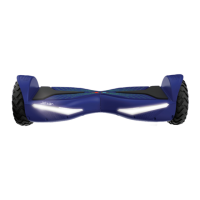
Model: JRAVE-BLK | JRAVE-BLU | JRAVE-IRS
JRAVE-PNK | JRAVE-PUR
Question and Answer IconNeed help?

Do you have a question about the Jetson Rave and is the answer not in the manual?

Summary

Get Started with Your Hoverboard

Charging the Battery

Instructions for charging the hoverboard battery using the included charger until fully charged.

Understanding Indicator Lights

Explanation of the status, balance, and power lights and their meanings related to battery and operation.

How to Recalibrate Your Hoverboard

Step-by-step guide to recalibrate the hoverboard for optimal balance and performance.

Mastering Your Hoverboard Ride

Riding and Steering Techniques

Guidance on how to ride the hoverboard in a neutral position and how to turn left or right.

Connecting and Maintenance

Bluetooth Connectivity Guide

Instructions for connecting to the Bluetooth speaker and the Ride Jetson app, including troubleshooting.

Riding Range Factors

Details on factors affecting the hoverboard's riding range, such as surface and weight.

Cleaning and Battery Care

Recommendations for cleaning the hoverboard and proper battery maintenance and storage.

Product Modifications and Cautions

Warnings against modifications and additional operational cautions for safe use.

Used Battery Disposal

Guidelines for the environmentally responsible disposal of used hoverboard batteries.

Important Safety Information

General Safety Warnings

Comprehensive safety instructions and precautions for operating the hoverboard.

California Proposition 65 Warning

Information regarding potential chemical exposure risks as per California Proposition 65.

FCC Compliance Notice

Details on FCC compliance and interference guidelines for the device.

Contact and Support

Share Your Experience

Encouragement to leave reviews and share photos using the #RideJetson hashtag.

Customer Support Information

Contact details and hours of operation for Jetson customer support.

Summary

Get Started with Your Hoverboard

Charging the Battery

Instructions for charging the hoverboard battery using the included charger until fully charged.

Understanding Indicator Lights

Explanation of the status, balance, and power lights and their meanings related to battery and operation.

How to Recalibrate Your Hoverboard

Step-by-step guide to recalibrate the hoverboard for optimal balance and performance.

Mastering Your Hoverboard Ride

Riding and Steering Techniques

Guidance on how to ride the hoverboard in a neutral position and how to turn left or right.

Connecting and Maintenance

Bluetooth Connectivity Guide

Instructions for connecting to the Bluetooth speaker and the Ride Jetson app, including troubleshooting.

Riding Range Factors

Details on factors affecting the hoverboard's riding range, such as surface and weight.

Cleaning and Battery Care

Recommendations for cleaning the hoverboard and proper battery maintenance and storage.

Product Modifications and Cautions

Warnings against modifications and additional operational cautions for safe use.

Used Battery Disposal

Guidelines for the environmentally responsible disposal of used hoverboard batteries.

Important Safety Information

General Safety Warnings

Comprehensive safety instructions and precautions for operating the hoverboard.

California Proposition 65 Warning

Information regarding potential chemical exposure risks as per California Proposition 65.

FCC Compliance Notice

Details on FCC compliance and interference guidelines for the device.

Contact and Support

Share Your Experience

Encouragement to leave reviews and share photos using the #RideJetson hashtag.

Customer Support Information

Contact details and hours of operation for Jetson customer support.

Overview

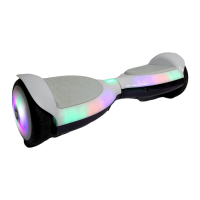
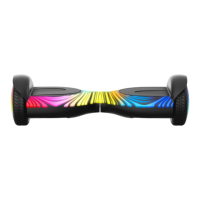
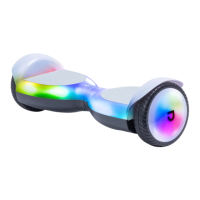
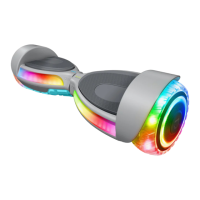
The Jetson Rave Extreme-Terrain Hoverboard is a personal electric vehicle designed for recreational use, offering an engaging and dynamic riding experience. It features a self-balancing mechanism that allows riders to control movement through subtle shifts in body weight. The hoverboard is equipped with LED lights for visibility and aesthetic appeal, and it includes Bluetooth connectivity for both a speaker and the Ride Jetson app, enhancing the user experience with entertainment and customizable settings.

Technical Specifications

  • Weight Limit: 220 lb
  • Product Weight: 22 lb
  • Recommended Age: 12+
  • Tire Size: 6.5"
  • Product Dimensions: L23.5" x W8" x H7"
  • Max Speed: Up To 12 mph
  • Max Range: Up To 10 Miles
  • Battery: 24V, 4.0Ah Lithium-Ion
  • Motor: 400W, Dual Hub Motor
  • Charger: UL LISTED, 110-240V
  • Charge Time: Up To 3 Hours
  • Climbing Angle: Up To 15°
  • Models: JRAVE-BLK, JRAVE-BLU, JRAVE-IRS, JRAVE-PNK, JRAVE-PUR

Usage Features

The Rave hoverboard is designed for intuitive operation. To get started, users need to charge the battery using the included UL LISTED charger. It's crucial to plug the charger into the wall before connecting it to the hoverboard's charging port and to avoid turning on the Rave while it's charging. A full charge takes up to 3 hours, indicated by a green light on the charger.

The hoverboard features several indicator lights:

  • Status Light: If this light turns red, it may indicate a need for recalibration.
  • Balance Light: This light signifies that Active Balance Technology is on, which helps level the Rave during a ride.
  • Power Light: This light indicates that the hoverboard is powered on.
  • Battery Indicator Light: Displays the battery percentage, with different light patterns for <20%, 20-49%, and 50%+ charge. The hoverboard automatically turns off when the battery power drops below 10% as a safety precaution.

Recalibration is a simple three-step process:

  1. Place the Rave on a flat, level surface.
  2. Hold the Power Button for about 5 seconds until a successful recalibration is confirmed.
  3. Restart the Rave by turning it off and then on. Adult assistance is recommended for children during initial adjustment.

Riding the Rave involves shifting body weight:

  • Neutral: Standing upright on the hoverboard.
  • Turn Left: Leaning slightly to the left.
  • Turn Right: Leaning slightly to the right.

Bluetooth connectivity adds to the user experience. To connect to the Bluetooth speaker, simply turn on the Rave, activate Bluetooth on your handheld device, find "Rave" in the device list, and select it to play music. For the Ride Jetson app, open the app, tap the Bluetooth symbol, select your Rave (default password is 000000, which can be customized), and you'll be connected. The app allows users to choose from three riding modes:

  • Beginner Mode: Max Speed Up to 8 mph
  • Intermediate Mode: Max Speed Up to 10 mph
  • Advanced Mode: Max Speed Up to 12 mph

Other adjustable features in the app include Steering Sensitivity, Driving Force, and Auto Shutdown Time. If Bluetooth connection issues arise, troubleshooting steps include restarting the Rave, clicking the Scan button in the app, restarting the Ride Jetson app, or contacting customer support.

Maintenance Features

Proper care and maintenance are essential for extending the life and performance of the Jetson Rave:

Riding Range: The maximum range is 10 miles, but this can be affected by factors such as:

  • Driving Surface: Smooth, flat surfaces increase distance.
  • Weight: Heavier loads reduce distance.
  • Temperature: Riding, charging, and storing the Rave above 50°F is recommended.
  • Maintenance: Timely battery charging helps maintain range.
  • Speed and Driving Style: Frequent starting and stopping can reduce distance.

Cleaning the Rave:

  • Wipe the Rave carefully with a damp cloth, then dry with a dry cloth.
  • Do not use water to clean the Rave, as this can damage the electrical and electronic systems, leading to personal injury or malfunction.

Battery Care:

  • Keep the battery away from fire and excessive heat.
  • Avoid intense physical shock, severe vibration, or impact.
  • Protect the battery from water or moisture.
  • Do not disassemble the Rave or its battery.
  • Contact Jetson Customer Support for any battery issues.

Storage:

  • Fully charge the battery before storing.
  • Recharge the battery once a month after initial storage.
  • Cover the Rave to protect it from dust.
  • Store the Rave indoors, in a dry place.

Modifications:

  • Do not attempt to disassemble, modify, repair, or replace the product or any components without instruction from Jetson Customer Support. Doing so will void the warranty and can lead to malfunctions or injury.

Additional Operation Cautions:

  • Do not lift the product off the ground while it is on and the wheels are in motion, as this can cause freely spinning wheels and potential injury.
  • Avoid jumping on or off the product, or while using it.
  • Always keep your feet firmly planted on the mat sensors during operation.
  • Always check the battery charge before use.

Disposal of Used Battery:

  • Batteries may contain hazardous substances.
  • Dispose of used batteries at an appropriate collection point for recycling to prevent negative environmental and health consequences.
  • Recycling materials helps conserve natural resources.
  • Contact your local municipality waste disposal service for more information on battery recycling.

The manual also includes important safety warnings, emphasizing the need to read the user manual thoroughly, perform pre-operation checks, and adhere to all manufacturer recommendations and local laws. It cautions against using the product for racing or stunts, riding near motor vehicles, on uneven surfaces, or in wet conditions. It also advises against riding under the influence, carrying items, or being distracted. Protective clothing, including a helmet, knee pads, and elbow pads, is recommended.

Jetson Rave Specifications

General IconGeneral
BrandJetson
ModelRave
Categoryhoverboards
LanguageEnglish

Related product manuals