14
7 Span/zero Calibration (optional)
Span/zero calibration is available using the calibration kit (option).
Installation of software 7.1
Install the RINKO FT calibration software, FT-Calib, on your PC.
(1) Insert the attached CD into the CD-ROM drive of the computer.
(2) Installation starts automatically, go to (5). If it does not start, go to (3).
(3) Open [Computer] from the start menu, and select the drive with the CD-ROM.
(4) Double-click “setup.exe”.
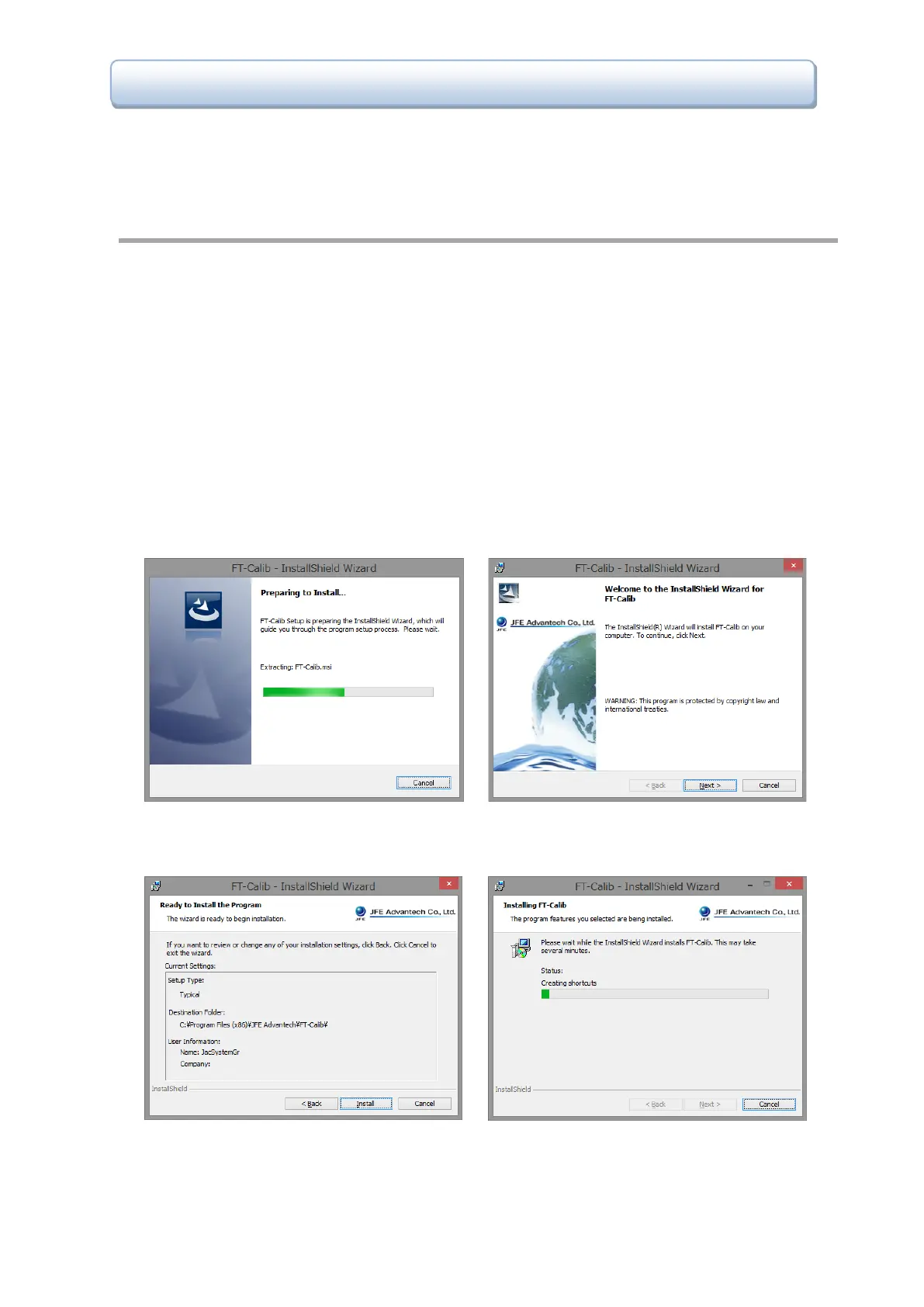
(5) Screens are displayed in the following order. Follow the guidance to install the software.
After the installation is completed, the “FT-Calib” icon appears on the desktop and in the start menu [All
Programs > JFE Advantech > FT-Calib].
(1) Preparing to install (2) [Next >]
(3) Start installation by clicking [Install]. (4) Installing



 To Next Page