EasyManua.ls Logo

JGC JGC-MS-8110 - User Manual

JGC JGC-MS-8110
47 pages
Go to English
Print Icon
To Next Page IconTo Next Page
Loading...
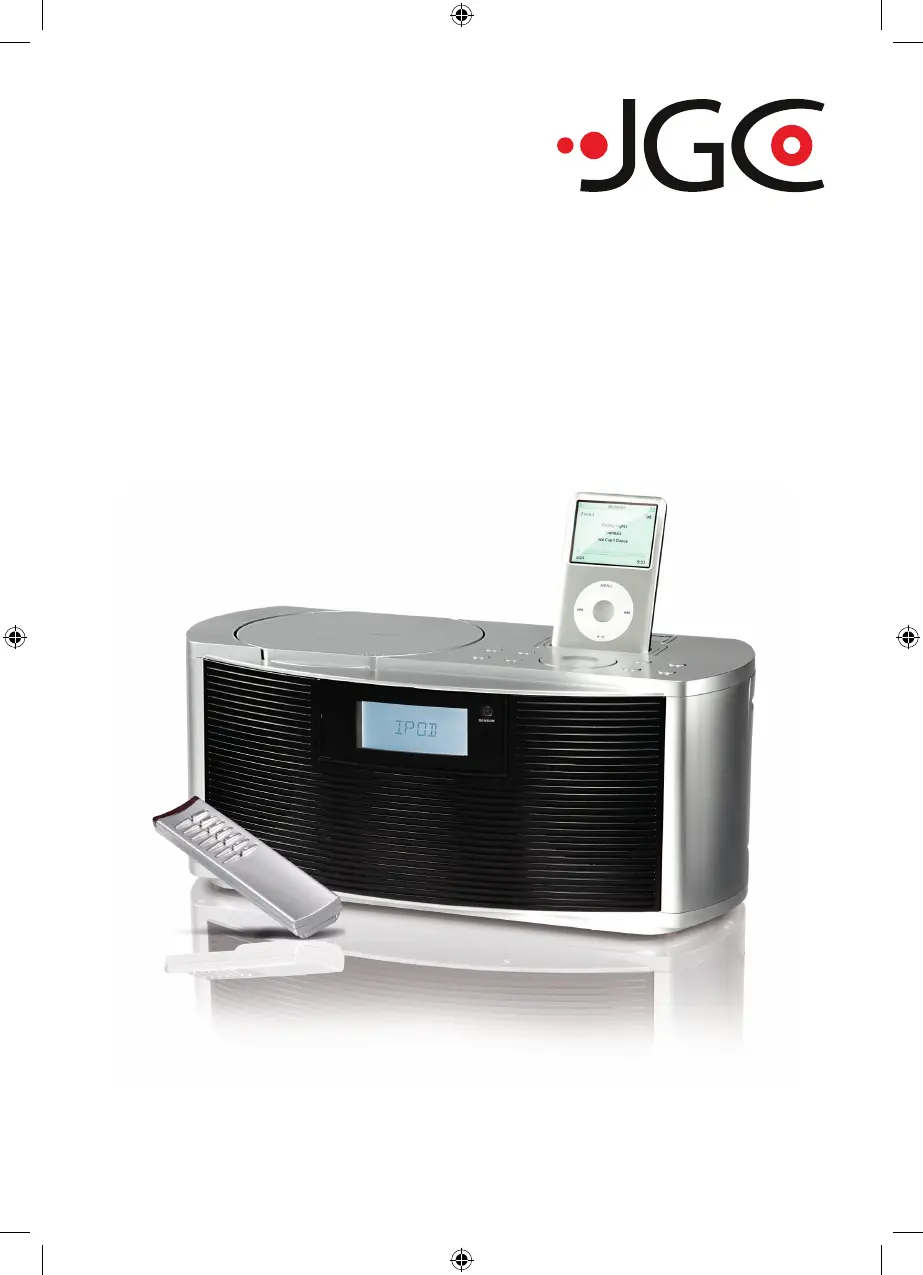
iPod Docking System
JGC-MS-8110
Bedienungsanleitung
User Manual
D
JGC-MS-8110-IM-DE-EN-V2.indb 1 24/08/2009 4:51 PM

Questions and Answers

  • D
    Donna HowardAug 18, 2025
    What to do if the CD cuts out during playback on my JGC JGC-MS-8110?
    • A
      Ann GrimesAug 18, 2025
      If the CD cuts out during playback on your JGC Docking Station, the CD might be dirty or scratched. Try cleaning the CD or playing another CD to resolve the issue.
  • C
    Connor FrazierAug 21, 2025
    Why is the CD player not working on my JGC JGC-MS-8110 Docking Station?
    • M
      Maria TorresAug 21, 2025
      If your JGC Docking Station's CD player isn't working, make sure the device is in CD playback mode. Also, check that the CD is correctly inserted with the label facing upwards and properly placed on the holder. Ensure the CD is compatible with the device, supporting audio CD and MP3 formats.
  • B
    Billy SwansonAug 23, 2025
    How to fix disturbances when playing FM/AM radio on JGC Docking Station?
    • S
      Sarah GlennAug 23, 2025
      If you are experiencing disturbances when playing FM or AM radio on your JGC Docking Station, try these steps: * Retune the station. * For FM, ensure the aerial is fully extended. * For AM, adjust the position of the device.
  • R
    Roy Thompson Jr.Aug 26, 2025
    Why is there no sound from FM/AM radio on my JGC Docking Station?
    • K
      Katrina BondAug 26, 2025
      If your JGC Docking Station isn't producing any sound from the FM or AM radio, first ensure the device is in radio mode. Secondly, check that the volume isn't set to the minimum; increase it as needed.
  • J
    Joy RodriguezAug 27, 2025
    What to do if my JGC JGC-MS-8110 Docking Station doesn't recognize the card?
    • A
      Alexis SalinasAug 28, 2025
      If your JGC Docking Station isn't recognizing the card, ensure the card is fully inserted into the card reader. The card should be inserted with the contacts facing down and towards the front of the device.
  • K
    Katrina ReeseAug 30, 2025
    Why is my JGC Docking Station not reading files from the card?
    • A
      Allison CarrAug 30, 2025
      If your JGC Docking Station isn't reading files from the card, ensure the card is FAT-formatted. Note that formatting will erase all data on the card. Also, confirm that the files are in a compatible format, such as audio CD or MP3.
  • M
    Monica RamirezSep 1, 2025
    Why is my JGC JGC-MS-8110 Docking Station not recognizing the USB storage device?
    • M
      Martin MorseSep 1, 2025
      If your JGC Docking Station isn't recognizing the USB storage device, check the connection between the USB storage device and the playback device.
  • L
    Leslie TaylorSep 3, 2025
    Why is my JGC JGC-MS-8110 Docking Station not reading files from USB?
    • S
      Scott LambertSep 3, 2025
      If your JGC Docking Station isn't reading files from the USB storage device, ensure the USB storage device is FAT-formatted. Keep in mind that formatting will delete all data on the USB storage device. The playback device can only play audio CD and MP3 formats.
  • D
    Douglas MeltonSep 6, 2025
    Why are the buttons not working on my JGC JGC-MS-8110 Docking Station and remote?
    • B
      Brian CruzSep 6, 2025
      If the buttons on your JGC Docking Station or its remote control aren't responding, first check the connection between the iPod and the playback device. If using the remote control, try replacing the batteries.
  • L
    Lisa RiveraSep 8, 2025
    How to fix no sound issue on JGC Docking Station?
    • J
      Joshua TaylorSep 8, 2025
      If you're not getting any sound from your JGC Docking Station, ensure the volume is properly adjusted on both the externally connected device and the playback device. If the external device has a LINE-OUT jack, set the volume on the playback device.

Summary

Important Safety Instructions

General Device Safety Guidelines

Provides essential guidelines for safe device operation and handling.

Installation Location Safety

Power Supply Safety Precautions

Outlines precautions for connecting and handling the power supply.

Condensation Handling Advice

Battery Safety and Handling

Covers critical warnings and guidelines for safe battery usage and disposal.

Basic Device Functions

Powering On;Off and Mode Selection

Details how to turn the device on/off and switch between different input modes.

Radio Operation Guide

Audio CD Playback

MP3 Disc Playback

USB and SD;MMC Card Media

iPod Integration and Usage

iPod Compatibility and Connection

Provides an overview of compatible iPod models and how to connect them.

Attaching, Removing, and Using the iPod

Guides users on physically connecting, disconnecting, and operating their iPod.

AUX-IN Connection Guide

Connecting External Devices via AUX-IN

Provides step-by-step instructions for connecting external playback devices.

Troubleshooting Common Issues

Radio Function Troubleshooting

Addresses common problems encountered when using the radio function.

CD Player Malfunction Solutions

Provides solutions for issues related to CD playback.

USB Device Recognition Problems

Offers help for problems encountered when connecting USB storage devices.

SD;MMC Card Troubleshooting

iPod and AUX-IN Troubleshooting

Covers troubleshooting for iPod connectivity and AUX-IN audio issues.

Manufacturers Warranty Information

Warranty Terms and Conditions

Explains the scope, duration, and limitations of the product warranty.

Warranty Exclusions and Service Procedures

JGC JGC-MS-8110 Specifications

General IconGeneral
BrandJGC
ModelJGC-MS-8110
CategoryDocking Station
LanguageEnglish