Accessing and Navigating the RL1 Webpage
Step 5
Step 4
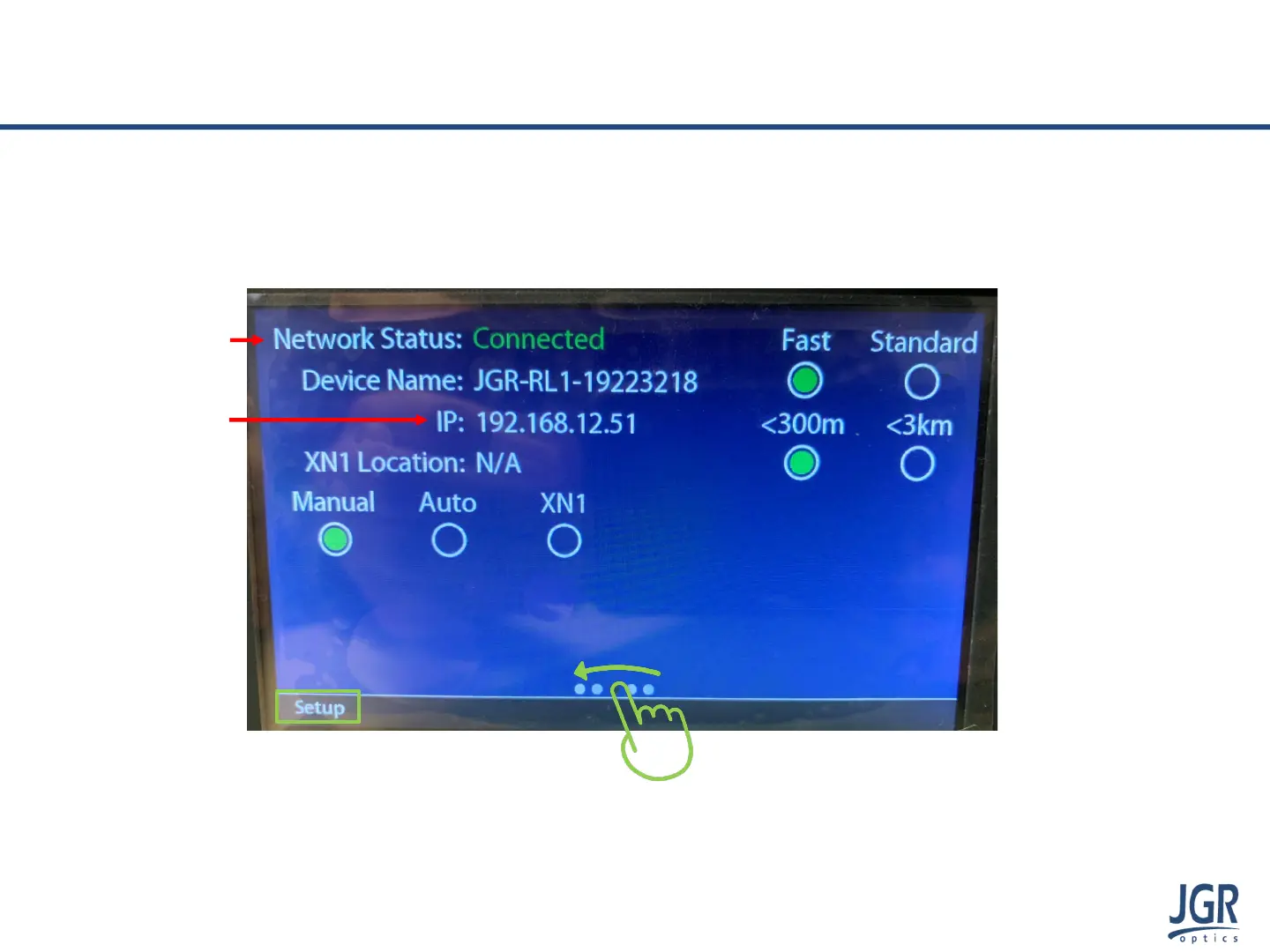
3. Swipe to the Setup page which displays information about the device
4. Network Status will show as Connected
5. The IP address of the RL1 will be displayed
Note: if Network Status reads as Disconnected, please verify
your ethernet connection and try again.
Step 3
www.jgroptics.com
© 2020 JGR Optics Inc. All Rights Reserved



 To Next Page