Need help?
Do you have a question about the JGR RL1 and is the answer not in the manual?
Details compliance with US Food and Drug Administration standards for laser safety.
Outlines compliance with Canadian and International Electrotechnical Commission standards.
Explains compliance with European Union EMC Directive and EN61326 standard.
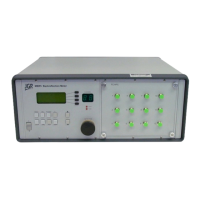
Provides a general description of the RL1 meter's capabilities and design.
Lists the various uses and industries where the RL1 meter is applied.
Highlights the main functionalities and advantages of the RL1 meter.
Specifies the industry standards (IEC) the RL1 meter conforms to for IL and RL measurements.
Lists the items that come standard with the RL1 meter in its package.
Lists additional items that can be purchased separately for the RL1 meter.
Describes the safety symbols and warning messages found on the unit.
Details the RL1's classification as a Class 1 laser product and its electrical safety rating.
Covers crucial safety precautions related to laser and electrical hazards for operating the unit.
Guides users on how to inspect the unit and its contents for damage upon arrival.
Specifies the environmental conditions necessary for the RL1 meter to perform optimally.
Introduces the main components and user interface of the RL1 meter.
Describes the features and controls visible on the front of the RL1 meter.
Details the connectors and ports located on the rear of the RL1 meter.
Explains the standard detector accessory and its features.
Provides step-by-step instructions on how to turn on the RL1 meter.
Describes the process of connecting and pairing the RD-S detector with the RL1.
Explains how to access and view unit information and configure settings via the setup page.
Guides users on choosing or loading specific test plans for measurements.
Details the procedure for setting up a reference measurement for accurate results.
Outlines the steps required to conduct a return loss measurement using the RL1.
Explains how to connect and utilize an SX1 switch with the RL1 meter.
Describes the webpage's dashboard for viewing calibration reports and status.
Navigates to the general settings area within the RL1 webpage.
Explains how to assign Human Interface Device (HID) input strings for control.
Details how to view and configure the network settings for accessing the RL1 webpage.
Describes how to update or reinstall the firmware for the RL1 and power meters.
Provides access to the self-calibration function via the RL1 webpage.
Guides users to support resources and contact information.
Displays the unit's firmware version, model, and serial number.
Lists the necessary equipment and environmental conditions for performing self-calibration.
Details the steps to navigate to and initiate self-calibration through the web interface.
Provides guidance on common issues and solutions for self-calibration failures.
Explains how to establish communication with the RL1 meter using SCPI commands.
Details the requirements and methods for USB communication setup.
Describes the process for connecting and communicating with the RL1 via Ethernet.
Provides a detailed guide for programming the RL1 using a .NET environment.
Refers to tables containing standard SCPI and RL1-specific commands.
Instructions for cleaning the exterior of the RL1 meter.
Procedures for cleaning the optical output connectors and fibers.
Details the process and materials needed for cleaning fiber optic jumper connectors.
Guidelines for safely returning the RL1 meter for service or repair.
Provides contact details for JGR Optics.
 General
| Brand | JGR |
|---|---|
| Model | RL1 |
| Category | Measuring Instruments |
| Language | English |


 To Next Page