RL1 User Manual
27
M-RL1-001-01
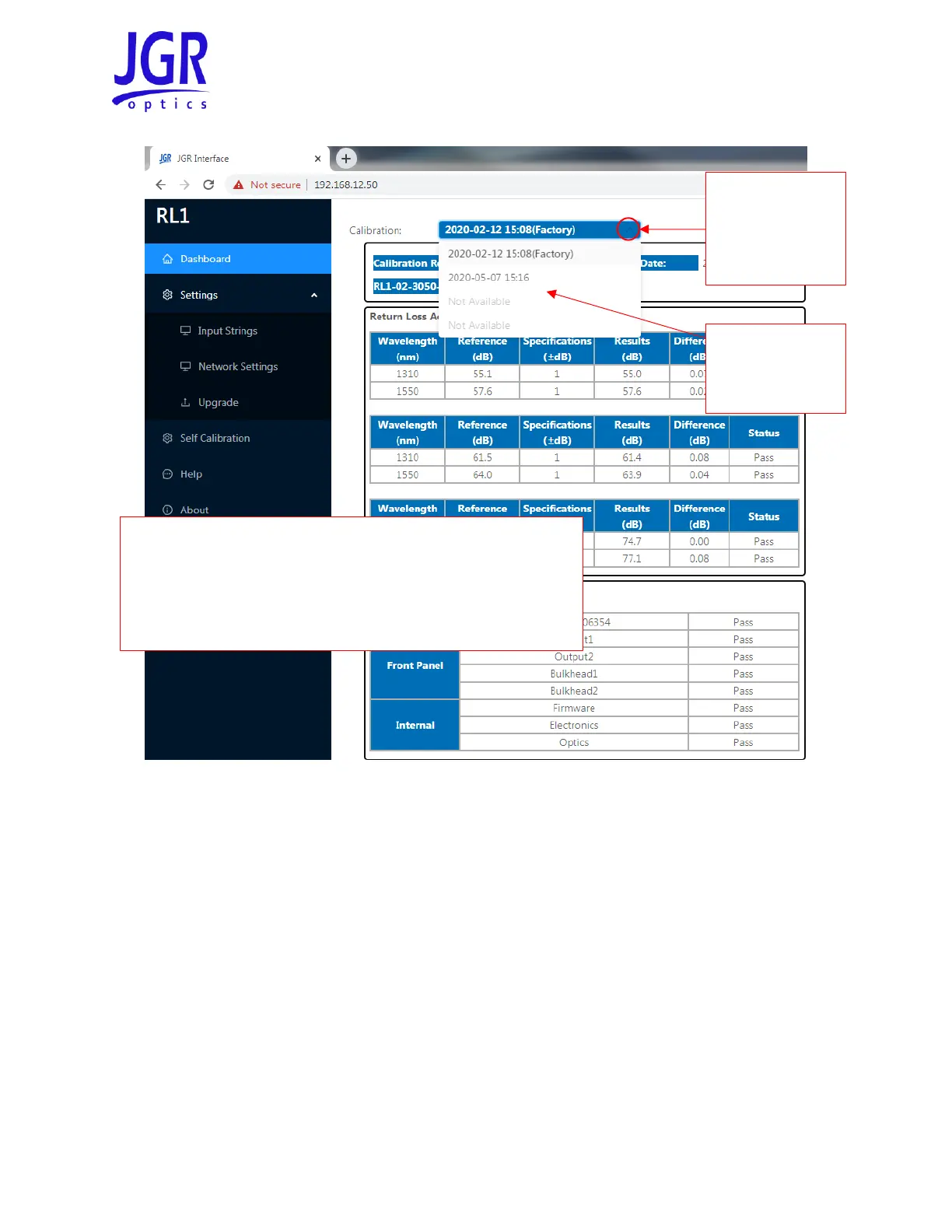
Figure 22: Viewing the calibration reports stored on the RL1
Troubleshooting
When troubleshooting the self-calibration process, it is important to rule out external factors before
investigating issues with the unit itself. Generally, the main causes of failure are:
• poor fiber management
• connection contamination (ex: dust, dirt, water droplets, residues)
• damage such as connector end-face scratches and pits or micro-cracks in the fiber
Table 10 gives a description of each step and some common issues to investigate before contacting JGR
Optics.
The Factory calibration can only be performed by JGR Optics or one
of its approved service centers/technicians. Its report cannot be
overwritten by the self-calibration reports.
If any repairs are performed on the unit, a new factory calibration
will likely be required.



 To Next Page