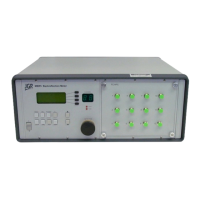
RL1 User Manual
30
M-RL1-001-01
8
Programming Guide
Establishing Communication
The RL1 follows the SCPI (Standard Commands for Programmable Instruments) message-based
programming standard. It conforms to the USBTMC (USB Test and Measurement) standard.
USB
VISA drivers are required for USB communication.
• Recommended: Rohde and Schwarz
o https://www.rohde-schwarz.com/gr/applications/r-s-visa-application-note_56280-
148812.html
• Alternatives: National Instruments, Keysight, etc.
Ethernet
Each RL1 is factory pre-set to use DHCP. To connect the RL1:
• Connect the RL1 to the network via an Ethernet cable
• Swipe on the front panel touchscreen to the Setup page to view the RL1’s IP address
The TCP/IP libraries provided by most operating systems are sufficient. JGR Optics can provide a
communications library upon request.
Note: any VISA implementation is capable of controlling the RL1 via TCP/IP.
Step-by-step Guide
This section will provide a step-by-step programming guide in a .NET programming environment such as
C# or VB.NET. Steps 3-5 below can be skipped if using JGR’s CommunicationsLib.dll (available upon
request).
1. Install VISA drivers on the development system
2. Connect the RL1 via its USB B port to the development system
3. Add a reference to Ivi.Visa.dll in your project:
C:\Program Files (x86)\IVI Foundation\VISA\Microsoft.NET\Framework32\v2.0.50727\VISA.NET Shared
Components 5.11.0\Ivi.Visa.dll
4. Use the IVI.Visa.GlobalResourceManager to find all USB instruments on your system:



 To Next Page