RL1 User Manual
17
M-RL1-001-01
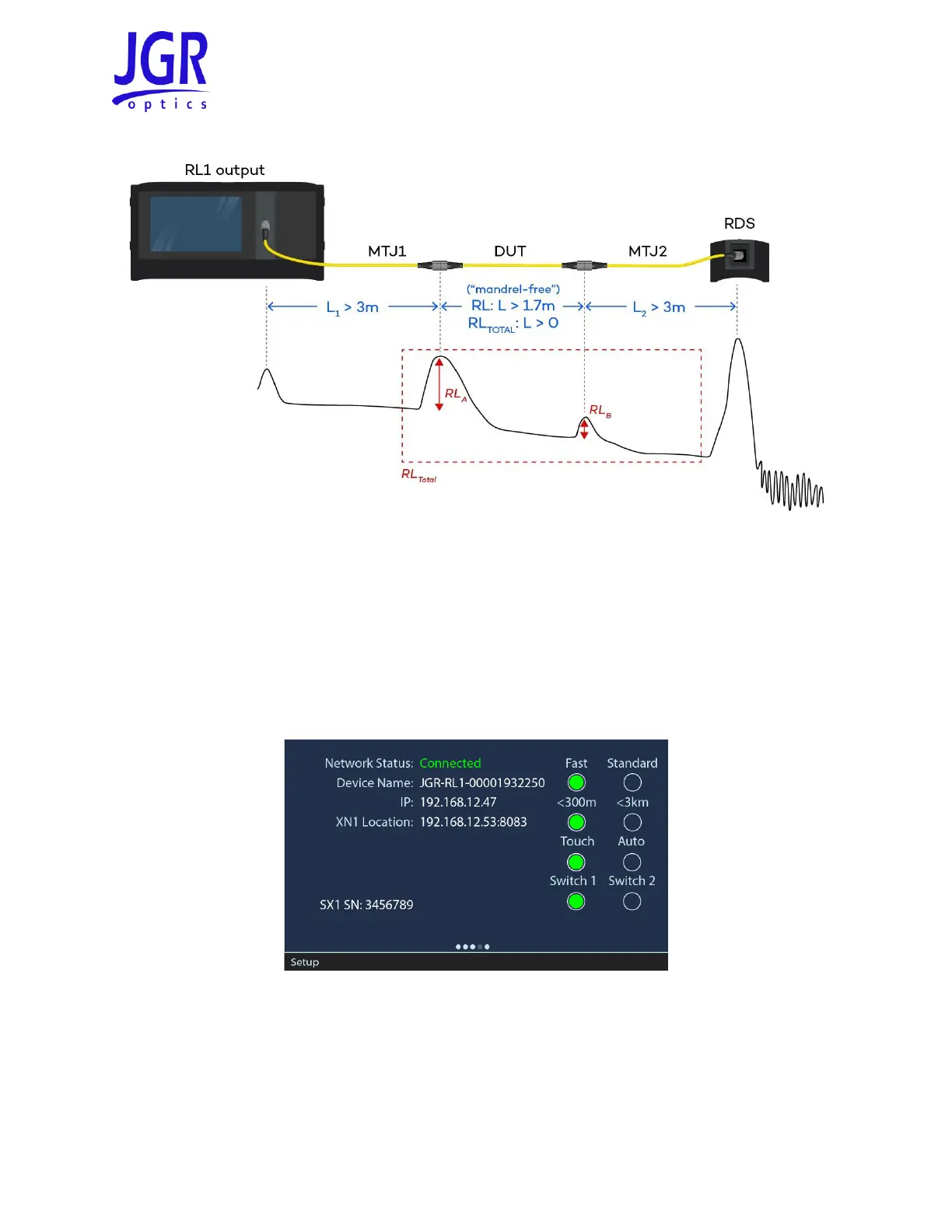
Figure 11: Sample trace showing RL and RL
TOTAL
Connecting an SX1 Switch
The RL1 can be used with a switch for multifiber or high throughput applications.
1. Connect the SX1 (USB B port) to the RL1 (USB A port).
2. On the RL1 Setup page, confirm the SX1 connectivity and, if the RL1 is a dual output, the switch
assignment (see Figure 12).
Figure 12: RL1 with SX1 – Setup page
3. Swipe right to the Measure page (see Figure 13). Press and hold in the top left corner to open the
Switch Selection pop-out. From this pop-out, you can:
a. Activate or bypass the SX1 switch
b. Skip to the desired channel



 To Next Page