RL1 User Manual
11
M-RL1-001-01
5
OPERATION
Before the RL1 meter can be used to make a measurement, the user must setup the meter and connect
and reference a “test jumper” to the front panel.
Powering Up the Meter
To power up the meter:
1. Verify that the power switch is set to the “off” position (O). Connect the meter to an AC power
supply using the power cord provided.
2. Toggle the power switch to the “on” position (I). The JGR logo will flash on the screen during the
unit’s initialization.
3. Allow for a 30-minute warm-up period in order to obtain an accurate reading.
Pairing a Detector
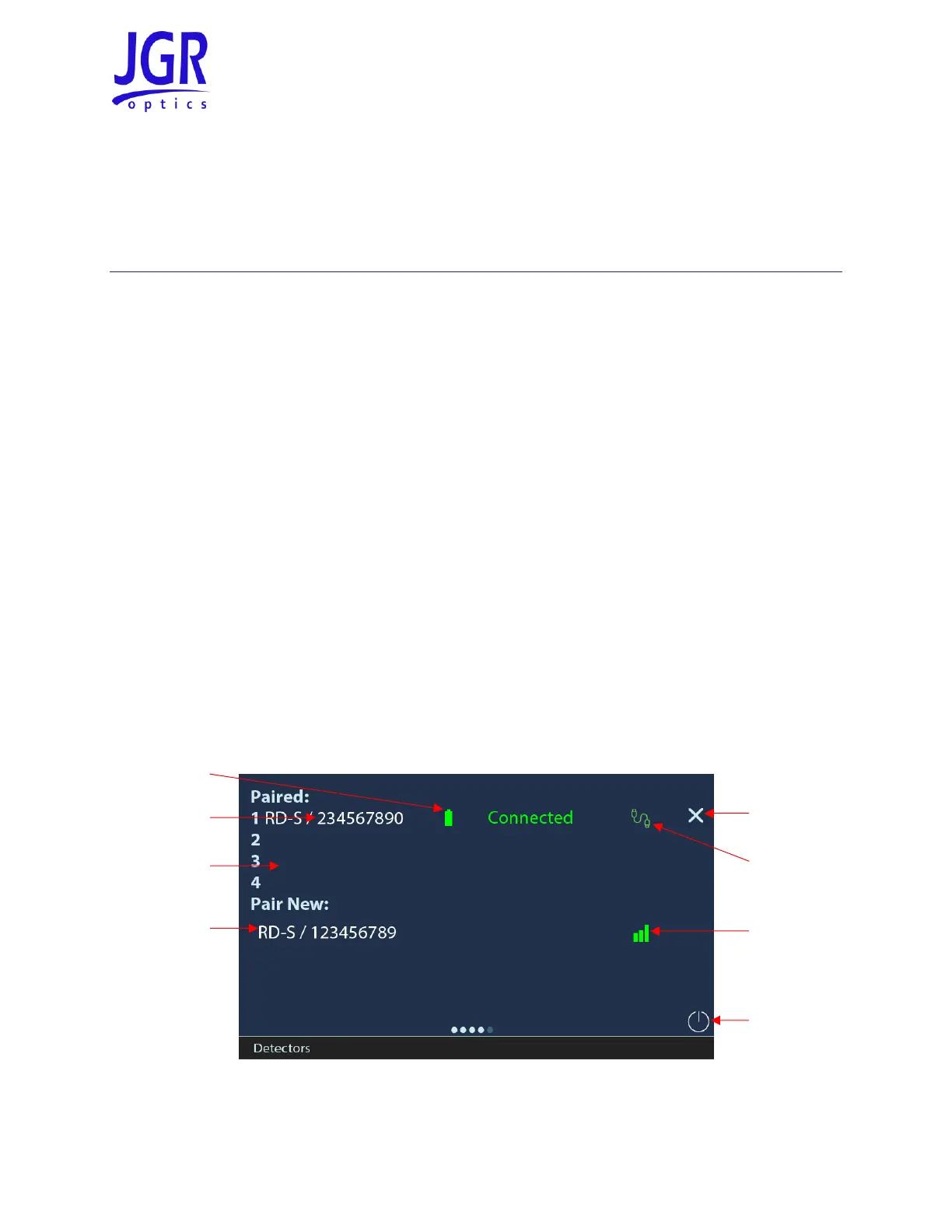
For normal operations, at least one RD-S must be paired to the RL1. On start-up, the RL1 will automatically
pair with any RD-S it was paired to on shutdown and any wired RD-S. Swipe left on the touchscreen to
access the Detectors page (farthest page to the right, see Figure 6). Press and hold on the screen to rescan
for wired detectors.
Figure 6: RL1 Detectors page



 To Next Page