RL1 User Manual
10
M-RL1-001-01
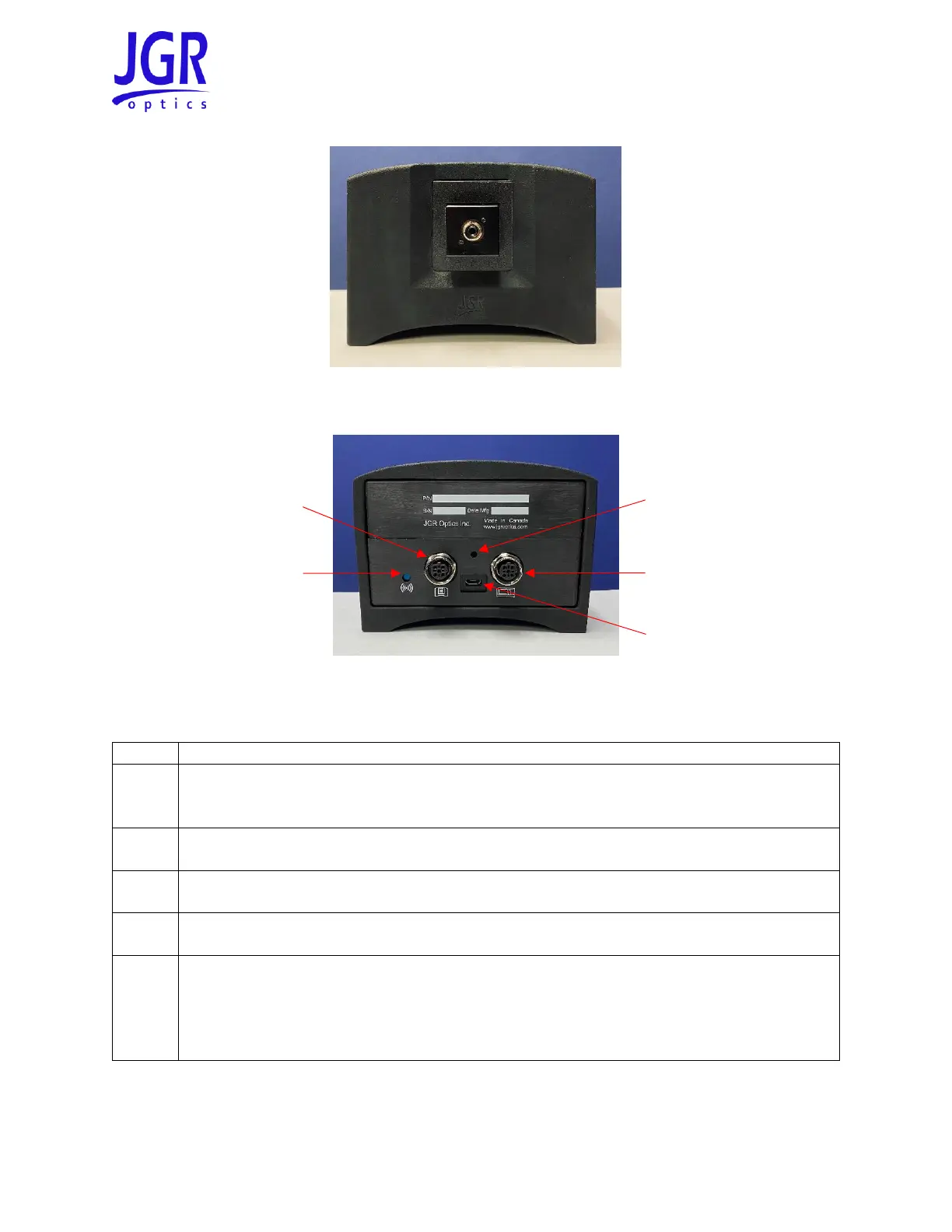
Figure 4: Front view of an RD-S with an SD01 slide FC detector adapter
Figure 5: Rear view of an RD-S
Table 4: Detailed description of the RD-S rear panel components (see Figure 5)
Wireless button
• Press once: power on or put in pairing mode
• Press and hold for > 7 seconds: power off
M12 connector
• Connection to next RD-S (if pairing multiple RD-S)
Micro-USB port
• Charging port
M12 connector
• Connection to RL1 (or preceding RD-S if pairing multiple RD-S)
LED indicator
• Green: RD-S is paired to an RL1
• Orange: RD-S is not paired to an RL1
• Flashing: battery charge is very low or zero
• Red: error, contact JGR Optics



 To Next Page