RL1 User Manual
20
M-RL1-001-01
Settings
Click on the Settings tab to expand.
Input Strings
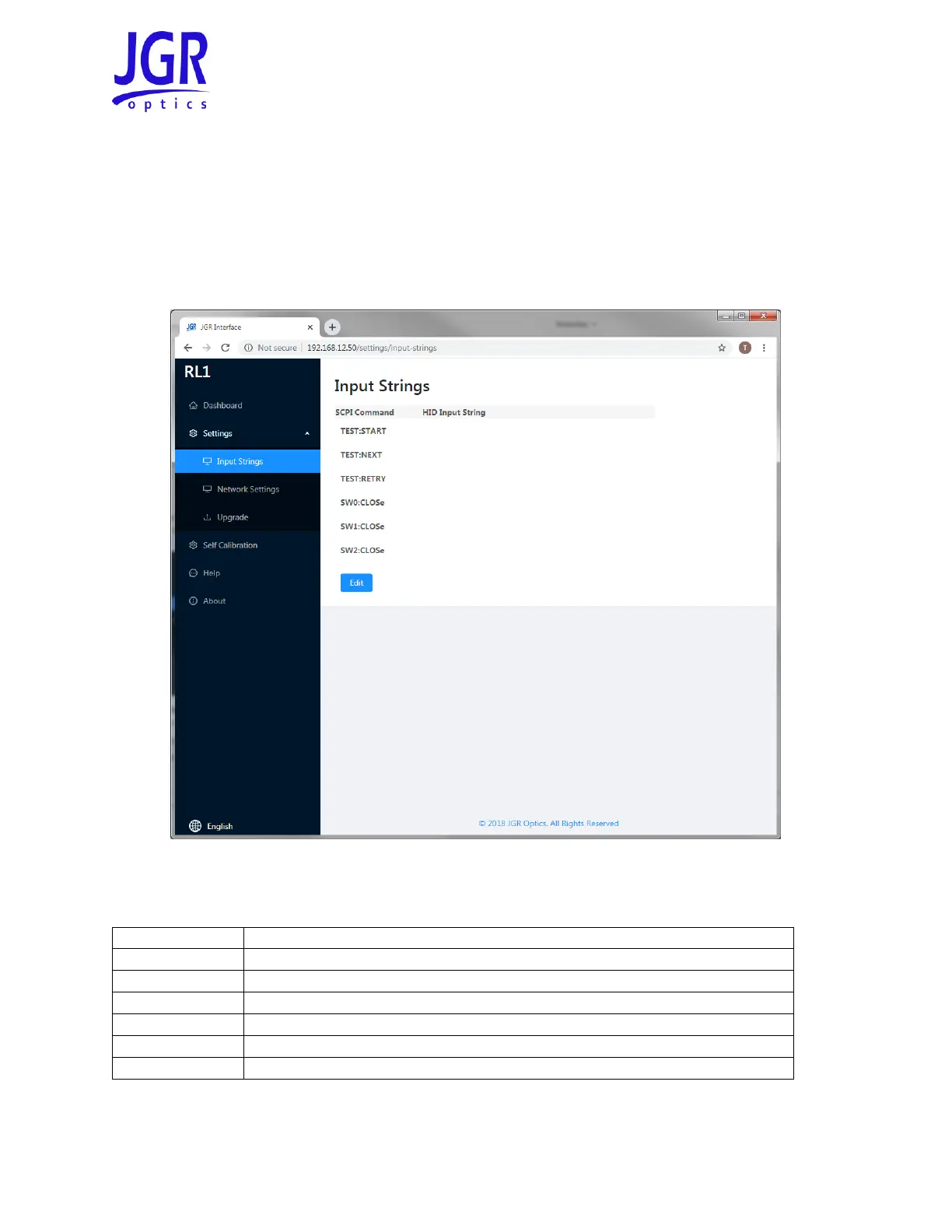
You can assign a Human Interface Device (HID) input string from the Settings > Input Strings tab (Figure
16). Note: the HID must be USB 2.0 or higher.
Figure 16: RL1 webpage – Input Strings tab
Table 9: Description of HID input string SCPI commands
If an XN1 test plan is loaded, after a test is completed, go to next DUT.
If an XN1 test plan is loaded, after a test is completed, re-measure the DUT.
Go to the next output (internal RL1 switch).
Go to the next channel on switch 1 (external SX1 switch).
Go to the next channel on switch 2 (external SX1 switch).



 To Next Page